What should you look for when buying?
First, consider how you’ll organise script versions and keep a separate backup. Then make sure the connector, usable storage space and any access protection suit the computers you actually use.
| What you need |
What to check before buying |
Who is this important to? |
| Restore script versions |
Allow enough space for your planned project folders, then try opening an older version from the separate backup. |
If I want to find earlier versions and still be able to open them after a failure, restoring files is my priority. Around 33% of consumers put this first. |
| Access on different devices |
Check the USB-A and USB-C connectors, as well as the file system and whether a test file opens on each computer you plan to use. |
I want to be able to open the same script versions on computers with different connectors. Around 27% of consumers prioritise switching between devices. |
| Confidentiality while in transit |
Consider whether your files need protection and whether you can use encryption and unlock the drive on all the devices you need. |
If I’m carrying unpublished texts or documents containing personal data, I want to limit access if the drive is lost and test unlocking it in advance. Around 20% of consumers put confidentiality first. |
| Usable storage space |
Check the size of your project folders, including older versions and accompanying files, and compare it with the variant’s usable space. |
I want enough room for the versions I actually plan to store, without choosing a storage capacity based on a general rule of thumb. Around 20% of consumers prioritise storage space. |
USB flash drives at Joybuy
This selection includes USB-A models, USB-A/USB-C drives and a USB flash drive with a PIN keypad. The right connectors and access protection are no substitute for keeping a separate backup.
 No image available
Kingston DataTraveler 64 GB Metal USB 3.2 Gen 1 SE9 G3
For computers with USB-A, provided the stated storage capacity is enough for the versions you plan to store.
64 GB; USB 3.2 Gen 1; Type-A compatibility according to the product description.
View at Joybuy
 No image available
Kingston IronKey 32 GB Keypad
For confidential files, if PIN-based access protection suits your workflow and you’ve tested unlocking the drive on the devices you plan to use.
32 GB; AES-256 encryption according to the product name; PIN entry via the integrated keypad according to the product description.
View at Joybuy
 No image available
Kexin 2-in-1 USB 2.0, 32 GB, pack of 2
For switching between USB-A and USB-C devices, if a set of two drives suits the way you organise your files.
32 GB; USB 2.0; USB-A and USB-C; pack of 2.
View at Joybuy
 No image available
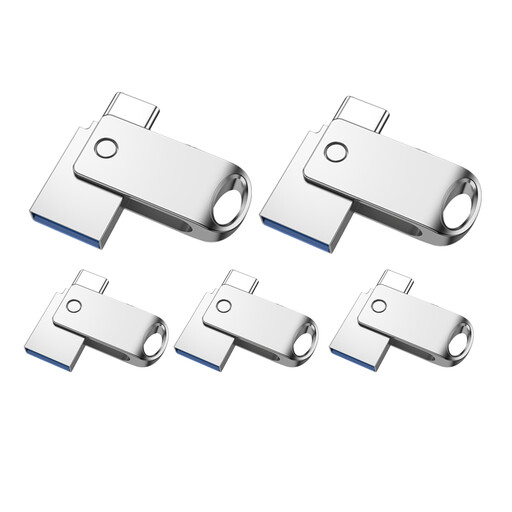
Kexin 2-in-1 USB 2.0, 32 GB, pack of 5
For separate file collections, if you want to organise different projects on different drives; make sure you keep track of which versions are on each one.
32-GB variant; USB-A and USB-C according to the product name; five colour-coded drives according to the product description.
View at Joybuy
 No image available
Kexin 2-in-1 USB flash drives, 128 GB, pack of 5
For several project collections, if the stated capacity and a set of five drives suit the versions you plan to store.
128 GB; USB-A and USB-C according to the product name; retractable design according to the product description.
View at Joybuy
Frequently asked questions
Is one USB flash drive enough for a permanent archive of script versions?
No, not if you need the versions to remain available after a drive fails. Germany’s Federal Office for Information Security says that the lifespan of storage media cannot be predicted precisely. Keep a separate copy and regularly open an important older version from it.
How should I store multiple script versions?
Organise projects and clearly named versions in a filing system that makes sense, and check that you can open an older file from the backup. For longer-term storage, you may want to keep the editable source format. In its archival context, the German Federal Archives also recommends creating a PDF/A version that stays as close to the original as possible where necessary; this does not mean theatre groups are generally required to use PDF/A.
What should I test on Windows and Mac computers?
Check the connector and open a test file on both computers. Kingston notes that Windows may not recognise a macOS file system; exFAT may be suitable as a file system that works across both. Back up any existing files before reformatting a drive.
Does a theatre script in Germany have to be stored on an encrypted drive?
There is no blanket requirement that applies to every script. If an organisation responsible for processing personal data does so, Article 32 of the GDPR requires technical and organisational measures appropriate to the risk. Germany’s Federal Commissioner for Data Protection and Freedom of Information describes encrypting portable storage media during transport as an important measure. The measures appropriate for specific files and how they are transported should be assessed on a case-by-case basis.
Can I copy or share other people’s play texts freely on USB flash drives?
No. Buying a USB flash drive does not give you general permission to copy or share someone else’s text. Under sections 15 and 16 of the German Copyright Act (UrhG), the rights to exploit and reproduce a work generally belong to its author. Check your usage rights and any relevant exceptions before sharing copies with others.


