Readers working with long PDFs
You want to read dialogue and brief stage directions without constantly zooming in. Check how one of your own script pages looks on the device.


If you open or edit scripts in different apps, a versatile tablet is an obvious choice. First, check the specific file format and the stylus app you need. If you mainly read and annotate PDFs that can be transferred, a document-focused E Ink device may suit your workflow better. What matters most is being able to read your script page clearly, and having an import and export method that works with your file.
You want to read dialogue and brief stage directions without constantly zooming in. Check how one of your own script pages looks on the device.
You highlight cues or write in the margins, and need a reliable way to find or share the edited file afterwards.
Your scripts come from different sources or require a particular app. That makes the app’s file-handling and offline features important when choosing a device.
A good fit if: you want to use iPad apps alongside your script and read or annotate on an 11-inch device. Apple lists compatible Pencil models for the iPad (A16).
Keep in mind: Apple’s listed box contents do not include a Pencil. Also check that your script app is suitable.
A good fit if: you want to write by hand on script pages and use Android apps. Samsung lists an S Pen as included with the Galaxy Tab S10 FE, which has a 10.9-inch display.
Keep in mind: Test your own script to check that your PDF app saves and exports annotations as you’d like.
A good fit if: you mainly want to read and annotate transferable PDFs. reMarkable lists an 11.8-inch display, reading light, and PDF import and export for the Paper Pro; BOOX lists PDF annotations and a front light for the Go 10.3 (Gen II) Lumi.
Keep in mind: Check how you’ll transfer files, whether small stage directions are readable, and how your notes are exported. According to reMarkable, DRM-protected e-books are not supported.
A good fit if: your script can be transferred as a personal document using ‘Send to Kindle’ and you want to write directly on the PDF page.
Keep in mind: According to Kindle Help, writing directly on PDF pages depends on the import method. Check how you’ll transfer the file and manage your notes before buying.
| What to consider | What to check before buying | Who it matters most to |
|---|---|---|
| Script layout readability | Open one of your own PDF pages at its original size; check stage directions, zoom and page turns. | If I want to follow dialogue, speaker changes and small stage directions on a script page, I check the original view rather than just the screen size. Around 33% of consumers put the readability of their specific page layout first. |
| Handwritten notes | Write on one of your own scripts, reopen the file and check an exported copy. | I want to mark cues and find or share my margin notes later. Around 27% of consumers who prioritise this exact note-taking workflow feel the same. |
| File and app access | Check the file format, protection, permitted transfer method, app requirements and offline use. | If my script depends on a particular format or app, the file transfer method needs to work before I buy a device. Around 20% of consumers put access to their file or script app first. |
| Lighting and desk space | Check your seating position, desk space and ambient light with a script page; compare the lighting on the exact model variant. | I want to read comfortably at my library desk without the device taking up more room than necessary. Around 20% of consumers prioritise lighting, desk space and an uninterrupted reading experience. |
Viewing a file, writing directly on it and exporting annotations are separate features. According to Kindle Help, writing directly on PDF pages with the Kindle Scribe depends on the import method.
Before buying, transfer a script page you’re allowed to use, annotate it and check the exported file.
Depending on the file and app, you may need an additional import or export method.
Apple lists compatible Pencil models for the iPad (A16), but no Pencil in the stated tablet box contents. Samsung lists an S Pen as included with the Galaxy Tab S10 FE.
Check the box contents and stylus compatibility for the exact model variant.
You may need to buy a compatible Pencil separately for the iPad (A16).
reMarkable states that DRM-protected e-books are not supported. In Germany, Section 95a of the German Copyright Act (UrhG) protects effective technological measures under the conditions set out there.
Check the file format, licence and permitted access method with the source of the script, rather than planning to bypass copy protection.
The iPad (A16) is a versatile 11-inch option, provided the script app you need is available on iPadOS.
The Galaxy Tab S10 FE and FE+ are Android options with different screen sizes and stylus input.
According to the manufacturer, the Paper Pro is designed for reading and writing on documents using an 11.8-inch E Ink display.
According to the manufacturer, the Go 10.3 (Gen II) Lumi combines a 10.3-inch E Ink display with a front light, document features and app access.
The Kindle Scribe may suit personal documents if the intended transfer method works for your script.
This selection includes versatile tablets and E Ink devices that may suit you, depending on your script format and note-taking needs.
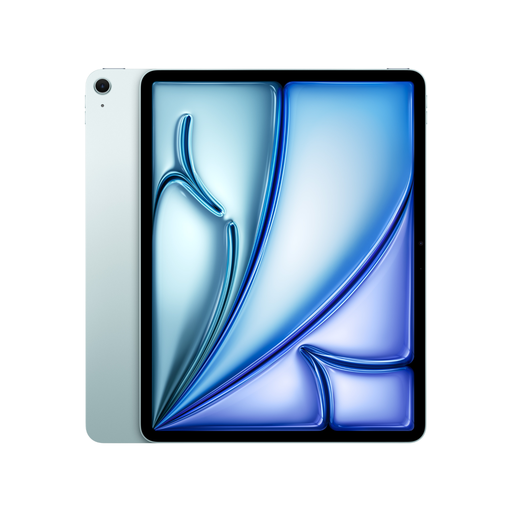 No image available
For script readers who want to use other tablet apps alongside their document. Check that your specific script app is suitable first.
13-inch display, M4, Wi-Fi and 128 GB. A compatible Apple Pencil is not listed as included.
 No image available
For readers who prefer a larger tablet screen when checking their script pages.
12.1-inch display, Wi-Fi and 256 GB.
 No image available
For handwritten notes on E Ink, provided your script’s format and transfer method are compatible.
10.65-inch E Ink display. According to the product description, it has no front light.
 No image available
If you’re looking for E Ink with app access and are happy to work with a smaller screen for your script.
6.13-inch E Ink display, Android 14 and 8 GB + 256 GB. The smaller screen limits how much of a script page you can see at once.
 No image available
For scripts that you can open on a compact E Ink reader; check the page layout first.
6-inch E Ink display, 36-level front light, Android 14, Google Play and 4 GB + 64 GB.
Not necessarily. Section 53 of the German Copyright Act (UrhG) permits certain private copies only under the conditions set out there, and includes restrictions, including on substantially complete books. Check what applies to your specific script based on the source material and terms of use. Under the applicable conditions, effective technological protection measures must not be bypassed without permission, as set out in Section 95a of the German Copyright Act (UrhG).
Transfer a test file that you’re allowed to use before your visit, then open it without an internet connection. Check the page view, bookmarks and saved annotations. Kindle Help states that you can’t write directly on PDF pages transferred by USB-C.
Samsung lists an S Pen as included with the Galaxy Tab S10 FE. Apple lists compatible Pencil models for the iPad (A16), but no Pencil in the tablet box contents. So check the box contents for the specific offer and compatibility with your model.
For a consumer purchase from a business seller, the seller is generally responsible for the statutory guarantee. The European Union’s consumer information states that this lasts for at least two years from receipt of the goods. An additional manufacturer’s warranty does not replace this right.