An LCD tablet could suit you if you want to manage theatre scripts across different apps or annotate PDFs. Check your own file at a readable font size, and hold the device in your usual lying position. An e-paper device may be worth considering if you mainly read and write on PDFs, provided its app selection, file-transfer options and weight fit your routine. Adjustable lighting does not prove that reading for a long time late in the evening leaves sleep unaffected; the Federal Government’s health portal highlights the impact of bright screen light.
Which device is right for you?
Readers with long PDF scripts
If you want to see dialogue, stage directions and page turns clearly in your usual position in bed, try an original page on the device. Manufacturers such as Apple, BOOX and reMarkable list different display sizes and weights; what matters is whether your specific PDF remains legible at your preferred font size.
Performers who make notes on scripts
If you mark cues or changes directly on your script, the stylus, app and PDF workflow all need to work together. Samsung explains how to import and annotate PDFs in Samsung Notes, while Apple documents how to mark up PDFs on iPad.
Regular evening readers
If you often read before bed, weigh adjustable lighting against ease of handling and file features. The Federal Government’s health portal notes that reading for a long time with a bright screen late in the evening can affect sleep.
What should you look for when buying?
LCD tablet with iPadOS or Android
A good fit if: you manage scripts across several apps or want to annotate PDFs.
Consider: the stylus, app and device model need to be compatible; the listed contents of the iPad package do not include a Pencil.
E-paper device with reading light
A good fit if: you mainly read imported PDFs and write on them by hand.
Consider: the operating system and file-transfer options vary by model; check that your required apps and script files will work.
| What matters to you |
What to check before buying |
Who should prioritise this? |
| Holding the device while lying down |
Compare the weight of the exact model, including its case, and try holding it in your usual position. |
When I read in bed for a while, I care about whether I can hold the device comfortably or prop it up. Around 27% of consumers put ease of handling first. |
| Seeing the whole script page |
Open an original page with dialogue and stage directions in the app you plan to use; check the font size, page order and portrait or landscape view. |
If I want to read a fixed-layout script page without zooming in frequently, the display needs to suit my manuscript. Around 27% of consumers prioritise seeing the whole page. |
| Reading in the evening |
Check whether you can adjust the lighting to suit your usual room conditions, and consider how long you read in the evening. |
If I read before bed, I want to be able to adjust the lighting to suit my surroundings. Around 20% of consumers pay particular attention to lighting when reading in the evening. |
| Marking cues and changes |
Import a copy of a script, mark a passage and check how you can save or find the edited version again. |
If I want to note text changes or cues directly on the manuscript, the stylus and PDF tool need to suit my workflow. Around 13% of consumers prioritise handwritten notes on text. |
| Required accessories |
Check the specific listing to see which stylus and accessories are included and which you will need to buy separately. |
If I need an additional compatible stylus or case for my notes, I want to keep track of all the equipment I need. Around 13% of consumers prioritise these accessory costs. |
Common buying mistakes
-
Choosing based on screen size alone
A larger display will not automatically compensate for an awkward PDF layout or make a device easier to hold in bed.
Try an original page at a comfortably readable font size, and hold the device in your usual position.
-
Assuming a stylus is included or compatible
What comes in the box and which styluses are compatible vary by model and package. Apple does not list a Pencil in the box for the iPad mentioned here; Samsung says the Galaxy Tab S10 FE comes with an S Pen.
Check the full model name, the compatible stylus version and the contents of the specific listing.
-
Assuming an e-paper front light guarantees better sleep
Adjustable reading light is a device feature, not proof that reading for a long time late in the evening will not affect your sleep.
Set the light to suit your surroundings and consider how long and how late you read.
-
Assuming the retailer’s listing title matches the full model number
On one listing we checked, the title’s “X520” designation and the stated model number SM-X210NDBAEUB do not match Samsung’s SM-X520NZAREUB model.
Before buying, check that the full model number and key device specifications match the model you want.
Key brands at a glance
Apple
The 11-inch iPad (A16) is an iPadOS option for script PDFs and compatible annotation tools.
- Apple lists a weight of 477 g for the Wi-Fi version and support for certain Apple Pencil models.
- A Pencil is not included in the listed package. Check the exact Pencil version and your PDF workflow.
Samsung
The Galaxy Tab S10 FE is an Android option if you want to make handwritten notes on scripts.
- For the German model SM-X520NZAREUB, Samsung lists a 10.9-inch display and an included S Pen. Samsung also explains how to import and annotate PDFs in Samsung Notes.
- Check that the model number on the specific listing matches; the manufacturer’s specifications do not confirm that your theatre PDF will be legible.
Lenovo
The Tab M11 is an Android option with an 11-inch display; the stylus and package contents depend on the configuration.
- For model ZADB0226ES, Lenovo lists a resolution of 1,920 × 1,200 pixels, 4 GB RAM and 128 GB storage.
- Do not assume these specifications apply to every Tab M11. Check the model number and accessories included with the specific package.
BOOX
The Note Air5 C combines an e-paper display with an adjustable front light and Android 15.
- BOOX lists a 10.3-inch display and adjustable front-light modes.
- Manufacturer claims about writing and viewing comfort are not the same as an independent comfort test. Check the specific listing and the apps you use for scripts.
reMarkable
The Paper Pro is designed for imported documents and handwritten work.
- reMarkable lists PDF import, an adjustable reading light, an 11.8-inch display and a weight of around 525 g.
- Having its own operating system does not mean it can run an app you need for iPadOS or Android. Check how you will transfer files before choosing.
Tablets for viewing scripts
These Joybuy products are LCD tablets for reading digital scripts; their listed stylus and accessory features may be useful when choosing a device for making notes.
 No image available
GOODTEL G11 Android tablet, 11 inches
The listed display size and resolution are useful points of comparison for viewing scripts.
Android 15; 11 inches; 2176 × 1600; 16 GB RAM (8 + 8 virtual); 256 GB ROM.
View at Joybuy
 No image available
Android 16 tablet, 10.1 inches, with keyboard and touch pen
The title lists a touch pen in the package, which may be useful if you plan to make handwritten notes on scripts.
10.1 inches; Android 16; keyboard and touch pen listed in the title; 36 GB RAM; 256 GB ROM.
View at Joybuy
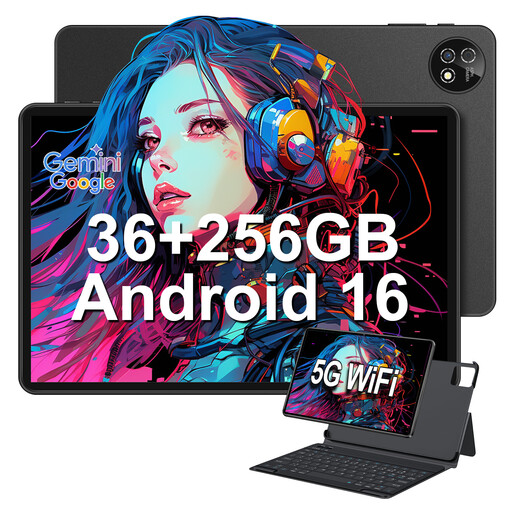 No image available
10.1-inch touchscreen tablet with Android 16 and protective case
The protective case listed in the title may be useful if you want to prop up the tablet in bed.
10.1 inches; Android 16; 36 GB LPDDR4 RAM; 256 GB storage, expandable up to 1 TB; keyboard and protective case listed in the title.
View at Joybuy
 No image available
Teclast ArtPad Pro 2025, 13.4 inches
The title lists a T-Pen; before buying, check that your chosen PDF workflow works with your reading app.
13.4 inches; 2K display; T-Pen with 4,096 levels of pressure sensitivity; 256 GB storage; Android 15.
View at Joybuy
 No image available
Honor Pad X8a WiFi, 11 inches
The 11-inch size is one of the details to consider when testing your script page.
4 GB RAM; 128 GB storage; 90 Hz; 8,300 mAh; Android 14.
View at Joybuy
Frequently asked questions
How can I check whether my theatre PDF works on the device?
Open a representative page in the app you plan to use and check the text, page order and layout at your usual viewing size. Also try saving an annotation. Apple explains how to mark up PDFs on iPad, while Samsung documents PDF import and annotations in Samsung Notes. The only way to tell whether your specific script is legible without zooming is to try it on your own file.
Is an e-paper device with a front light automatically better for sleep?
No. An adjustable front light does not prove any particular effect on sleep. BOOX and reMarkable list lighting features; the Federal Government’s health portal notes that reading or working for a long time with a bright screen late in the evening can affect sleep.
What should I check before buying if I want to make handwritten notes?
Check that the stylus, model and PDF app work together, and that you will be able to find the edited file afterwards. Import a copy of your script, mark a passage and try saving it. What is included can vary by model and specific package.


