What should you look for when buying?
First decide whether the narrator will be standing still and the recorder can be positioned nearby, or whether you’ll need to attach a microphone to the narrator or position one separately. Extra tracks are most useful when you have several audio sources.
| Priority |
What to check before buying |
Who is it important to? |
| Clarity of a quiet voice |
Check whether you can position the recorder or a compatible microphone securely and close enough at the filming location; listen back to a softly spoken test line. |
If I want to record a quiet narrator, the sound at the actual recording location matters more to me than the format name. Around 36% of consumers put the clarity of quiet speech first. |
| Microphone placement when moving |
Check that the included lapel microphone or external microphone inputs suit your planned set-up; test the attachment and cable route. |
If the narrator is moving, I need a microphone that can be positioned to suit their voice. Around 29% of consumers prioritise flexible microphone placement. |
| Separate tracks for editing |
Count the audio sources you need to record at the same time and check that the tracks and inputs can accommodate them; test importing the files into your editing software. |
If I want to edit the narrator’s voice separately from other audio sources, suitable inputs and tracks are essential. Around 21% of consumers put separate editing tracks first. |
| A straightforward recording process |
Check the recording indicator and headphone monitoring, as well as how files are transferred on the specific model. |
If I want to record a single narration track without a complicated set-up, a straightforward process matters. Around 14% of consumers prioritise a simple recording they can check. |
Joybuy products
The Joybuy products below include portable voice and AI recorders. Make a test recording to check whether each one’s microphone and recording set-up suits a softly spoken trailer voice-over.
 No image available
Mobvoi TicNote Lite AI Voice Recorder
For teams that want to process voice recordings further; test how clearly it captures a quiet voice at the filming location.
The product is described as an AI voice recorder with a triple-microphone system. The title lists 4 GB storage, support for 120+ languages, and GPT-5 and Claude Sonnet 4.1 integration.
View at Joybuy
 No image available
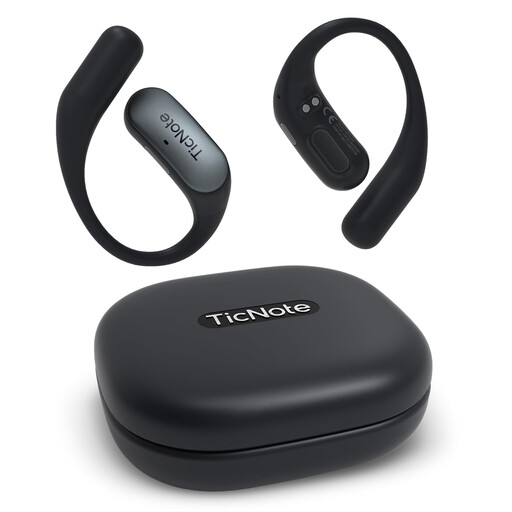
Mobvoi TicNote Pods Wi-Fi AI Recording Earbuds
Recording through earbuds or a charging case is different from using a handheld recorder positioned nearby; test the actual speaking sound before filming.
The title lists 32 GB storage and Bluetooth 6.0. According to the product description, external audio recording through the case and MP3 and WAV export are supported.
View at Joybuy
 No image available
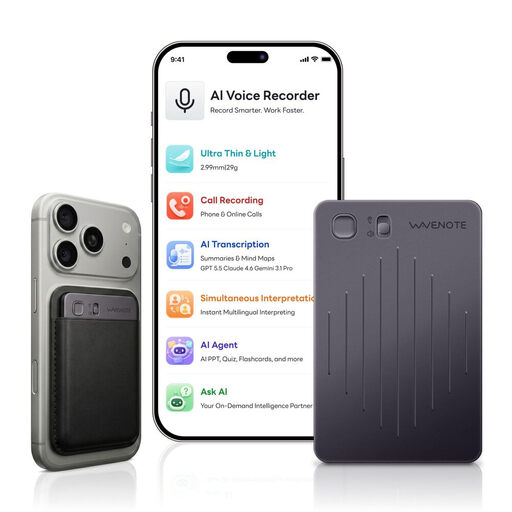
WaveNote AI Voice Recorder, 64GB, Black Grey
When recording speech in a room, listening to a test with the actual voice is essential. A microphone arrangement alone can’t tell you how the recording will sound in a particular room.
The product description lists a four-microphone array, an in-room recording mode and real-time transcription.
View at Joybuy
 No image available
Rexsun 64GB Digital Voice Recorder L15
This could suit you if you want to record a single voice and transfer the file afterwards; check the sound with a quiet test recording.
The description lists two omnidirectional microphones, one-touch recording, playback through earphones, USB file transfer and an included TF card.
View at Joybuy
 No image available
Rexsun 64GB Digital Voice Recorder L810
For short voice recordings that you can listen back to and transfer afterwards; before filming, check that it captures speech clearly at the planned speaking volume.
The description lists one-button recording, WAV recording, headphones for playback and USB-C file transfer.
View at Joybuy
Frequently asked questions
Does 32-bit float automatically make a quiet voice clear?
No. The format is no substitute for suitable microphone placement or a suitable room, and it won’t remove echo. Listen to a test recording using the actual quiet speaking style.
How should I position the microphone for a test recording?
Start as close to the voice as possible without making breath sounds or contact noise louder, then adjust the distance and angle by ear. Distances given in guides apply to the specific microphones they cover, not necessarily to every recorder.
What accessories should I plan for?
Check whether the specific model includes storage, a power supply, a stand, headphones and, if needed, a microphone or cable. What else you need depends on the recording set-up you choose.
Am I allowed to record the narrator and other voices for the trailer?
§ 201 StGB prohibits the unauthorised recording of another person’s privately spoken words, as well as certain uses of such recordings. The Federal Ministry of Justice and the Federal Office of Justice include this provision in the text of the law. Beforehand, check that you have permission to record the voices concerned and agree how the material will be used. Whether you need further rights for the finished trailer depends on its content and intended use.


