What should you look for when buying?
First check the connection at the router and your study space. Then look at suitable locations and how any additional wireless access points could connect.
| Buying priority |
What to look for |
Who this matters most to |
| Wi-Fi at your study space |
Check the connection separately near the router and at your study space; test possible locations for nodes to make sure the connection is usable. |
If I need to use my learning portal at a particular desk on another floor, the connection right there is what counts. Around 36% of consumers prioritise Wi-Fi coverage at their study space. |
| Connection between floors |
Check for existing network sockets, free ports and Ethernet backhaul. |
If I can use network cables between floors, I don’t want the connection between wireless access points to depend solely on a wireless link. Around 29% of consumers prioritise a stable connection between floors. |
| Compatible connection and router |
Check the type of connection, such as DSL, cable or fibre, as well as the device’s operating mode. |
If I want to keep or replace my router, the new device needs to be compatible with my connection and set up as intended. Around 21% of consumers focus first on connection type and compatibility. |
| Secure set-up and maintenance |
Check the available update options, admin access and Wi-Fi password. |
If I want to manage my home network securely over time, updates and my own login details are important. Around 14% of consumers prioritise security and maintenance. |
Joybuy products for Wi-Fi in a multi-storey home
This selection includes wireless mesh sets for several rooms, access points for wired connections and a DSL router for compatible connections.
 No image available
TP-Link Deco M4, AC1200, 3-pack
The three units form a single mesh to provide Wi-Fi coverage around your home.
Dual-band AC1200; Gigabit ports; router or access point mode.
Joybuy
 No image available
TP-Link Deco S4, AC1200, 3-pack
This three-piece mesh set is designed to provide Wi-Fi coverage across different areas and, according to the product details, can be used with a router or modem.
Dual-band AC1200; Gigabit ports; set-up and management via the Deco app.
Joybuy
 No image available
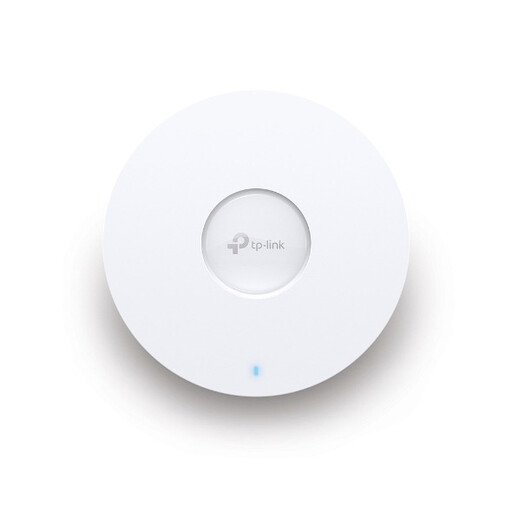
TP-Link Omada EAP653, Wi-Fi 6
The three access points are suitable for a distributed installation, provided a wired connection and the necessary power supply are available.
Dual-band Wi-Fi 6; PoE+; Omada management. A 12 V DC adapter is an alternative and is sold separately.
Joybuy
 No image available
TP-Link Deco BE22, Wi-Fi 7, 2-pack
The two mesh nodes can provide Wi-Fi coverage across different areas; actual range depends on their position and the building.
Dual-band Wi-Fi 7; MLO; WPA3; two Gigabit WAN/LAN ports per unit; router or access point mode.
Joybuy
 No image available
FRITZ!Box 7590 AX, Wi-Fi 6, DSL
An option if you’re looking for a DSL router and can position it suitably for your study space.
Integrated DSL modem; four Gigabit LAN ports; FRITZ!Mesh master. Additional FRITZ!Repeaters are designed to provide coverage across multiple areas.
Joybuy
Frequently asked questions
Should you check your router or Wi-Fi coverage first?
Check the connection as close to the router as possible, then test it at your study space. If the problem mainly affects a more distant room, first look at the router’s position or consider an additional wireless access point. All your devices share the internet speed included in your plan.
Where should you put a wireless mesh node?
Place it somewhere it can still get a usable connection to the base unit, rather than simply putting it where the Wi-Fi has already dropped out. Then check the connection at your study space; a manufacturer’s coverage claim doesn’t guarantee reception there.
Can you use your own router in Germany?
Yes. According to the Federal Network Agency, you can connect a router of your choice as long as it’s suitable for your internet connection; your provider must give you the necessary login details. Having the freedom to choose your router doesn’t mean every device is technically compatible with DSL, cable or your fibre connection.
What maintenance does a home router need?
The Federal Office for Information Security recommends keeping the firmware up to date and changing any insecure default login details. You should also use a long, complex Wi-Fi password.
What else should you check for your planned set-up?
Check whether your chosen solution needs additional nodes, network cables or a compatible power adapter. Access points such as the TP-Link Omada EAP653 are designed to use PoE+ or a separately sold 12 V DC adapter.


