For working with tide tables, a mouse with well-controlled scrolling is an obvious choice, as long as its shape and controls suit everyone who will use it. If several computers are used at the desk, check the connectivity options of the specific model. If users have different dominant hands or there’s limited room to move the mouse, consider a suitable ambidextrous shape or a trackball. Manufacturers’ comfort claims are no substitute for trying a mouse to see if it fits you.
Who uses the shared desk?
People who regularly work through tables
If you often switch between individual rows and longer sections when reading tide tables, look for scrolling you can control precisely. Logitech describes the Signature M650 as offering both line-by-line and fast scrolling.
People sharing a workspace
At a shared desk, quiet operation, suitable connections and a mouse shape that works for others all matter. Logitech, Kensington and Trust offer models with different shapes and connection types.
People with particular fit or space requirements
Hand size, handedness and the space available for movement can all influence the choice between a conventional mouse, a vertical mouse and a trackball. Logitech and CHERRY offer separate left- and right-handed versions of certain vertical mice; according to the manufacturer, the Kensington Orbit is designed for both hands.
What should you look for when choosing?
Start by choosing a mouse that addresses the main need at your shared workspace. Then make sure its connections, shape and feel suit the people who will actually use it.
| Priority |
What to check before buying |
Who is this especially important for? |
| Controlled scrolling |
Check that you can control scrolling and its different modes effectively when viewing your tables. |
When I switch between individual table rows and long sections, I want to be able to control scrolling precisely. Around 33% of consumers say controlled scrolling is their top priority. |
| Quiet operation |
Look for details about quiet buttons, and check that the shape works for the other people sharing the desk. |
If clicking could disturb others at the desk, quiet operation matters to me. Around 25% of consumers put consideration for other users first. |
| Connecting when switching computers |
Check your computers’ ports against the connection types offered by the specific model. Also see if switching between multiple devices is explicitly supported. |
When I use different computers at my desk, I don’t want to rely on a connection that won’t work with mine. Around 25% of consumers prioritise being able to switch between computers. |
| Fit and room to move |
Take into account the hand size and handedness of everyone who will use it, the space available for mouse movement, and whether they are comfortable using a trackball. |
When several people with different hands share the same desk, or there’s little room to move, I want to find a suitable shape. Around 17% of consumers put fit, handedness or space requirements first. |
Which buying mistakes should you avoid?
-
Assuming a right-handed mouse will suit everyone
Models such as the Logitech Signature M650, Logitech Lift and CHERRY MW 4500 come in different sizes or versions for different hands. So a particular shape won’t automatically suit everyone at the desk.
Before choosing, work out who will actually use the mouse. If it will be shared by different people, you could also consider an ambidextrous design.
If users need different fits, a single mouse may not suit everyone.
-
Assuming multiple connection types mean you can switch between devices
Bluetooth and a USB receiver don’t automatically mean that switching between several computers is supported. Trust explicitly lists this multi-device feature for the Ozaa+; for other models, check the details for the exact model.
Check the ports on your computers and confirm that the specific model supports switching between the devices you need to use.
If the connection isn’t compatible with the ports you have, you may need extra adapters or have to reconnect the mouse.
-
Choosing a vertical mouse based solely on health claims
Manufacturers’ descriptions of angled shapes or comfort don’t prove that a mouse will prevent or relieve discomfort for a particular person. It still needs to fit and suit their dominant hand.
Check the shape and controls with the people who will actually use it. If you have any discomfort, choosing a mouse is no substitute for getting individual professional advice.
Brands to consider
Logitech
The Signature M650 and Lift come in different shapes and sizes; the right version depends on who will use it.
- For the Signature M650, Logitech lists SmartWheel and a choice of Bluetooth Low Energy or a Logi Bolt receiver. The M650 L and a left-handed version should be considered separately.
- The manufacturer’s comfort claims don’t prove that a mouse will relieve pain or fit you personally.
CHERRY
The MW 4500 and MW 4500 LEFT are separate wireless vertical mice for different dominant hands.
- CHERRY lists an approximately 45° angled shape, three adjustable resolution settings and a nano receiver.
- The unusual design may take some getting used to, and the version should suit the user’s dominant hand.
Kensington
The Orbit trackball with scroll ring offers a different way to control the pointer from a conventional mouse.
- Kensington describes the model reviewed as ambidextrous and lists a scroll ring and USB cable connection.
- Using a ball feels different from using a mouse, so make sure it suits the people who will actually use it.
Trust
The Ozaa+ is worth considering if you need quiet buttons and a connection that supports multiple devices.
- Trust lists a connection to up to three devices and quiet buttons for the Ozaa+.
- Its large design needs to suit the hands of the people who will actually use it. These details don’t apply to every Trust mouse.
Perixx
According to Perixx, the PERIMICE-513 L is a wired vertical mouse for left-handed users.
- Perixx lists a 1.8 m USB-A cable.
- Its left-handed shape isn’t a universal solution for a shared desk used by people with different needs.
Joybuy products for a shared desk
The Joybuy products below are all mice. Some offer scrolling features, quiet clicks or multiple connection types that may be useful when working with tide tables at a shared desk.
 No image available
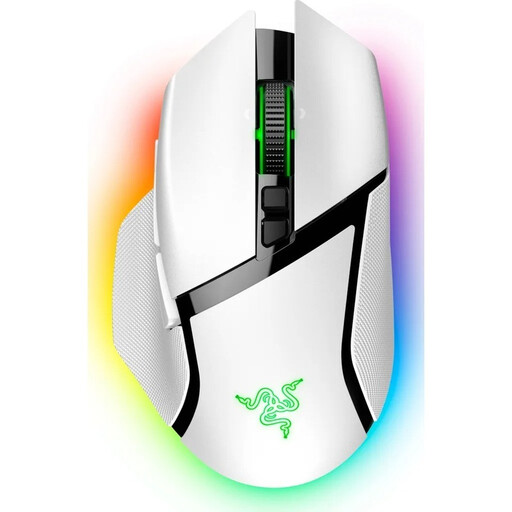
Razer Basilisk V3 Pro Wireless Gaming Mouse, White
The HyperScroll wheel makes this model worth considering if you switch between long sections and individual table rows. Check that its scrolling controls and right-handed shape work for your shared desk.
The product title lists a HyperScroll Tilt Wheel, 11 programmable buttons and the colour White.
View at Joybuy
 No image available
HOFOTEK M311 2.4G+BT Silent Office Mouse
This model is worth considering if quiet clicks and use with multiple devices matter to you. Check that its connection types are compatible with the computers at your desk.
The product title lists 2.4G+BT, several adjustable DPI settings, a white and grey finish and an AA battery.
View at Joybuy
 No image available
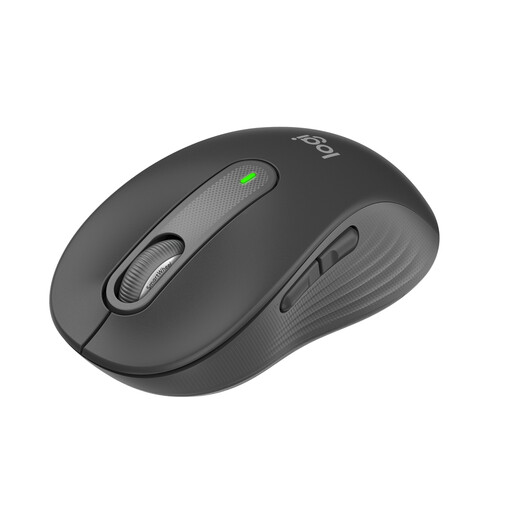
Logitech Signature M650 Wireless Mouse for Small & Medium Hands
According to Logitech, the Signature M650 is designed for small to medium-sized hands. SmartWheel scrolling may be useful when switching between table rows and longer sections. Check that it fits everyone sharing the desk.
Logitech lists SmartWheel, SilentTouch and a choice of Bluetooth Low Energy or a Logi Bolt USB receiver.
View at Joybuy
 No image available
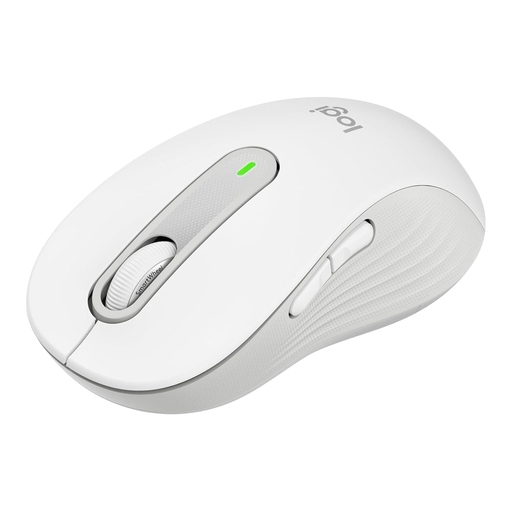
Logitech Signature M650 L Wireless Mouse, Off-White
According to Logitech, this M650 L version is designed for large hands. Its right-handed shape should suit the people using the shared workspace.
Logitech lists SmartWheel, SilentTouch and a choice of Bluetooth Low Energy or a Logi Bolt USB receiver.
View at Joybuy
 No image available
AJAZZ AJ200 AI MC Wireless Gaming Mouse with Charging Dock
The connection types listed in the product title may be useful if different ports or devices are used at your desk. Check which ones your computers support before buying.
The product title lists USB-C, 2.4 GHz wireless and Bluetooth, as well as a weight of 63 g and a charging dock.
View at Joybuy
Frequently asked questions
Do I need a particularly high DPI for tide tables?
Not just for that. What matters is being able to control the pointer and scrolling effectively when viewing your tables. The Kensington Orbit offers several adjustable cursor speeds, but that doesn’t mean there’s a general minimum DPI requirement for tide tables.
How do I connect a mouse to a shared computer?
First, check the computer’s ports. Logitech lists Bluetooth Low Energy or a Logi Bolt USB receiver for the Signature M650; the wired Kensington Orbit needs a USB connection. Check that the connection works with your software setup at the actual workspace.
What should I check when it comes to cleaning and ongoing costs?
Check the instructions for the specific model to find out how to clean it and whether it needs batteries. Logitech describes a cleaning test for certain education products; this doesn’t mean every model or cleaning product is suitable.
What are the rules in Germany if a mouse develops a fault or needs to be disposed of?
As the Verbraucherzentrale explains, your statutory rights against the seller are separate from any voluntary guarantee. According to the Federal Environment Ministry, old electrical appliances should be taken to an authorised collection point; removable used batteries should be handed in separately. The rules for returning an appliance without buying a new one depend on the relevant statutory requirements.


