
Lieferung heute & morgen

Qualitätsgarantie

Willkommens-Angebote freischalten: KOSTENLOSE Lieferung | Bis zu 80 % RABATT | Kostenlose 30-Tage-JoyPlus-Testphase
App herunterladen
A mechanical gaming keyboard in the TKL (Tenkeyless) format promises more desk space and more precise inputs in-game. But the market is flooded with models whose marketing promises often shine brighter than their RGB lighting. Before you invest, it's crucial to know the typical pitfalls that often lead to buyer's remorse. This guide will help you separate the wheat from the chaff and find a keyboard that truly fits your needs.
Many buyers are swayed by aggressive advertising, only to find out after a few weeks that their new keyboard can't handle the demands of daily use or intense gaming sessions. Pay special attention to these three points:
To avoid these traps, you should focus on objective performance metrics. A good TKL mechanical gaming keyboard is defined by three central properties.
Mechanical switches determine the typing feel and response speed. For gamers, linear switches have established themselves as a very popular choice:
A gaming keyboard without a number pad, also known as a Tenkeyless keyboard (TKL), omits the numeric keypad on the right side. This has tangible ergonomic and practical advantages:
These two terms are not just marketing buzzwords but are crucial for in-game performance:
Based on the quality criteria mentioned, we have identified some models that are particularly suitable for different user profiles in Germany.
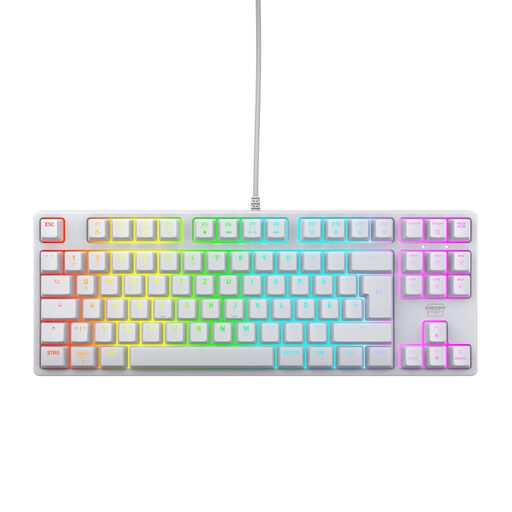
Why This Fits Their Persona: Ideal for players who value brand quality and uncompromising performance. The combination of proven CHERRY switches and a robust, minimalist design meets the demands of competitive gaming.
Focuses on real performance features instead of gimmicks. With CHERRY MX2A RED switches, Full N-Key Rollover, and a 1000 Hz Polling Rate, it delivers the technical substance that is often only promised. The German QWERTZ layout is a given.
High durability and precision thanks to CHERRY MX2A RED switches, which are rated for over 100 million actuations according to the manufacturer. The robust construction with a metal plate ensures stability.
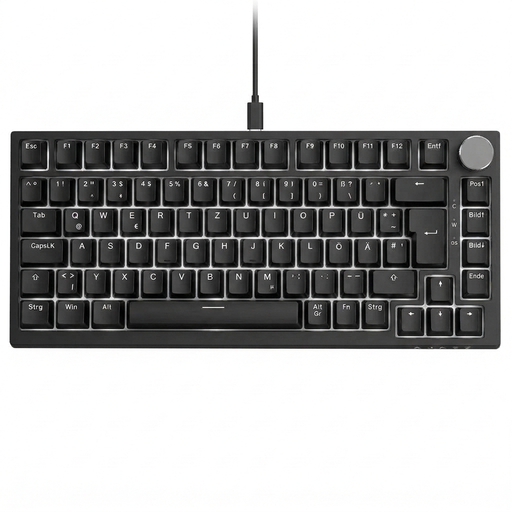
Why This Fits Their Persona: Perfect for users who like to personalise their equipment. The hot-swap capability allows for changing mechanical switches without soldering to customise the typing feel. The practical volume control knob is a useful extra.
Offers a correct German QWERTZ layout and is equipped with linear red switches suitable for gaming. Instead of relying on a brand name, it provides a flexible, customisable platform for enthusiasts.
The hot-swap sockets for 3-pin switches allow for easy personalisation or repair. The gasket-mount structure provides a softer and quieter typing experience.
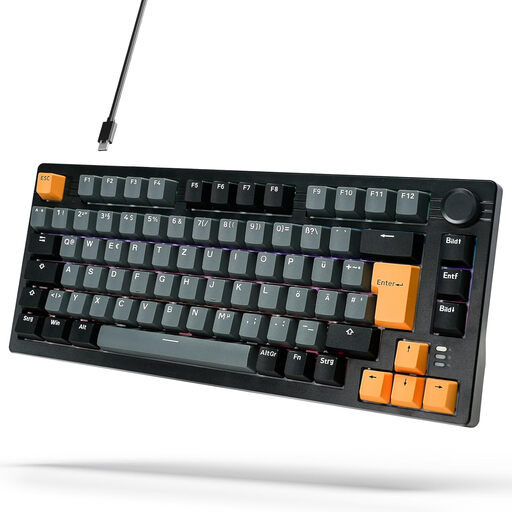
Why This Fits Their Persona: A great choice for gamers looking for a compact mechanical keyboard with the most important features without a large budget. The 75% layout is a space-saving alternative to the TKL format.
Ensures that even beginners get a correct German layout and gaming-appropriate linear red switches. It bypasses the layout and switch traps that are common with budget models.
Offers great value for money. The gasket-mount structure and multiple sound-dampening layers provide a pleasant typing experience that is not a given in this price range.
We have compiled a complete, real-time updated list of products that fully meet these strict selection criteria and German safety regulations.
What is the difference between a TKL and a 75% keyboard? A TKL (80%) keyboard typically has 87 or 88 keys and retains the standard layout of the navigation and arrow keys. A 75% keyboard is even more compact, pushing the keys closer together and often arranging the navigation cluster vertically. Both formats omit the number pad, but the 75% layout saves even more desk space.
How long do mechanical switches like CHERRY MX RED last? The lifespan of mechanical switches is measured in millions of keystrokes. High-quality switches like those from CHERRY are often specified for 50 to over 100 million actuations. According to the manufacturer, the CHERRY MX2A RED switches, for example, are designed for a lifespan of over 100 million actuations. With average use, this translates to many years of durability.
Do I need special software for an RGB gaming keyboard? Not always. Many keyboards, like the CHERRY XTRFY K4V2, allow you to control the RGB lighting directly via key combinations (on-board control). This is convenient as it doesn't require installing additional software that consumes system resources. Other models offer optional software to create more complex lighting effects or program macros.