
Lieferung heute & morgen

Qualitätsgarantie

Willkommens-Angebote freischalten: KOSTENLOSE Lieferung | Bis zu 80 % RABATT | Kostenlose 30-Tage-JoyPlus-Testphase
App herunterladen
Anyone looking to buy toner cartridges for laser printers is often faced with a long list of original toners, compatible alternatives, high-yield models and different colour options. However, a low unit price does not automatically mean low printing costs. The key factors are exact printer-model compatibility, page yield and the cartridge’s technical specifications.
This buying guide helps private individuals, students, home-office users and small businesses avoid common purchasing mistakes.
Names such as HP 117A, HP 117X, Canon 040, CRG-046 or C-EXV64 may look partly similar. However, they are not interchangeable. Even a different letter or suffix can indicate a different page yield or printer series.
Before buying, check:
A cartridge with a low purchase price may need to be replaced more frequently if its capacity is low. The following simple calculation provides a fair comparison:
Price per page = purchase price ÷ stated page yield
Page yield is usually specified at a particular coverage level, for example 5% coverage. This means that full-page graphics, photos and colour presentations generally use more toner than plain text pages. A high-yield toner can be worthwhile if you print regularly, but it must be suitable for both your actual usage and your printer.
A compatible toner can be a cost-effective alternative to original toner. Buyers should look for details such as “with chip”, “new chip” or “printer recognition”. Without the correct chip, the printer may not recognise the cartridge or display the toner level accurately.
Even with a toner cartridge with chip, the specific printer series remains the deciding factor. The chip does not replace the need to check compatibility.
First, look for the cartridge number shown in the printer menu, on the old cartridge or in the instruction manual. Canon toner, HP toner and Pantum toner each use different series and designations.
With multifunction printers, you should also check whether the cartridge is intended for the specific device’s printing, scanning and copying functions. Toner for a mono printer will not fit a colour laser printer, even if the design appears similar.
Original toner is supplied by the printer manufacturer and matched to the relevant device series. This can make product selection straightforward and support consistent device recognition. Compatible products are made by other suppliers and can reduce the initial purchase price. Before buying, check the stated page yield, chip version, colour designation and return options.
Objectively relevant differences include:
A standard cartridge is often sufficient for occasional documents. If you print many invoices, teaching materials or office reports, a higher-yield cartridge can reduce the number of replacements needed. With colour printers, the four toner colours should be considered separately: cyan, magenta, yellow and black are consumed at different rates depending on the document.
Also pay attention to storage. Toner cartridges should be kept in their original packaging until needed, in a dry place and protected from direct sunlight. Follow the instructions in the relevant printer manual when installing a cartridge. Do not inhale spilled toner or remove it with an ordinary vacuum cleaner; always follow the manufacturer’s instructions for cleaning and disposal.
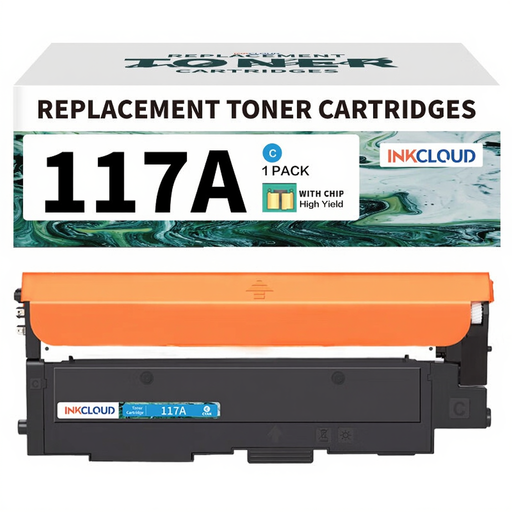
Why this product suits the profile: This compatible cyan cartridge is an appealing option for users looking for an alternative to original toner for specific HP colour laser multifunction printers.
The listed HP models make it easier to check compatibility. Nevertheless, you should verify the printer’s full designation before ordering.
Compatible cyan cartridge for a specifically named HP colour laser printer series; single cartridge for targeted replacement.
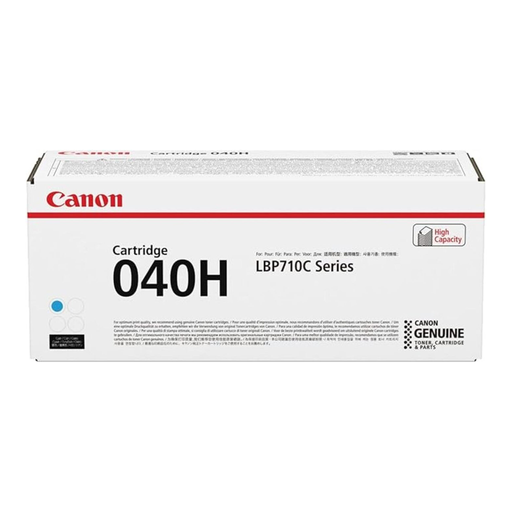
Why this product suits the profile: Original Canon toner is intended for buyers who prefer a manufacturer-specific solution for compatible Canon printers.
The article number 0459C002 makes it easier to check compatibility than searching for cyan toner alone.
Original Canon product; installation is carried out according to the instructions for the compatible printer.
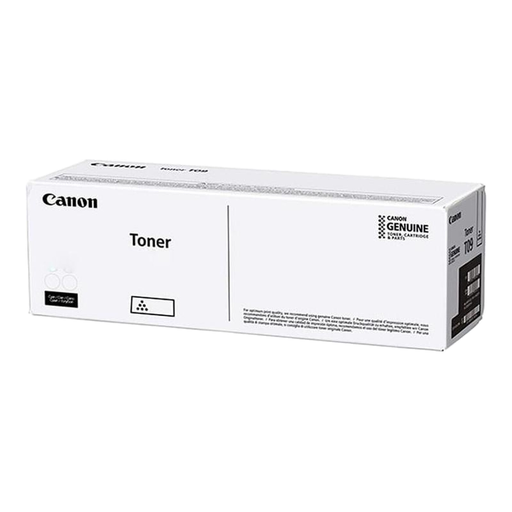
Why this product suits the profile: According to the product information, its yield of 25,500 pages at 5% coverage is designed for high print volumes on compatible Canon imageRUNNER devices.
The specific model assignment prevents a high page yield from being confused with universal compatibility.
Original cyan toner; stated yield of 25,500 pages at 5% coverage.
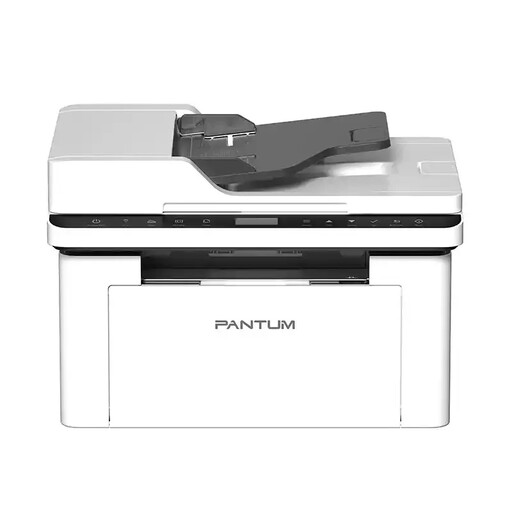
Why this product suits the profile: This mono multifunction device combines printing, copying and scanning with Wi-Fi, Bluetooth and manual duplex printing.
The technical details clearly identify it as a monochrome device, helping to prevent an unsuitable purchase for colour printing.
Up to 22 pages per minute according to the product information; 150-sheet input tray; support for AirPrint, Mopria and the Pantum App.
We have put together a complete, regularly updated list of products that fully meet these strict selection criteria and the safety regulations applicable in the EU.
Note down the printer’s full model number and the designation shown on the existing cartridge. Then compare the manufacturer, series number, colour and, where applicable, the “H” or “XL” suffix. These details should match the compatibility list in the product offer.
This depends on the stated page yield, print density and document type. Page yield is often specified at 5% coverage. Text pages generally use less toner than full-page colour graphics. A high-yield toner can allow longer intervals between replacements if you print regularly.
The purchase price of compatible products may be lower, but actual printing costs depend on page yield and the reliability of printer recognition. Compare the price per page and check that the cartridge has the correct chip specification. Original toner may be a sensible choice for users who prefer a manufacturer-specific consumable solution.