
Lieferung heute & morgen

Qualitätsgarantie

Willkommens-Angebote freischalten: KOSTENLOSE Lieferung | Bis zu 80 % RABATT | Kostenlose 30-Tage-JoyPlus-Testphase
App herunterladen
Setting up a clutter-free desk starts with eliminating trailing cables. A coordinated wireless keyboard and mouse combo streamlines your workspace by clearing wire tangles, freeing up valuable USB ports, and ensuring both input devices share a harmonious design and tactile feel. For professionals working from an apartment or corporate office in Germany, selecting the right pairing can transform daily data entry, typing speed, and overall posture.
However, peripheral sets vary widely across key actuation types, sensor sensitivity, and wireless protocol stability. Understanding how latency, switch mechanisms, and battery management impact daily workflow ensures you invest in hardware that remains responsive through long spreadsheets and multi-device multitasking without unexpected lag or constant recharging interruptions.
Many slimline desktop combos prioritise a sleek aesthetic at the expense of switch travel and tactile feedback. Ultra-flat membrane boards frequently suffer from mushy keystrokes that cause finger fatigue during long writing sessions. Look for scissor-switch mechanisms or well-engineered membrane dome switches that provide defined actuation points and steady keycap stability.
Budget combos often rely exclusively on basic 2.4 GHz USB-A dongles. If your primary workstation is a modern laptop featuring only USB-C ports, you will need continuous adaptors unless the set supports Bluetooth or dual-mode wireless. Furthermore, single-channel receivers prevent you from toggling between a work laptop and a personal computer without physically swapping the dongle.
Bundled mice are sometimes treated as an afterthought, featuring low-resolution sensors that struggle on polished wooden or glass desks. Opting for a combo with adjustable DPI settings and an ergonomic shell prevents jerky cursor tracking on high-resolution monitors and reduces repetitive strain across the wrist and forearm.
The choice between radio-frequency dongles and direct Bluetooth pairing determines system latency, hardware compatibility, and port usage across your computing setup.
Typing cadence and hand posture over eight-hour shifts rely heavily on switch structure, key travel depth, and natural wrist alignment.
Peripheral uptime hinges on whether the hardware uses integrated lithium-ion cells or standard alkaline batteries.
These carefully matched wireless sets cater to diverse productivity demands, from intensive cross-device workflows to minimalist daily computing.

Why This Fits Their Persona: This high-end productivity combo unites spherically dished keys with a remarkably accurate mouse sensor capable of tracking on virtually any surface. German QWERTZ key placement paired with intelligent backlighting adapts to shifting ambient lighting conditions throughout the working day.
It resolves connectivity constraints by offering dual Logi Bolt USB and multi-host Bluetooth channels, allowing you to alternate between up to three computers smoothly.
Smart action macros and ultra-quiet electromagnetic scrolling significantly speed up complex document workflows without disturbing nearby colleagues.
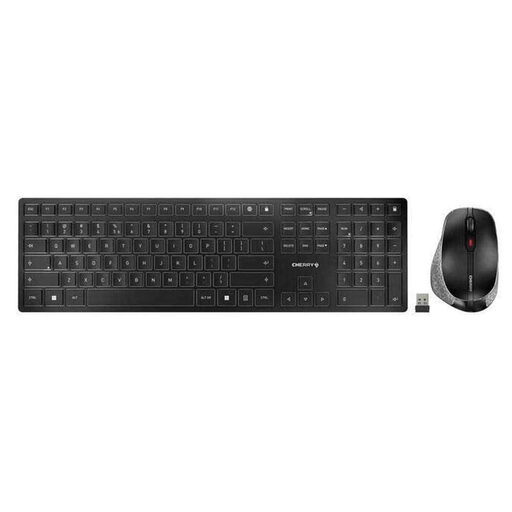
Why This Fits Their Persona: Featuring an exceptionally low-profile silhouette, this set incorporates precise SX scissor switches that provide a quiet and tactile typing feel. The accompanying six-button mouse features adjustable optical resolution between 600 and 3000 DPI to suit detailed creative and administrative tasks.
Integrated status LEDs on keycaps prevent accidental activation of caps lock, while dual Bluetooth and 2.4 GHz connectivity removes port restrictions.
Rechargeable batteries in both devices can be replenished via USB while remaining fully operational, ensuring continuous productivity without downtime.
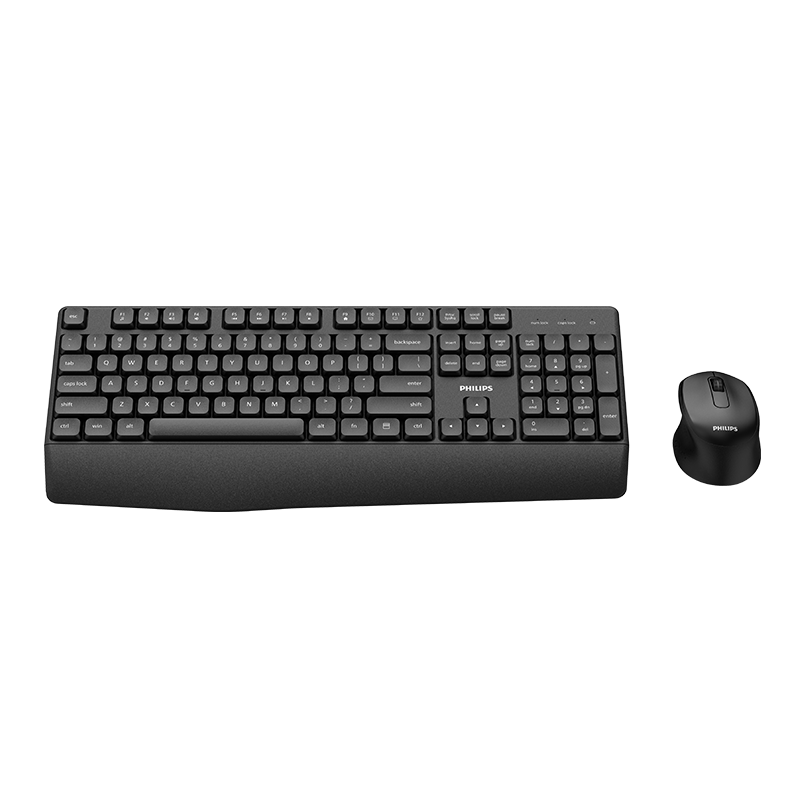
Why This Fits Their Persona: Constructed for reliable daily administration, this practical full-sized keyboard and optical mouse pairing delivers straightforward plug-and-play operation over a single 2.4 GHz wireless connection. The classic German QWERTZ layout includes a dedicated numeric keypad for efficient accounting tasks.
It sidesteps the frustration of complicated software setups and pairing menus, functioning instantly upon inserting the unified micro-receiver into your PC or dock.
The power-efficient hardware design prolongs battery life, keeping daily running costs down and providing a dependable workstation setup at sensible expenditure.
Purchasing a matched bundle generally costs less than acquiring equivalent standalone peripherals, as manufacturers package them together with shared packaging and unified logistics. Beyond financial savings, sets frequently share a single USB receiver, which preserves scarce hardware ports on your computer.
Contemporary 2.4 GHz and Bluetooth peripherals use frequency-hopping technology to minimise interference from nearby Wi-Fi routers and other wireless devices. Operating within three metres of your host PC provides seamless, lag-free cursor tracking and keystroke registration under normal office conditions.
A 2.4 GHz connection communicates through a dedicated USB receiver plugged into your machine, providing an immediate, low-latency link without pairing procedures. Bluetooth connects directly to the internal antenna of your laptop or tablet, saving physical USB ports and often allowing you to toggle between multiple paired systems.