
Lieferung heute & morgen

Qualitätsgarantie

Willkommens-Angebote freischalten: KOSTENLOSE Lieferung | Bis zu 80 % RABATT | Kostenlose 30-Tage-JoyPlus-Testphase
App herunterladen
The search for the right wireless mouse can quickly become overwhelming. Manufacturers advertise high DPI counts, extremely long battery life, and feather-light designs. However, not every advertised feature is relevant to every user or worth the extra cost. This guide will help you separate marketing hype from practical features and avoid the three most common purchasing pitfalls.
Before you make a decision, you should be aware of the common marketing traps that often lead to the wrong choice.
Focus on the technical features that directly impact your daily work or gaming experience.
The type of wireless connection is a crucial criterion.
The quality of the sensor is more important than a maximum DPI value.
The comfort of use should not be underestimated.
Here are some recommendations tailored to specific user profiles and their requirements.
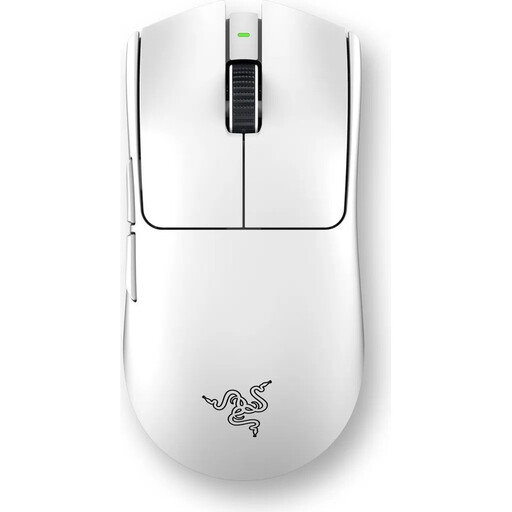
Why It's a Match: Designed for competitive gaming where every millisecond counts. The ultra-lightweight design and extremely high polling rate are engineered for maximum performance.
The high-performance specs (8000 Hz polling rate) are not just marketing figures here; they offer a measurable advantage in response time, thus avoiding the DPI trap.
Razer 8000Hz HyperPolling Technology for extremely low latency and an ultra-lightweight 54g design for effortless control.
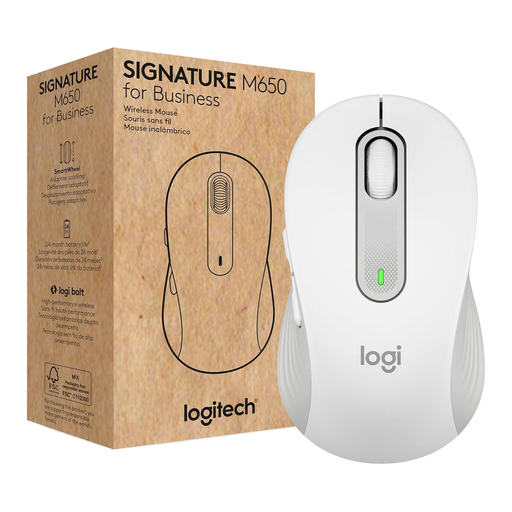
Why It's a Match: Ideal for long workdays thanks to its ergonomic shape, silent clicks, and very long battery life. The dual connectivity makes it highly versatile.
This model avoids the unrealistic battery life trap by offering a field-tested lifespan of up to 24 months and focusing on silent clicks rather than high DPI figures.
SilentTouch Technology for near-silent clicks and dual connectivity via Logi Bolt USB receiver and Bluetooth for maximum flexibility.
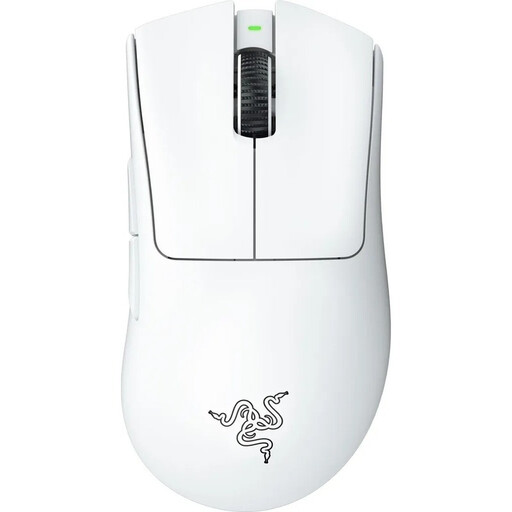
Why It's a Match: It combines a highly acclaimed ergonomic shape with top-tier gaming performance, making it suitable for both hours of work and demanding gaming sessions.
It avoids the "Weight Over Ergonomics" trap by pairing a low weight of 64g with a proven, comfortable shape optimised for long periods of use.
Ergonomic design developed in collaboration with e-sports pros, and a high-precision Razer Focus Pro 30K Optical Sensor.
For users looking for a reliable basic setup, a wireless keyboard and mouse combo can also be a practical solution. Sets like the CHERRY B.UNLIMITED 3.0 offer matched components for a clutter-free desk.
We have compiled a complete, up-to-date list of products that fully meet these strict selection criteria and UK/EU safety regulations.
Battery life depends heavily on usage. An office mouse with a Bluetooth connection can last for months or even up to two years on a single battery. A high-performance gaming mouse with RGB lighting and a 1000 Hz polling rate often achieves between 40 and 95 hours per charge. Models with 8000 Hz will drain the battery correspondingly faster. Check the manufacturer's specifications to see under what conditions the battery life was measured.
For gaming, a wireless mouse with a 2.4 GHz USB dongle is recommended due to its lower latency and more stable connection. For office work, travel, and use with multiple devices (like laptops and tablets), a Bluetooth mouse is more practical as it doesn't occupy a USB port. Many modern mice, such as models from Logitech or Razer, offer both connection options for maximum flexibility.
Not necessarily. For everyday office tasks and web browsing, there are reliable and affordable models like the RAPOO 1680 Silent Wireless Mouse. Gamers and power users who need an extremely lightweight mouse, maximum precision, and minimal latency will likely find what they need in a higher price bracket. More important than the price is that the mouse fits your specific needs for ergonomics, connectivity, and performance.