For maps and menus, a flat 27-inch WQHD IPS monitor is a sensible starting point. If space or graphics performance is limited, a 23.8-inch Full HD model may also be suitable. Before you buy, check the audio route for your headphones and the picture modes available through the connection you’ll actually use, rather than prioritising an especially high refresh rate or OLED alone.
Which monitor option suits you?
Players who switch between headphones
If you switch between computers or other devices, check whether the monitor can pass audio through to your headphones. The key things to look at are the audio output and its signal path, not just whether the monitor has built-in speakers.
Players who like clear maps and menus
If a clear view of the game is important to you, weigh up 27-inch WQHD against the extra space it takes up and the demands it places on your computer. Readability also depends on scaling and viewing distance.
Players with a small desk
If space is tight, compare the screen size, stand and Full HD resolution before choosing a larger display. TÜV SÜD considers Full HD suitable for monitors up to around 24 inches and for smaller desks.
What should you look for when buying?
First, decide whether you want to connect your headphones to the monitor or directly to your computer. Then weigh up screen size, the space it takes up and panel technology according to your desk and how you use it.
| Consideration |
What to check before buying |
Who it matters to |
| Headphones and audio connection |
Check the audio output on the specific model and the connections on your headphones. LG says the 27GP850P-B has a three-pole output for audio only; monitor audio can be sent over HDMI or DisplayPort. |
If I want to use my headphones through the monitor when switching between computers or other devices, I check the signal path; around 36% of consumers give the audio connection top priority. |
| Map overview and readability |
Compare the on-screen area at the native resolution and your preferred scaling setting. A 27-inch WQHD monitor has more pixels than Full HD; viewing distance and font size also affect readability. |
If I want to see the map and menus on a spacious screen, I weigh up resolution and scaling together; around 29% of consumers prioritise a clear view of the map. |
| Desk space and screen height |
Measure the width and depth with the stand in place. LG lists a stand depth of 291,2 mm for the 27GP850P-B; ASUS says the VG27AQ3A stand has no height adjustment. |
If my desk has limited space or I need to adjust the screen height, I check the dimensions and stand before considering screen size; around 21% of consumers put a suitable setup first. |
| Panel technology and long-term use |
With OLED, check the care and warranty terms for the specific model, and consider how long static image elements may remain on screen. LG says that burn-in remains a risk with OLED, even when the screen is used properly. |
If I’m weighing up panel technology and long-term use as well as gaming, I read the terms for the specific model; around 14% of consumers prioritise these long-term considerations. |
Common buying misconceptions
-
A headphone output automatically carries the headset microphone too
LG says the three-pole output on the 27GP850P-B is for audio only. A headphone output, therefore, doesn’t guarantee that you can use a microphone through it as well.
Before you buy, decide where you’ll connect your headphones and, if needed, your microphone, then check the connections on the specific model.
Depending on the connection route, you may need a different audio device or a separate connection on your computer.
-
The highest refresh rate applies to every connection
For the ASUS VG27AQ3A, the specifications list up to 180 Hz over DisplayPort, but up to 144 Hz over HDMI. So you can’t assume the highest figure applies to every connection.
Check your preferred display mode against the specifications, as well as the output, cable and input in your actual setup.
-
A general ranking tells you whether an OLED monitor is suitable
PRAD’s top ranking for the MSI MPG 271QRDE QD-OLED X50 in a general list of 27-inch gaming monitors doesn’t specifically assess tower defence or long periods with static image elements. LG describes burn-in as a general risk that remains with OLED; this doesn’t tell you anything about the MSI model’s warranty terms.
Weigh the features of the specific OLED model against how you plan to use it, and read its care and warranty terms.
Key brands to consider
LG
The UltraGear 27GP850P-B is a flat 27-inch WQHD IPS option with a documented headphone output.
- LG lists 165 Hz, up to 180 Hz with overclocking and height adjustment. According to LG, the three-pole headphone output is for audio only.
- LG lists the stand depth as 291,2 mm. LG’s comments about OLED don’t apply to this IPS model.
BenQ
The MOBIUZ EX2710Q is a 27-inch WQHD IPS alternative with a headphone connection, according to the manufacturer.
- BenQ lists 165 Hz and 100 mm of height adjustment.
- The 1 ms MPRT and 2 ms GtG figures refer to different response-time measurements; neither is an independent test result.
ASUS
The VG27AQ3A and VG249QL3A offer different screen size and resolution options.
- ASUS lists a headphone connection on the VG27AQ3A, with up to 180 Hz over DisplayPort and up to 144 Hz over HDMI. The VG249QL3A is a height-adjustable 23.8-inch Full HD model.
- The VG27AQ3A stand has no height adjustment. Connection specifications for one model don’t automatically apply to the other.
Samsung
The Odyssey G5 G55C is a curved 27-inch WQHD option for buyers who specifically want a curved display.
- Samsung lists 1000R curvature and 165 Hz.
- According to Samsung, the 1 ms MPRT figure is based on internal testing in Extreme mode. Check the headphone connection on the specific model.
MSI
The MPG 271QRDE QD-OLED X50 is a WQHD QD-OLED alternative if you also play other fast-paced games as well as tower defence.
- MSI lists QD-OLED and 500 Hz.
- An exceptionally high refresh rate doesn’t prove a particular advantage for tower defence. Check the care and warranty terms for the specific OLED model separately.
Joybuy products
The models below include compact Full HD monitors and larger WQHD and QD-OLED gaming monitors. If you want to connect your headphones to the screen, check the audio connection on each model.
 No image available
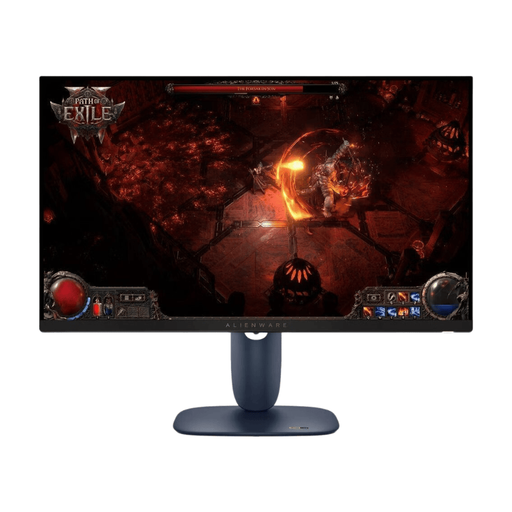
Dell Alienware AW2725DM, 27-inch WQHD IPS, 180 Hz
For a larger WQHD gaming area; the product name specifies 27 inches, IPS and 180 Hz. If you want to connect your headphones to the monitor, check the audio connection on the specific model.
Joybuy
 No image available
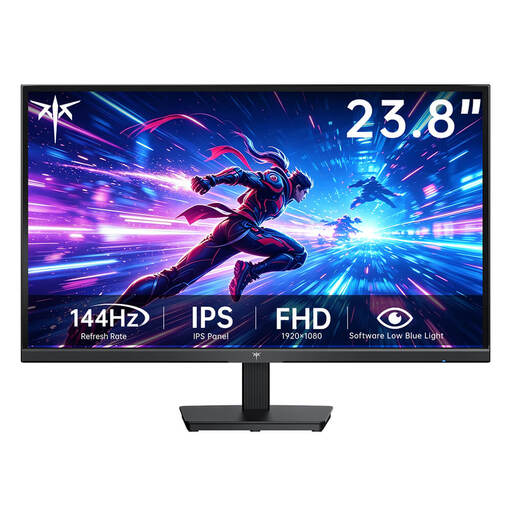
KTC H24B9S-2, 23.8-inch Fast IPS Full HD, 144 Hz
For a more compact setup, the product name specifies 23.8 inches, Full HD, Fast IPS and 144 Hz. Full HD has fewer pixels than WQHD; if you want to connect your headphones to the monitor, check its audio connection.
Joybuy
 No image available
MSI MAG 272QPDE QD-OLED X24, 27-inch QHD, 240 Hz
For a larger QHD gaming area, the product name specifies 27 inches, QD-OLED and 240 Hz. If static image elements stay on screen for long periods, check the care and warranty terms for this model; also check that it has the right audio connection for your headphones.
Joybuy
 No image available
GIGABYTE G27Q26, 27-inch QHD SuperSpeed IPS, 260 Hz
For maps and menus on a larger QHD screen, the product name specifies 27 inches and SuperSpeed IPS. The listed refresh rate is 260 Hz, with up to 275 Hz available through overclocking; check the audio connection if you want to plug your headphones into the monitor.
Joybuy
 No image available
CRUA 49-inch DQHD curved, 165 Hz, 1500R
For an extra-wide display, the product name specifies 49 inches, DQHD resolution at 5120 × 1440 pixels, a 32:9 aspect ratio and 1500R curvature. This format needs plenty of desk space; if you want to use headphones with the monitor, check its audio connection.
Joybuy
Frequently asked questions
Do I need speakers built into the monitor if I play with headphones?
No, not just because you use headphones. What matters is whether you want to connect them to your computer or to a documented audio output on the monitor. LG describes audio being passed through from HDMI or DisplayPort; according to LG, the output on the 27GP850P-B is for audio only and isn’t specified as a microphone input.
How do I set the stated refresh rate?
Check your source, cable, input and display mode against the specifications for your specific model. ASUS specifies up to 180 Hz over DisplayPort and up to 144 Hz over HDMI for the VG27AQ3A, so the 180 Hz figure doesn’t apply unchanged to both connections.
Which power consumption figures can I compare?
Compare the EU energy label and the model’s own entries in EPREL rather than estimating electricity costs from a general power figure. The European Commission explains that, among other details, the energy label for monitors shows the efficiency class and HDR consumption figures; your costs also depend on how you use the monitor and your electricity tariff.
What are the rules in Germany for online purchases and my old monitor?
The Verbraucherzentrale says that online purchases generally come with a 14-day right to cancel, usually starting when you receive the goods; check the terms of your specific contract. The Umweltbundesamt explains that old electrical equipment must be collected separately and that local collection points generally accept it free of charge. Returning a new item and disposing of an old one are separate matters.


