A breeze where you work
If you sit in the same spot for long periods, it’s important to be able to direct the airflow towards your chair and adjust it precisely enough.


If you mainly want a breeze where you sit, check whether you can direct the airflow towards your chair and adjust it to suit you. For focused work, you’ll also want to consider the noise level at the setting you’ll actually use, the space taken up by the base and the direction of the air outlet. As the consumer advice centre explains, a fan doesn’t lower the room temperature.
If you sit in the same spot for long periods, it’s important to be able to direct the airflow towards your chair and adjust it precisely enough.
If you want a breeze while you’re on calls or concentrating on work, consider the airflow and noise level at the same usable setting.
If there’s little floor space left once you’ve allowed for moving your chair and walking past, check the base, outlet height and cable routing for the spot you have in mind.
| What matters to you | What to check when buying | Who will find this especially important? |
|---|---|---|
| Adjustable airflow where you sit | Compare low and higher settings, as well as fixed direction and oscillation, with your seating distance in mind. | If you want a breeze directed straight at your chair, choosing the right direction is key. Around 29% of consumers prioritise targeted airflow. |
| Noise while you work | Check which setting the decibel rating refers to, and whether it delivers enough airflow where you sit. | During calls or focused work, you don’t want the airflow to become an unnecessary distraction. Around 29% of consumers prioritise a quiet working environment. |
| Footprint and outlet height | Make sure the base, cable route and air outlet height suit the space beside your chair. | If there’s barely any floor space free beside your chair and desk, the fan needs to fit securely in the space available. Around 24% of consumers prioritise a compact footprint. |
| Power consumption during extended use | Compare the power rating and hours of use on a like-for-like basis. To estimate the cost, use your own electricity tariff. | If the fan will run for many hours, you’ll want to factor its power consumption into your decision. Around 18% of consumers prioritise running costs. |
A fan moves air and can make you feel cooler at your desk, but it doesn’t lower the room temperature. The consumer advice centre makes this distinction too.
First, think about whether you need a breeze by your chair or an actually lower room temperature.
Philips’ 24 dB rating for the CX5550/01 applies to its lowest speed; it doesn’t automatically describe the noise level at higher airflow settings.
Compare the noise level and airflow at the same setting you’ll actually use.
Wattage alone doesn’t tell you how strong the airflow will feel, and a slim tower doesn’t indicate how much space its base will take up.
Measure the space beside your chair and check the airflow, settings and base dimensions of the complete model.
Tower fans with a range of controls and airflow designs; check the specifications for the specific model you’re considering.
An option for buyers who want to compare the number of settings, noise ratings and footprint by model.
The 5000 series includes tower fans with several operating modes. Make sure you have the full model number before comparing.
The Eole Infinite VU6670 is an option if you’re looking for a wide horizontal sweep.
The Cool AM07 is a tower fan with several settings; the dimensions and noise ratings refer to this model.
The Joybuy products below include tower fans with several speed settings for airflow at work. Direction and controls vary by model.
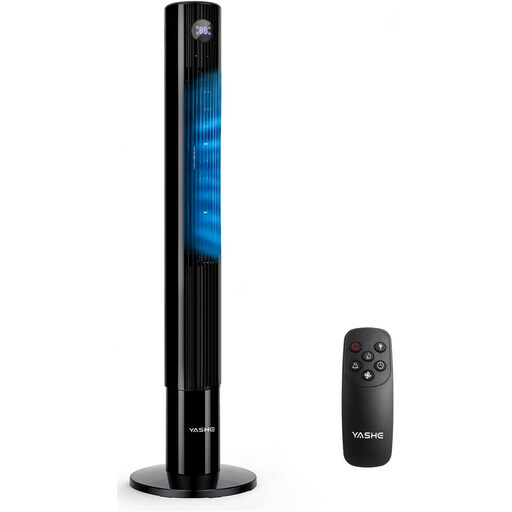 No image available
Three speed settings and 85° oscillation let you adjust the airflow to suit the space beside your chair.
The product details list a remote control, LED display and 12-h timer, as well as 28 dB.
For indoor use only. Place on a stable, level surface and keep away from moisture.
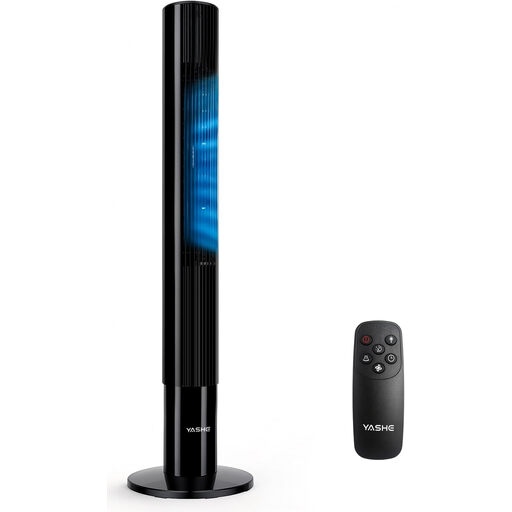 No image available
Three speed settings and 85° oscillation give you options for airflow at work.
The product details list two modes, a remote control, LED display and 12-h timer, as well as 28 dB.
For indoor use only. Place on a stable, level surface and keep away from moisture.
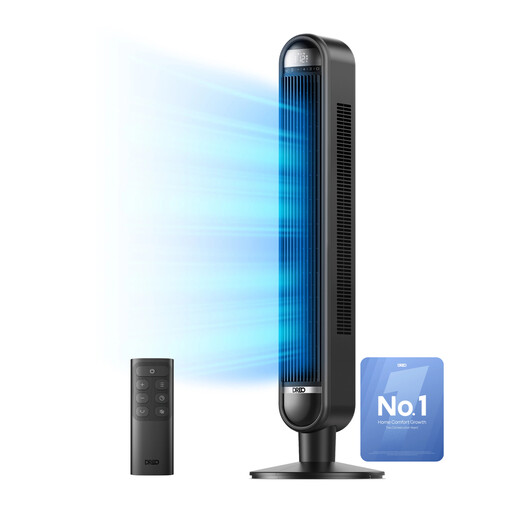 No image available
Six speeds, four modes and 90° oscillation give you a range of ways to adjust the airflow at work.
The product details list a remote control, touch controls and 12-h timer, as well as 30 dB.
Before use, fit the base securely and place the fan on a level, dry surface. Unplug it before cleaning.
No. A tower fan moves air, which can make you feel cooler at your desk, but it doesn’t lower the room temperature. The consumer advice centre distinguishes this effect from the cooling power of an air conditioner.
For a steady breeze in one spot, a fixed direction may work better. Oscillation can be useful if you want airflow to reach several places or you move around while working. The right choice depends on the distance and where you position the fan.
Follow the instructions for your specific model. Dreo recommends giving its Nomad One a quick clean about once a month if it runs continuously, or every two months otherwise. This is the manufacturer’s recommendation for that model range, not a general cleaning schedule.
To estimate energy use, multiply the number of hours the fan runs by its power consumption in kilowatts and your electricity price per kilowatt-hour. Running a 40 W fan for 8 hours a day over 30 days, at a constant 40 W, works out at 9,6 kWh. If there’s a fault, remember that your statutory rights against the seller are separate from any voluntary manufacturer’s guarantee, as the consumer advice centre explains.
The Federal Network Agency lists checks including a correctly applied CE mark, identifiable manufacturer details and German-language instructions with the necessary warnings. The CE mark is based on a declaration made by the manufacturer on its own responsibility; it isn’t an independent quality assessment.