What should you look for when buying?
When choosing a tower fan for your desk in a shared living space, let your main priority guide your comparison. The percentages show how priorities might be distributed in this specific use case.
| Priority |
What to check when buying |
Who is this especially important to? |
| Noise while working |
Match noise figures to the setting you’ll need; only compare figures measured on the same basis. |
If I want a breeze during conversations or focused work without the fan becoming a distraction, noise levels are a key consideration. Around 25% of consumers are likely to prioritise noise above all else. |
| Airflow at your seat |
Check that the height and direction of the air outlet suit your seating position and desk; look for settings that allow a gentle breeze. |
If I mainly need air movement at my desk, I want to be able to direct and adjust the airflow. Around 25% of consumers are likely to prioritise airflow at their own seat. |
| Airflow for several seats |
Check the oscillation range against the seating layout; see whether oscillation can be adjusted or switched off. |
If several people use the living space, I want the airflow to move between seats without subjecting everyone to a constant draught. Around 20% of consumers are likely to prioritise sharing the airflow. |
| Footprint and positioning |
Check the base dimensions and appliance height at the intended location; allow for the cable route and ensure the fan can stand freely. |
If there’s little space beside my desk, I need a position where the appliance is stable and won’t block any walkways. Around 20% of consumers are likely to prioritise finding the right space for the fan. |
| Running costs and care |
Compare power consumption and expected usage time on the same basis; follow the care instructions for the specific model. |
If I use the fan regularly, I want to estimate its electricity consumption and know how to care for the areas specified. Around 10% of consumers are likely to prioritise running costs and care. |
Joybuy products for your desk and shared space
The following Joybuy products include tower fans for directing airflow towards seating, some with additional heating or air-treatment functions. Check which features you actually need, and compare the oscillation range, noise figures and footprint with your room.
 No image available
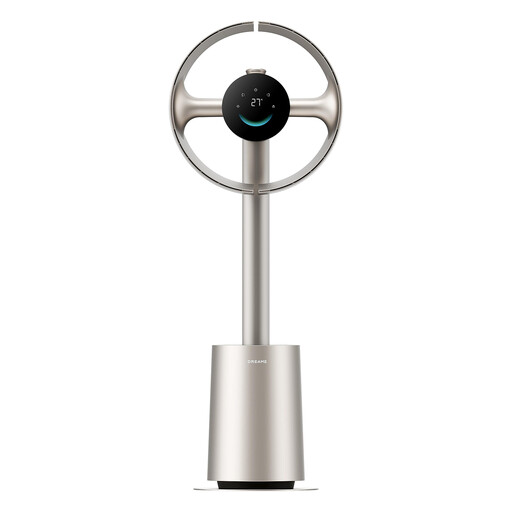
Dreame MF10 Air, Titan Gold, 180° horizontal and 90° vertical oscillation, 55 W
The specified horizontal and vertical oscillation may be useful in rooms with several seats; check that the airflow direction suits your seating layout.
The product name also lists Wi-Fi app control, a touch display, a magnetic remote control and 55 W.
Joybuy
 No image available
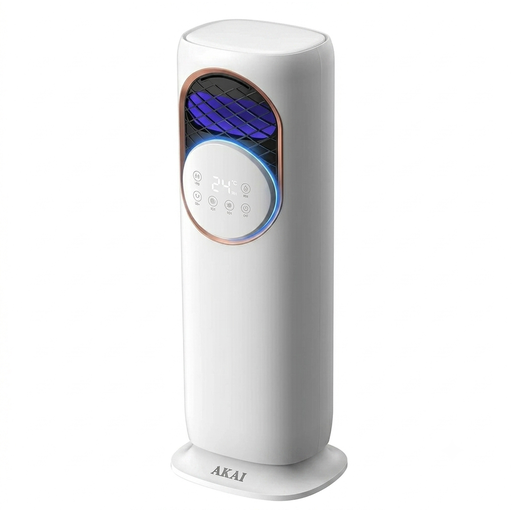
AKAI AKIC41-R 4-in-1 tower fan with cooling and heating
The product name also lists air purification and humidification. Compare these features with what you actually need in a shared space.
The appliance description lists living rooms and home offices as suitable locations.
Joybuy
 No image available
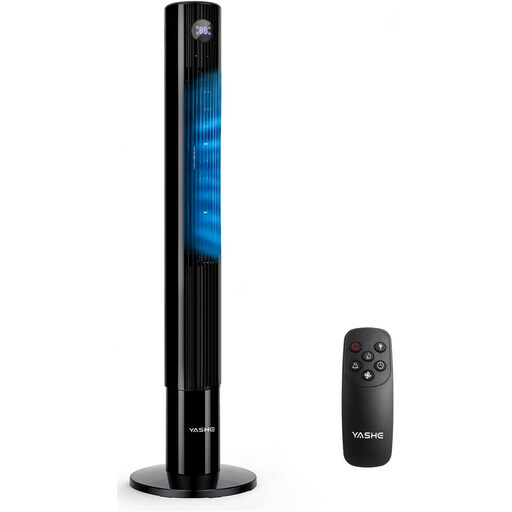
YASHE NDTFT17RH, 110 cm, 85° oscillation, 3 speeds, 12-hour timer
The specified oscillation may be useful for several seats; check that the oscillation range suits your seating layout.
The product name also lists a remote control, LED display and three speeds. The 28 dB figure cannot be directly compared with other noise levels without equivalent measurement conditions.
Joybuy
 No image available
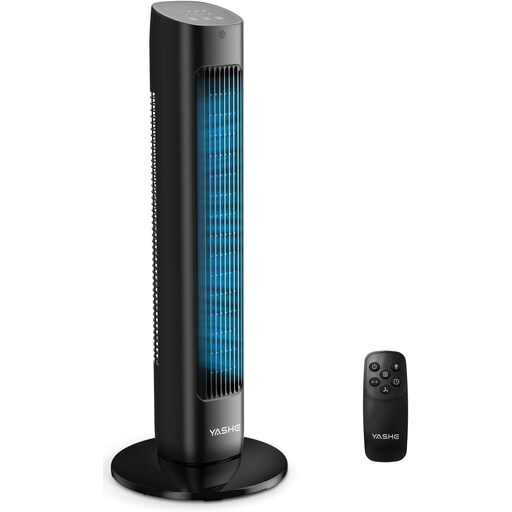
YASHE NDTFT21R, 80 cm, with remote control
The specified height may be useful when positioning the fan beside a desk; check that the air outlet suits your seating position.
The product name lists 28 dB. Without equivalent measurement conditions, this figure cannot be directly compared with other noise levels.
Joybuy
 No image available
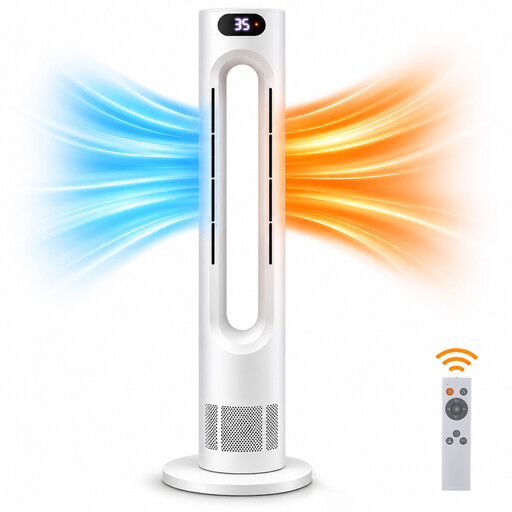
Rosnek tower fan with heating function, 103 cm, 75° oscillation
The specified oscillation may be useful for several seats; check that the range suits the intended location.
The product name lists 10 cooling settings, a heating output of 1700 W and a fan output of 25 W. Distinguish between the fan and heating outputs when comparing them.
Joybuy
Frequently asked questions
Does a tower fan lower the temperature in a living space?
No. Moving air can cool your skin, but it doesn’t remove heat from the room. Germany’s Federal Environment Agency makes this distinction between the cooling effect on your skin and an actual reduction in room temperature.
How do you clean a tower fan?
Follow the instructions for the specific model. For the Dyson AM07, Dyson recommends using a dry or damp cloth for the air loop, and a dry cloth or soft brush for the other specified areas. Dyson warns against using cleaning products and polishes on this model. These manufacturer instructions don’t necessarily apply to other tower fans.
How do I compare running costs?
Multiply the power consumption in watts by the number of hours used, then divide the result by 1000 to get the energy used in kilowatt hours. Then multiply this figure by your contracted price per kilowatt hour. Where available, use figures that match the setting you’re comparing; Germany’s consumer advice centre explains these cost components.
Who should I contact about a fault after buying in Germany?
For consumer purchases, the seller is generally responsible for the statutory warranty. Germany’s consumer advice centre states that this lasts for two years from delivery; a voluntary manufacturer’s guarantee is separate.
What does the CE marking on a tower fan mean?
The CE marking is not an independent quality seal. Germany’s Federal Network Agency explains that the manufacturer uses it to declare, under its own responsibility, that the product complies with the relevant requirements. Also check the product and manufacturer information, along with the safety information supplied with the appliance. The applicable regulations depend on the specific product.


