Students with a dedicated desk
If you mainly want airflow at your desk while studying, look for a fan that lets you direct the airflow towards your seat rather than blowing across the whole room all the time.


If you’re placing a tower fan beside your desk, a well-controlled low setting and an airflow direction you can adjust matter more than wattage alone. If you’ll also use it while sleeping, consider how noisy it is and how easy it is to operate on that setting. Before buying, check the footprint, oscillation range, cable route and cleaning instructions for the specific model. A fan moves air and can make your skin feel cooler, but it doesn’t lower the room temperature or replace ventilation, as the German Environment Agency explains.
If you mainly want airflow at your desk while studying, look for a fan that lets you direct the airflow towards your seat rather than blowing across the whole room all the time.
If you use the same room for studying during the day and sleeping at night, check whether you can adjust the airflow and noise to suit both situations on a low setting.
Even a slim tower fan needs room for its base and oscillation. Measure the space where you plan to put it, and check that the cable will reach the socket.
IMTEST points out that wattage alone tells you little about air speed. For use at a desk and in a bedroom, the right low setting and the noise rating under the relevant operating conditions matter too.
| What matters | What to look for | Who will find it especially important |
|---|---|---|
| Airflow at your desk | Check the low settings and the direction of the air outlet. Only factor in oscillation if you want the airflow to reach other parts of the room too. | If I mainly want airflow at my desk while studying, I want to direct it where I need it rather than having a draught all the time; around 33% of consumers put this first. |
| Quiet while studying and sleeping | Check the noise rating, including the operating setting and measurement conditions. Only consider a timer or night mode if these features are confirmed for the specific model. | If you study and sleep in the same room, you need a low setting that works for both situations; around 25% of consumers prioritise quiet operation. |
| Footprint and position | Compare the base and oscillation range with the available space beside your desk. Plan for the cable length and socket position together. | If floor space is limited, I want to know whether the base, oscillation range and cable will fit beside my desk; around 25% of consumers make finding the right spot their main concern. |
| Power consumption and care | Use the wattage and daily running time to work out your own kWh estimate, and check the cleaning instructions for the specific model. | If I use it frequently, I want to understand the cost of running it and the effort involved in looking after it; around 17% of consumers focus on these ongoing considerations. |
A fan moves air and can make your skin feel cooler, but it doesn’t remove heat from the room.
Choose one to circulate air where you spend your time. Ventilate when the air outside is cooler than the air indoors.
Power consumption alone doesn’t show how fast the air will be moving when it reaches your desk.
Only compare air-speed figures when the measurement distance is clear, and check whether the low setting is powerful enough for where you plan to use it. IMTEST recommends measurements taken at a set distance.
The base, oscillation and cable route all affect whether the fan will fit beside your desk.
Measure the available floor space and compare it with the base, oscillation range and cable length of the specific model.
On some tower fans, a closed casing can make it harder to reach internal parts.
Check the model’s cleaning instructions before you buy. Unplug the fan before cleaning it; Rowenta advises this too.
For its 307S tower fan, DREO lists several speed settings, oscillation and a timer.
According to Rowenta, the Eole Infinite VU6670F0 has three speed settings and 180° oscillation.
Philips lists its 5000 Series tower fan under model number CX5535/11.
According to MEDION, the LIFE P20 TF (MD 11948) has several speed settings and horizontal oscillation.
The Joybuy picks below are tower fans designed to circulate air in a study or bedroom; some models also list additional heating or room functions.
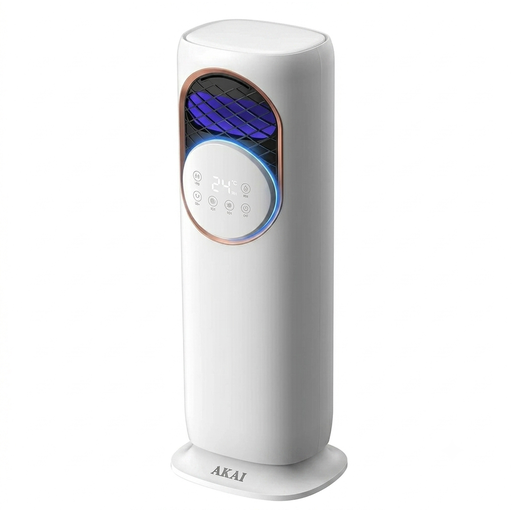 No image available
For shoppers looking for more than airflow from a tower unit: the product description lists cooling, heating, air purification and humidifying functions.
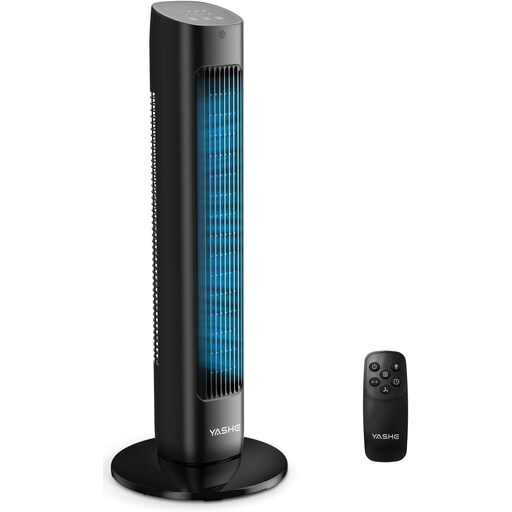 No image available
For shoppers who want different settings for studying and sleeping: the product description lists Normal and Sleep modes.
It also lists three speed settings, 85° oscillation, a 15-hour timer and a remote control.
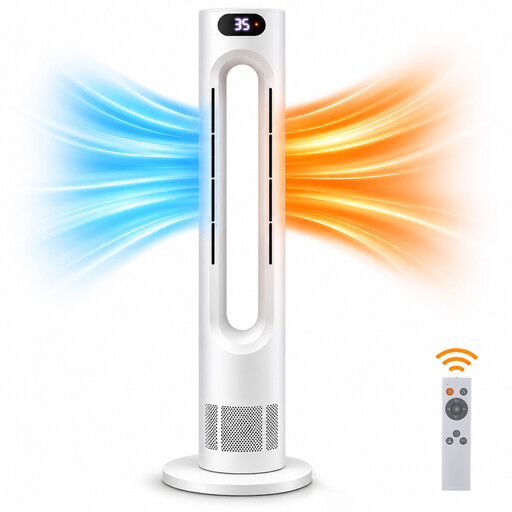 No image available
For shoppers looking for a tower unit with cooling and heating functions; the product description also lists 75° oscillation.
Specifications include 10 cooling settings, three heating settings, 25 W fan power, 1700 W heating power, a 9-hour timer and a remote control.
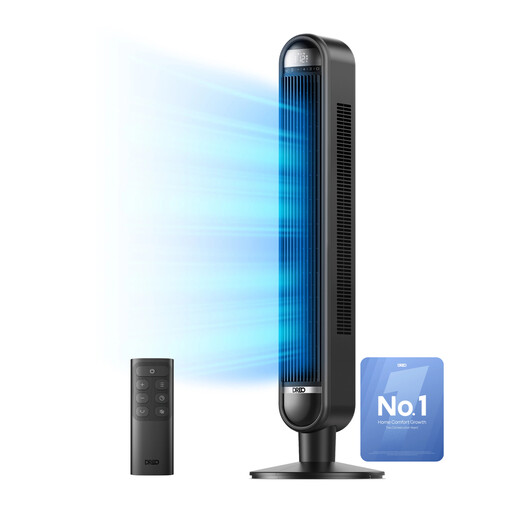 No image available
For shoppers who want to adjust the airflow to suit different situations: the product description lists six speeds, four modes and a Sleep mode.
It also lists 90° oscillation, a timer of up to 12 hours, a remote control and a control panel. According to the product description, use the fan only on a flat, dry surface with the base securely fitted; keep the remote control’s button cell battery away from children.
No. Moving air can make your skin feel cooler, but it doesn’t lower the room temperature by itself. If the air outside is cooler, ventilation can help remove heat; the German Environment Agency recommends waiting until then to ventilate.
Unplug the fan before cleaning it and follow the instructions for your model. A closed casing can limit access to the inner parts of a tower fan; Rowenta notes this difference compared with designs that are easier to access.
If a product is faulty, your statutory rights are against the seller. A guarantee is an additional voluntary promise with its own terms and conditions. According to the German consumer advice centre, consumers can generally claim their statutory rights for newly purchased goods within two years of delivery or receipt.
As part of its market surveillance, the German Federal Network Agency looks at matters including the CE mark, whether the product can be identified, manufacturer details and German-language instructions with the necessary warnings. The label alone doesn’t tell you how fast the air moves or how noisy the fan is at your desk.
An old electric fan should not go in your household rubbish. The German Environment Agency explains that electrical waste is collected separately; local collection points generally accept it free of charge.