
Lieferung heute & morgen

Qualitätsgarantie

Willkommens-Angebote freischalten: KOSTENLOSE Lieferung | Bis zu 80 % RABATT | Kostenlose 30-Tage-JoyPlus-Testphase
App herunterladen
By the Joybuy Product Recommendation Officer, July 10, 2026
Video conferences that drop, streaming services that constantly buffer, or entire rooms where the WiFi signal barely reaches—these are common problems in many households. A conventional router quickly hits its limits when dealing with larger living spaces, multiple floors, or thick walls. A TP-Link Deco Mesh WiFi System is designed to solve these exact challenges by providing comprehensive and stable WiFi throughout your entire home.
This article provides an objective overview of how mesh systems work and introduces various models from the TP-Link Deco series. The goal is to give you the information you need to make an informed decision for your home network.
Before you decide on a model, several technical aspects should be considered to find the right solution for your needs.
The most important metric is the area you need to cover. Mesh systems are typically offered in sets with two or three units (known as nodes). A whole-home mesh WiFi system requires careful placement of these nodes to effectively eliminate dead zones. As a rule of thumb: a 2-pack is often suitable for apartments and smaller houses, while a 3-pack is recommended for larger, multi-story buildings. The systems are modular and can be expanded with additional units if needed.
The Deco series supports various WiFi standards that directly impact speed and efficiency:
A key advantage of mesh systems is seamless roaming. Unlike a classic WiFi extender kit, which often creates a separate network with its own name, all Deco units form a single, unified WiFi network. Your devices (e.g., smartphone or laptop) automatically switch to the node with the strongest signal as you move through your home, without any interruption.
Here is a selection of TP-Link Deco models suited for different use cases and budgets.
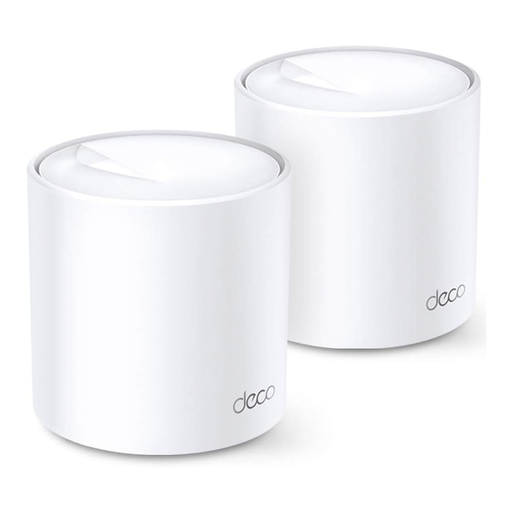
View Product: TP-Link Deco X20 (2-Pack)
Why It Stands Out The TP-Link Deco X20 offers a balanced combination of modern Wi-Fi 6 technology and excellent value. It is designed to increase network efficiency and ensure a stable connection for a multitude of devices simultaneously.
Pros
Who It's For? This set is a great choice for families and home office users looking for a reliable and powerful network solution for medium-sized apartments or houses. It easily handles multiple 4K streams, online gaming, and a high number of smart home devices.
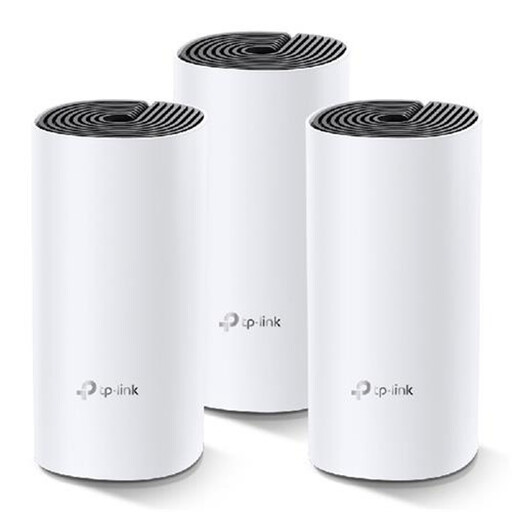
View Product: TP-Link Deco M4 (3-Pack)
Why It Stands Out The TP-Link Deco M4 is a proven entry-level model for the world of mesh WiFi. With three units, this set provides very large area coverage and is a cost-effective way to establish stable WiFi in large or complex homes.
Pros
Who It's For? Users whose main goal is to eliminate dead zones and ensure a stable baseline for everyday tasks like browsing, social media, and HD streaming in a large home. It is a practical alternative to a conventional WiFi extender kit.
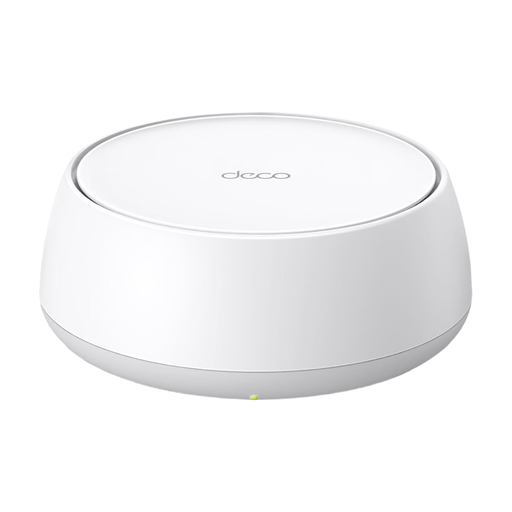
View Product: TP-Link Deco BE25 (1-Pack)
Why It Stands Out The TP-Link Deco BE25 takes home network performance to a new level with Wi-Fi 7. Equipped with 2.5 Gbps ports and advanced technologies like Multi-Link Operation (MLO), this model is engineered for maximum speed and minimal latency.
Pros
Who It's For? This system is aimed at tech enthusiasts, gamers, and users with fiber optic connections who demand uncompromising performance. It is the ideal foundation for demanding WiFi for home offices and gaming, as well as for running bandwidth-intensive applications.
The TP-Link Deco series is diverse and offers a suitable model for almost every need. If the products presented here don't exactly match your requirements, there are other variants with different performance features and in various set sizes.
Discover our entire range of Mesh Network Systems and find the perfect solution for your home.
A WiFi extender (or repeater) receives your router's signal and re-broadcasts it, but often creates a separate network (e.g., "MyWiFi_EXT"). Switching between these networks must be done manually and often involves a brief interruption. A mesh system, on the other hand, consists of multiple nodes that create a single, large WiFi network with one name. Thanks to seamless roaming, your devices automatically connect to the strongest node without the connection dropping.
The installation is designed to be user-friendly. You download the TP-Link Deco app to your smartphone, connect one Deco unit to your modem with a cable, and follow the step-by-step instructions in the app. The other nodes are simply plugged into outlets in the desired locations and added to the network via the app.
Yes, according to the manufacturer, all TP-Link Deco models are compatible with one another. This means you can expand an existing Deco network with a newer or different model to specifically improve coverage or performance. This offers great flexibility for future adjustments.