
Lieferung heute & morgen

Qualitätsgarantie

Willkommens-Angebote freischalten: KOSTENLOSE Lieferung | Bis zu 80 % RABATT | Kostenlose 30-Tage-JoyPlus-Testphase
App herunterladen
A single Wi-Fi router often reaches its physical limits in larger apartments or multi-story homes. This results in dead zones, unstable connections, and reduced speeds in remote rooms. A TP-Link Mesh Wi-Fi System is an engineered solution designed to ensure comprehensive and stable network coverage throughout your entire living space. Unlike a traditional Wi-Fi extender, which creates a separate network, mesh systems generate a single, seamless Wi-Fi network. Devices automatically switch to the strongest signal point without any interruption.
Selecting the right system depends on your specific technical requirements and home environment. The following criteria are essential for making an informed decision.
The Wi-Fi standard defines the network's maximum theoretical speed, efficiency, and capacity.
The required number of mesh nodes (units) depends directly on the area you need to cover. The manufacturer's coverage specifications in square meters (m?) serve as a guideline. A typical Mesh Wi-Fi Kit with two or three units is sufficient for most single-family homes and large apartments to extend Wi-Fi range and eliminate dead zones. Solid walls or reinforced concrete ceilings can weaken the signal and may require an additional node.
The speed rating (e.g., AC1200, AX1800, BE3600) describes the combined maximum theoretical data rate across all frequency bands. For practical use, the speed per band is more relevant. Also, pay attention to the type and number of Ethernet ports. Gigabit ports (1 Gbps) are the standard for connecting stationary devices like PCs, gaming consoles, or NAS systems. Newer models already offer 2.5 Gbps ports for even higher wired speeds.
Modern mesh systems from TP-Link, especially the TP-Link Deco series, are set up and managed via a smartphone app. This significantly simplifies the configuration process. The app allows you to adjust network settings, set up a guest Wi-Fi, configure parental controls, and monitor network status.
Based on technical specifications and use cases, we have curated a selection of TP-Link Deco systems.
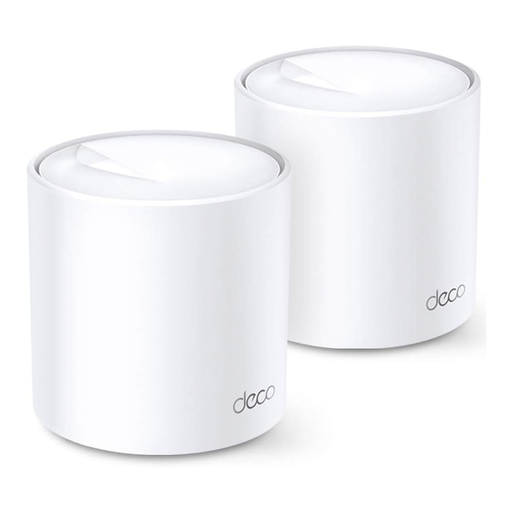
Why we recommend this product: The Deco X20 system represents a balanced entry into WiFi 6 technology. It combines solid speeds of up to 1,800 Mbps with the efficiency benefits of the AX standard, making it well-suited for most modern households.
Benefits:
Best for: Users in medium to large apartments or homes looking to upgrade their home network to the WiFi 6 standard to benefit from a more stable and faster connection for home office, streaming, and smart home devices.
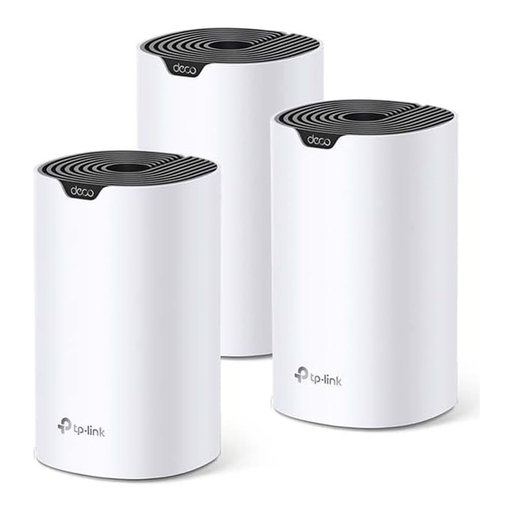
Why we recommend this product: The Deco S4 is a cost-effective solution for eliminating Wi-Fi dead zones across large areas. With three units and the proven Wi-Fi 5 standard, it provides reliable coverage for essential internet applications.
Benefits:
Best for: Households and families in large homes who need a stable internet connection for everyday tasks like browsing, email, social media, and HD streaming throughout the house, and are looking for a budget-friendly solution.
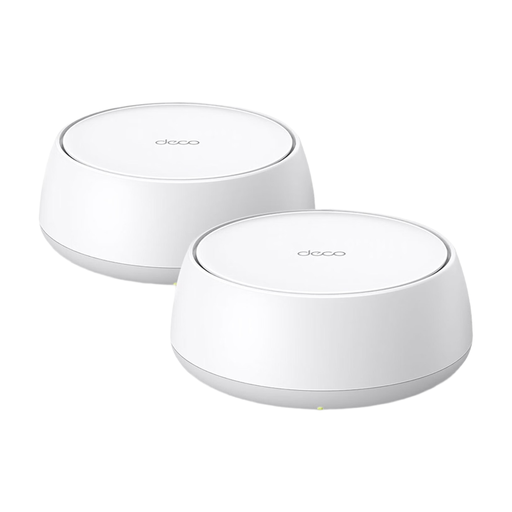
Why we recommend this product: The Deco BE25 system is designed for users who refuse to compromise on performance. With WiFi 7, Multi-Link Operation, and 2.5 Gbps ports, it offers a future-proof platform for bandwidth-intensive applications and the highest demands for speed and latency.
Benefits:
Best for: Tech enthusiasts, gamers, content creators, and users with gigabit internet plans who want to future-proof their network and benefit from the lowest latency and highest available speeds for 8K streaming, VR/AR, and cloud applications.
The models featured here cover a broad spectrum of use cases. If your specific requirements for area, speed, or budget differ from these examples, you can find an expanded selection of configurations and models in our main WiFi Mesh Network System category.
1. What is the difference between a mesh Wi-Fi system and a repeater? A repeater receives your router's signal and rebroadcasts it under a new network name (SSID). You have to manually connect your device to the repeater's network. A mesh system consists of multiple nodes that form a single, large Wi-Fi network with just one name. Your devices automatically and seamlessly switch to the node with the strongest signal without dropping the connection.
2. Can I use a TP-Link Deco system with my existing router? Yes. TP-Link Deco systems can be operated in Access Point (AP) mode. In this mode, you connect a Deco node to your existing router via an Ethernet cable, and the system creates a new, comprehensive Wi-Fi network while your router continues to handle network management (e.g., DHCP). Alternatively, the Deco system can replace your existing router entirely.
3. How many Deco units do I need for my home? As a rule of thumb, two units are often sufficient for apartments up to approx. 150 m?. For multi-story homes or areas over 200 m?, three or more units are recommended to ensure seamless coverage. The exact number depends on your home's layout, wall materials, and the desired signal strength in all areas.