What should you look for when buying?
First, check whether you can control reflections on a glossy card with the intended position and diffusion. Then compare the colour of the light, the space available and the exact contents of the package with your photography setup.
| What matters |
What to check before buying |
Who is it important to? |
| Reflections and surface detail |
Check the options for positioning the light to one side and using a diffuser; test the effect with a glossy card. |
If I photograph foil cards, I want to be able to move reflections away from important details. Around 40% of consumers whose main concern is the card’s surface are likely to prioritise this. |
| Consistent card colours |
Check for adjustable colour temperature and brightness, as well as repeatable settings; readjust the white balance when the lighting changes. |
If I’m photographing a series of cards, I want to compensate for changing light from the window and keep the colours as consistent as possible. Around 30% of consumers are likely to prioritise colour consistency. |
| Space, positioning and power |
Check the dimensions and mount, and make sure there’s room to position the light to one side; check the intended power supply. |
If my photography table is small or I often change my setup, I need a light that can still be positioned sensibly beside the card. Around 20% of consumers are likely to prioritise space or portability. |
| What’s included and accessories |
Check the contents of the specific version and compare them with the tripods, mounts and power sources you already have. |
If I want to start photographing straight away with my existing setup, I need to know exactly which parts are included. Around 10% of consumers are likely to prioritise a complete setup without needing to buy extra accessories. |
Suitable lighting solutions at Joybuy
The options below include lighting for small product subjects and photography. Several are light tents or lights with their own mounting systems, rather than freely positionable LED panels. Check that each design suits your window-lit setup.
 No image available
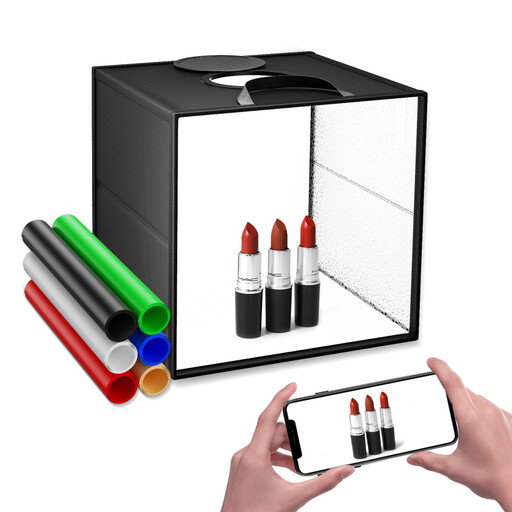
30 cm photo light box with 120 LEDs
A light tent for small still-life subjects, if you’re looking for a compact, enclosed lighting setup rather than an open panel.
The title lists a size of 30 cm, 120 LEDs, three colour temperatures, nine dimming levels and six coloured backdrops. This is a photo light box, not a separately positionable open panel.
View at Joybuy
 No image available
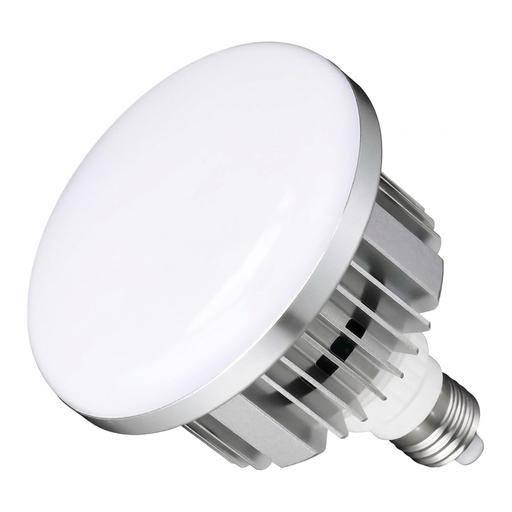
Set of two dimmable E27 LED photography bulbs
This set may suit your photography lighting needs if you already have compatible E27 sockets and want to use two bulbs instead of a standalone panel.
The title lists two 135 W LED photography bulbs, stepless dimming, 3000–6500 K and a remote control. E27 sockets are required; this is not an LED panel.
View at Joybuy
 No image available
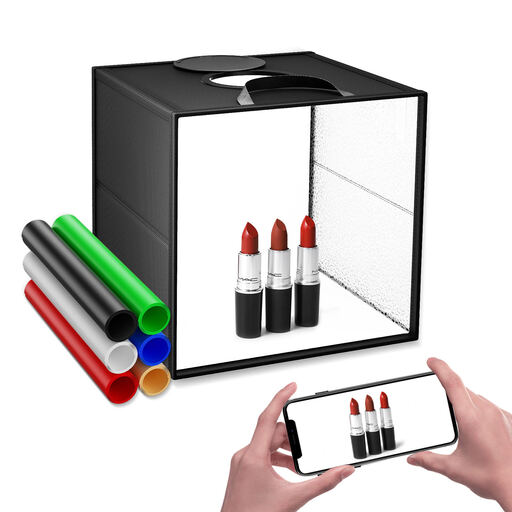
40 cm photo light box with 120 LEDs
This foldable light box is an option for small product shots if you want a compact setup with front and top openings.
The product description lists a size of 40 cm, diffusion fabric, three colour temperature modes and stepless dimming. The box isn’t a separately positionable open panel.
View at Joybuy
 No image available
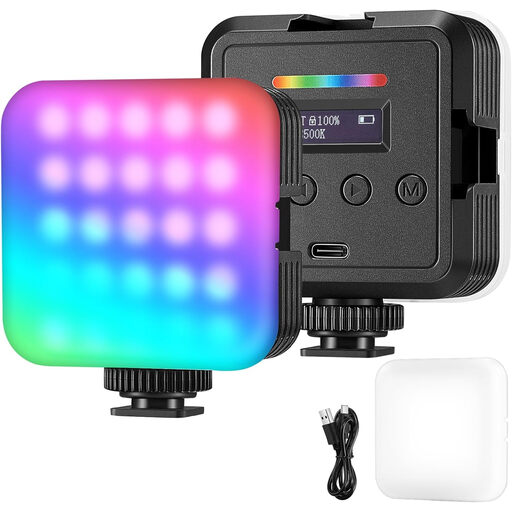
Portable RGB camera and video light
This portable light may suit you if you’re planning to take photos or videos with a camera or smartphone, as well as product shots.
The product description lists RGB, white and warm light modes, adjustable brightness and colour temperature, and battery or USB power. It’s described as a camera or video light, not specifically as an LED panel.
View at Joybuy
 No image available
ULANZI VL49 RGB video light
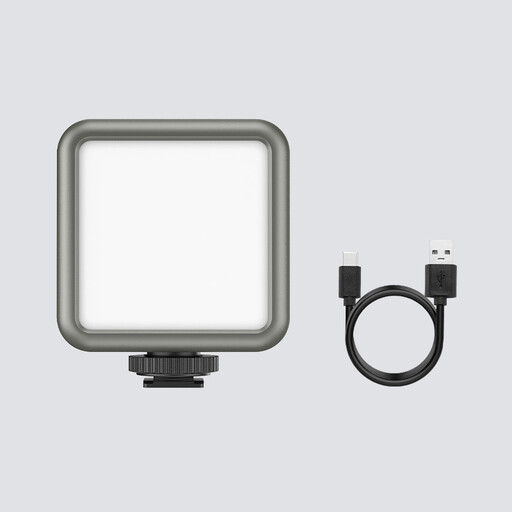
This compact light may suit macro and product photography if you’re looking for a small, battery-powered light with a magnetic back.
The title lists RGB, 2500–9500 K, dimming, a 2000-mAh battery and magnets on the back. Positioning it to one side of your photography table will depend on the mounting options available.
View at Joybuy
Frequently asked questions
Do I need one or two LED panels by the window?
One panel positioned to the side may be enough if the window already provides sufficient light on the other side of the card. If you want a setup that relies less on daylight, two independently adjustable light sources are an option. The two-sided, 45-degree lighting described by the Canadian Heritage Information Network is a starting point, not a fixed rule for every glossy card.
How can I check the lighting on a foil card?
Take test photos of the same card, changing the position of the light to one side, and check whether reflections obscure any details. Different lighting angles can work well for an accurate overview and for showing gloss or surface texture.
What should I keep consistent when taking a series of photos?
Keep the card position and lighting settings as consistent as possible, and readjust the white balance if you change the lighting. The Canadian Heritage Information Network describes using a colour reference at the start of a session under new lighting as part of its documentation practice.
Which extra items should I check before buying?
Check whether the selected version includes a tripod, diffuser and mains adapter, then compare the contents with the accessories you already have. For the Neewer NL660, the manufacturer explicitly states that NP-F batteries aren’t included. It also offers versions both with and without a tripod.
What should I look for in compliance information for Germany?
For electrical or electronic equipment that requires CE marking, the mark forms part of the applicable EU conformity requirements. It is a declaration made by the manufacturer, not proof that the product has been independently tested. The Federal Network Agency lists labelling, manufacturer information and German-language instructions among the points it checks as part of its market surveillance. This does not confirm that any individual model mentioned here complies.


