Card sellers who want to show the details
You want to photograph the whole card and any signs of wear clearly, so potential buyers can assess its condition.


First, use the device you already own to check whether you can capture both the whole card and important condition details in sharp focus from your intended shooting height. For occasional photos, a steady setup with well-positioned lighting may matter more than buying a camera. If you take close-ups regularly, consider a compact camera with a close-up mode or a mirrorless camera with a suitable macro lens. You’ll also need to think about space for your lighting and mount, and which lens is actually included with the camera kit.
You want to photograph the whole card and any signs of wear clearly, so potential buyers can assess its condition.
You need a repeatable overhead shot, with the camera, mount and lighting all fitting on your small work surface.
You want to start by testing your existing device with a steady lighting setup to see if it can capture the shots you need.
A good fit if: You can already get sharp shots of the whole card and the details you need from your intended shooting height.
Trade-off: Macro capability and framing depend on the device. Shooting from very close up can also leave less room for lighting from the sides.
A good fit if: You want to capture small details regularly without changing lenses.
Trade-off: A very short minimum focusing distance doesn’t guarantee the right framing or enough room for lighting, and the lens is fixed.
A good fit if: You regularly want to enlarge fine print, edges or condition details, and choose a lens to suit the camera body.
Trade-off: The body and lens need to be compatible. A kit zoom isn’t automatically the separately available macro lens.
| What you need | What to check before buying | Who should pay particular attention? |
|---|---|---|
| Clear card details | Test a shot of the whole card and an important edge detail from your intended camera height. With an interchangeable lens, check the magnification, focusing distance and mount. | If I need to show text, edges and signs of wear clearly, capturing fine details matters most. Around 33% of consumers put legible card and condition details first. |
| Controlling reflections | Test the shiny card under the lighting you plan to use, and adjust the positions of the light and camera. | With a reflective surface, I want to position the light so it doesn’t obscure the card’s features. Around 25% of consumers prioritise controllable reflections and lighting. |
| Room for your setup | Measure the usable table space and the height your mount can reach. Try both a full-card shot and a close-up with the lens you intend to use. | If I need repeatable overhead shots in a small space, the camera, mount and lighting all need to fit. Around 25% of consumers prioritise a space-saving setup. |
| Extra costs | Start by comparing test shots taken with your existing device. If you’re buying a kit, check which lens is included and whether you’ll need a mount or lighting. | If I only photograph cards occasionally, I want to make do with the equipment I already have to begin with. Around 17% of consumers prioritise keeping extra costs down when their existing equipment is suitable. |
The Canon EOS R50 kit includes the RF-S 18–45 mm lens. The specifications for the separately available RF 35 mm Macro don’t apply to this kit zoom.
Before ordering, check the full list of what’s included and the close-up specifications of the actual lens in the box.
Sony gives the E 30 mm F3.5 Macro a minimum focusing distance of 9,5 cm. At its closest focusing distance, there’s just 2,4 cm between the front of the lens and the subject, which can make it harder to position lighting at the side.
Plan around the space in front of the lens, the mount and the framing you want for the card.
Choosing a particular camera doesn’t guarantee that shiny cards will be free of reflections. A steady setup and adjustable lighting matter too.
First, try different lighting positions with your existing device and the same shiny card.
The Tough TG-7 is a compact camera with a fixed lens and a microscope mode for close-ups without changing lenses.
The EOS R50 is an interchangeable-lens camera. The kit described here includes the RF-S 18–45 mm; the RF 35 mm F1.8 Macro is a separate lens option.
The Z system lets you choose the camera body and lens separately. One specific macro lens with published specifications is the NIKKOR Z MC 50 mm f/2.8.
For the APS-C E-mount system, the E 30 mm F3.5 Macro SEL30M35 is a specific option for small subjects.
A compatible iPhone could be a way to try out the equipment you already own before buying a separate camera.
The Joybuy options below include compact digital cameras and a mirrorless camera with a zoom lens. Before buying, check how the close-up performance, framing and space for lighting and a mount work with your planned setup in a small space.
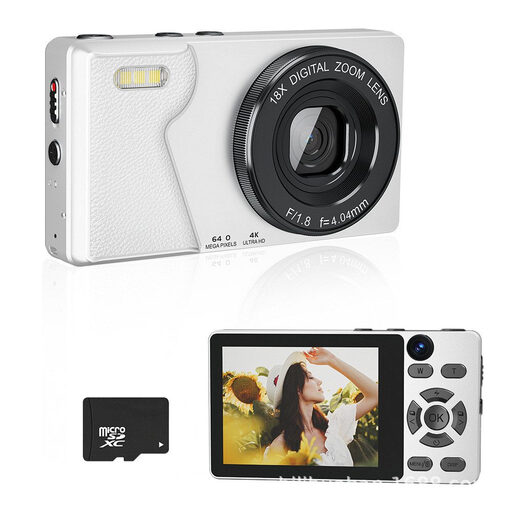 No image available
A separate compact camera for a dedicated card photography setup. Test its close-up performance and lighting with the card you want to photograph.
The product title lists 64 MP, 4K UHD, autofocus and a 2.8-inch display.
 No image available
A mirrorless camera with a zoom lens for a dedicated setup. Check whether the included lens can focus close enough to capture the details on your cards.
The listing includes a 16–50 mm power zoom lens and a tilting display. The description lists a 24.2 MP sensor.
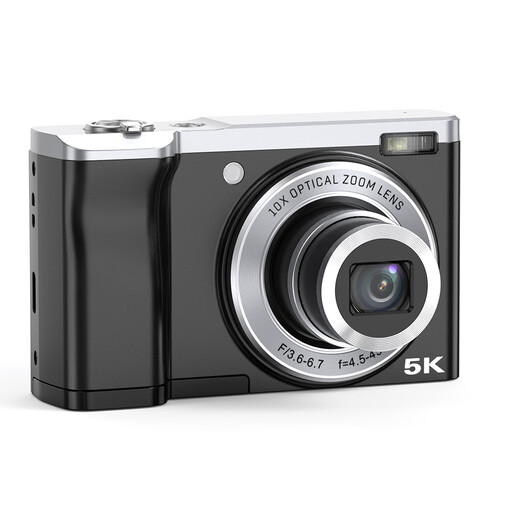 No image available
A separate digital camera for photographing cards. First, check that the framing and close-up performance suit your work surface.
The product title lists 56 MP, 10x optical zoom, and front and rear cameras. The description lists a 2.8-inch IPS display.
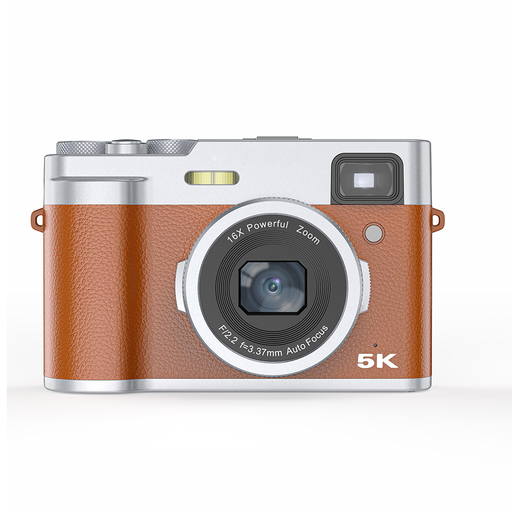 No image available
A compact digital camera for a dedicated photography setup. Test whether it captures fine card details clearly from your intended shooting height.
The description specifies up to 48 MP interpolated and lists 5K video. The product title lists autofocus.
Secure the camera above the card, then move a small light source until the text and surface are clearly visible. Nikon’s macro photography guide recommends using a tripod and an adjustable lamp, and switching to manual focus if needed. Check the result on both the front and back of the card.
Not necessarily for every full-card shot. If fine details don’t appear large enough with the included RF-S 18–45 mm in your setup, buying a compatible macro lens is a separate decision. Canon lists different magnification figures for the kit zoom and the RF 35 mm Macro.
Distinguish your statutory rights with the retailer from any voluntary manufacturer’s warranty. The Verbraucherzentrale explains that, when a product is faulty, the first step is to ask for it to be repaired or replaced. Keep your proof of purchase, along with the full model and kit name.
Don’t assume that product photos found online are free to use. Section 72 of the German Copyright Act (UrhG) also protects photographs and generally gives the rights to the photographer. Take your own photos or get permission to use someone else’s.
Not automatically. The German Federal Commissioner for Data Protection and Freedom of Information explains that the exemption for data processing carried out solely for personal or family activities may no longer apply, for example, when photos of other people are published online. Where possible, photograph the card without identifiable people in the background. Whether a particular publication is permitted depends on the individual circumstances.