Card readers and hubs at Joybuy
This Joybuy selection includes card readers and hubs for SD or microSD cards, with USB-A or USB-C connections depending on the model.
 No image available
Acer 7-in-1 USB-C Hub Docking Station ODK6V0
An option if you want to use additional ports as well as a card slot on your USB-C device.
SD and TF card slots; USB-C connection. The description also lists HDMI with 4K@30Hz, 100W PD and 3x USB 3.0 with 5Gbps.
View at Joybuy
 No image available
HOCO HB45 Spirit 2-in-1 USB 3.0 Card Reader
Worth considering if you want to read an SD or microSD card on a device with USB-A.
The product description lists SD and TF/microSD cards and a USB-A plug; the title specifies USB 3.0. The plug won’t connect directly to a device with USB-C only.
View at Joybuy
 No image available
Baseus Lite Series USB-A to SD/TF Card Reader Grey
A suitable design if you want to read SD or microSD cards on a device with USB-A.
USB-A connection and SD/TF card slots. The product description lists speeds of up to 104 MB/s; this isn’t an independently measured copying speed. The connection won’t work directly with a device that has USB-C only.
View at Joybuy
 No image available
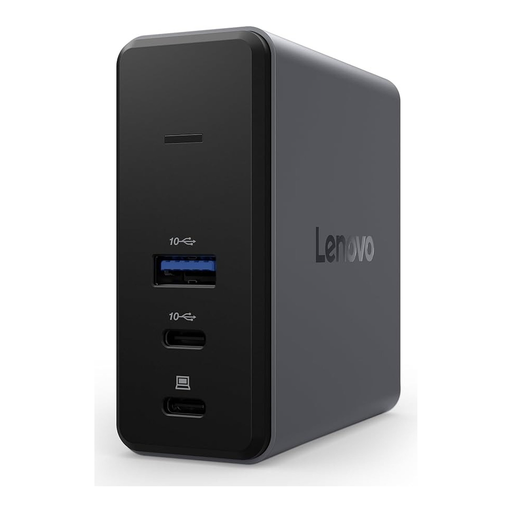
Lenovo X9 Charging GaN Dock, Wired, USB Type-C, 60 W, Grey, MicroSD
An option if your trail camera uses a microSD card and your target device has a compatible USB-C connection.
The description lists a MicroSD slot and USB Type-C; the product title specifies USB 3.2 Gen 2 and 60 W. The available product information doesn’t mention an SD slot.
View at Joybuy
 No image available
WOZINSKY USB-C Hub Adapter 14-in-1 with SD and TF Card Reader
An option if you need extra hub connections as well as a card reader for your USB-C device.
USB-C connection and SD and TF card slots; the product information also lists a 15-cm cable and support for Windows, macOS, Android and iPadOS.
View at Joybuy
Frequently asked questions
Can I put any trail camera card into the same reader?
No. Check your camera model to see whether you need SD or microSD, then compare the format with the reader’s specifications. SPYPOINT lists different card requirements for different camera series; the reader’s capacity specification doesn’t automatically extend your camera’s compatibility.
How do I remove the card and stop reading it?
Follow the instructions for your specific trail camera. For the Boly-SG560K/X series, Boly explicitly warns against removing the SD card while the camera is switched on; don’t assume this applies to other models without checking. For Windows 10 and 11, Microsoft recommends safely ejecting external hardware before disconnecting it.
What do I need to view and back up photos?
To view photos, you need a device with a compatible connection and file access that supports external storage. To back them up, copy the files you want to keep to a separate storage destination and check the copies there. If you want to use pass-through charging with the Anker 565, Anker specifies that you’ll need an additional charger.
What does CE marking mean, and how should I dispose of a faulty card reader?
According to the European Union, CE marking is required only for products covered by harmonised rules that expressly require it; it isn’t an official quality mark. The German Environment Agency notes that electrical and electronic waste must not be put in household rubbish in Germany.


