Viewing photos on your smartphone
You want to open the card directly on your USB-C smartphone or tablet at your next stop. The key considerations are the card format and whether your device supports external storage.


For viewing trail camera photos on the go, an SD or microSD reader with USB-C is usually the simpler option, provided the card and device you want to use are compatible. An additional USB-A connector is handy if you switch between devices; UHS-II is mainly worthwhile if you have a compatible card and computer. Test the import process with your specific device and a spare card before relying on it when you’re out and about.
You want to open the card directly on your USB-C smartphone or tablet at your next stop. The key considerations are the card format and whether your device supports external storage.
You use devices with different connectors when you’re out and about, and don’t want to carry a separate reader for each one.
You often copy large numbers of photos or videos to a computer and want to assess the card standard and reader together.
First, check the card format, card standard and device you want to use. Then you can decide whether faster transfer rates or extra connectors would genuinely make things easier.
| What to consider | What to look for | Who it matters most to |
|---|---|---|
| Card and file system | Check the card format and standard against your camera, card, reader and device. The SD Association classifies SDXC as using the exFAT file system. | If I want to be sure I can read my existing card, its standard must be compatible with my device. Around 36% of consumers prioritise this compatibility. |
| Mobile access | Test USB-C data access and opening your files on the specific smartphone or tablet you’ll be using. | Between appointments, I want to view photos directly on my own smartphone or tablet rather than take a laptop with me. Around 29% of consumers prioritise direct mobile access. |
| Importing large amounts of data | Compare the markings on your card with the specifications for the reader and computer. Advertised maximum speeds aren’t guaranteed in practice. | If I often transfer lots of photos, the combined performance of the card, reader and computer matters to me. Around 21% of consumers prioritise importing large amounts of data. |
| Portability and connectors | Consider whether a compact reader is enough or whether you really need the hub’s extra connectors when you’re out and about. | When I’m working in different locations, I want to carry as little kit as possible and only bring the connectors I need. Around 14% of consumers prioritise the design and extra connectors. |
The connector type alone doesn’t tell you whether the reader and device support the card standard, or whether the device can access the files.
Test a card you actually use in your trail camera with the phone, tablet or laptop you plan to use.
If that doesn’t work, you may need another reader or a different way to import your files.
A reader advertised as fast won’t turn an existing UHS-I card into a UHS-II card. Lexar says results can vary depending on system configuration and card speed.
First, compare the markings on your card with the reader’s specifications, then consider how often and how much data you transfer.
Apple points out that reformatting an SD card deletes all the photos stored on it.
Back up your files first, then follow the trail camera’s instructions for using the card.
The German product page describes a compact card reader with USB-A and USB-C, plus SD and microSD slots.
According to Lexar, the Professional USB-C Dual-Slot Reader is designed for SD and microSD cards used with USB-C computers.
According to SanDisk, the ImageMate PRO USB-C is a multi-format reader for SD, microSD and CompactFlash cards.
According to the manufacturer, the Anker 553 USB-C Hub combines SD and microSD slots with additional connectors for laptop users.
The products below include USB-C hubs with SD and TF card slots, as well as a USB-C card reader with an additional USB-A connector. Before choosing, check that the card format and connectors are compatible with your trail camera card and the device you want to use.
 No image available
For viewing SD or TF cards on a laptop when you also need extra connectors.
Listed in the product title: HDMI with 4K@30Hz, 100W PD, 3 × USB 3.0 at 5 Gbit/s, plus an SD/TF card reader.
 No image available
For using on the go when you want to read cards on devices with USB-C or USB-A.
The title lists SD, microSD/TF and SDHC. The product description specifies USB 2.0 and speeds of up to 480 Mbit/s; this isn’t a guaranteed speed in practice.
 No image available
For laptop users who need to read SD or TF cards and connect other devices through a hub.
The product specifications list HDMI, VGA, 3 × USB 3.0, SD/TF and PD. According to the description, the hub is only compatible with laptops that have a fully functional USB-C or Thunderbolt 3 port; MHL devices aren’t supported.
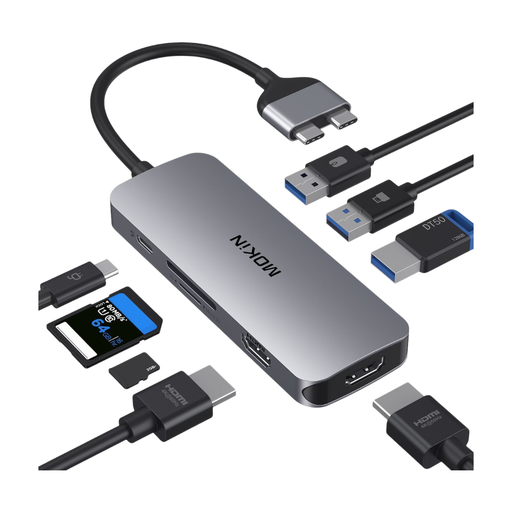 No image available
For reading SD or TF cards on a compatible MacBook when you also need extra connectors.
The description lists HDMI, USB 3.0, Ethernet, PD and an SD/TF card slot. It excludes MacBook models with base M1, M2 or M3 chips and specifies certain Pro and Air configurations with two Thunderbolt 3 ports on one side.
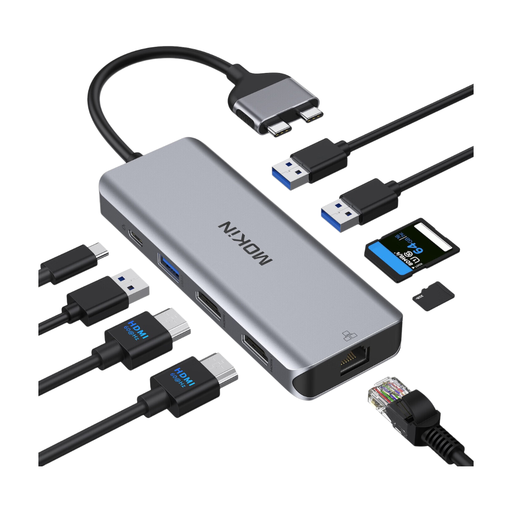 No image available
For reading SD or TF cards on a compatible MacBook when you need extra connectors for working on the go.
The product description lists HDMI, USB 3.0, USB 2.0, Ethernet, PD and an SD/TF card slot. It excludes MacBook models with base M1, M2 or M3 chips and describes compatibility with certain MacBook Pro and Air configurations.
Switch the camera off first and follow its instructions. For the model covered in its guide, SPYPOINT says to switch the camera off before inserting or removing the memory card to avoid losing or damaging data. Then safely eject the storage device from the reader.
It depends on your device, how you import the files and their format. Files by Google explains how to access connected USB storage devices on Android 7.0 and later. Apple explains how to import from an SD card into Photos using supported camera adapters, and notes that not every file format can be viewed on the device. Test the reader, device and sample files together.
No, not as a first step: Apple points out that reformatting deletes all the photos on an SD card. Back up your files, then check the card standard, file format, device and camera manual first.
The Verbraucherzentrale distinguishes between the statutory warranty you have against the seller and a voluntary guarantee. Whether you have a right to cancel your specific purchase can’t be answered in general without knowing your contractual status. Check whether you’re buying as a consumer or for your professional activities, and read the applicable terms and conditions.
There’s no blanket permission to do so. The European Union explains that information about identifiable people is personal data and that the GDPR sets requirements for processing it. The Federal Commissioner for Data Protection and Freedom of Information also highlights data protection issues relating to video surveillance. Whether the rules apply to your footage and a particular disclosure depends on how it was obtained and how you plan to use it.