What should you look for when buying?
First decide whether you want a versatile tablet for everyday apps or a device designed mainly for note-taking. Then compare the stylus and app, offline access, size and weight, and the cost of the complete set-up.
Versatile tablet with a stylus
A good fit if: you work on documents by hand and also want to use regular tablet apps. Check that the stylus and apps are compatible with the exact model and offer.
Consider: You may need to buy the stylus separately; display size and weight also matter when space is tight on a train.
Compact paper tablet
A good fit if: you mainly write, annotate PDFs and organise notes in folders or with tags. According to the manufacturer, the reMarkable Paper Pro Move supports PDF annotation.
Consider: The smaller display may be awkward for large lecture notes; reMarkable requires Connect for certain cloud and editing features.
Tablet and stylus bundle
A good fit if: you plan to take basic notes and want an offer that specifically includes a stylus. Lenovo Germany lists a Tab M11 variant with a Pen.
Consider: A bundled stylus doesn’t necessarily mean it will work with your chosen app and PDF workflow.
| Buying priority |
What to check |
Who it matters most to |
| Handwriting and PDFs |
Exact tablet model, compatible stylus and the PDF features in your chosen app. |
If I annotate lecture notes by hand, the stylus, model and app need to work together. Around 33% of consumers prioritise handwriting and PDF editing. |
| Offline access |
Whether the app opens files stored locally and syncs changes later; download any documents you need before travelling. |
I want to be able to read and organise study materials even when the connection is unreliable. Around 27% of consumers prioritise offline access. |
| Space at your seat |
Display size and weight of the exact version, and how easy it is to read one of your own study PDFs. |
If there’s little room on the tray table, a compact device is important—but not if large lecture notes become awkward to use. Around 20% of consumers say portability is their top priority. |
| Total cost |
Whether a stylus and adapter are included, plus any services and accessories you may need. |
I only want to pay for features and accessories I actually need for my note-taking set-up. Around 20% of consumers put total cost first. |
Joybuy product selection
This selection includes tablets and an E Ink note-taking device for studying on the go. Depending on the model, check the stylus, offline features and display format against the way you work.
 No image available
Apple 11-inch iPad Air (M4, 2026), Wi-Fi, 128 GB, Blue
For handwritten study notes, check that the stylus and apps you want to use are compatible with this exact model.
11 inches; M4; Wi-Fi; 128 GB; Blue.
View on Joybuy
 No image available
iFLYTEK AINOTE 2 E Ink tablet, 10.65 inches, with protective case
This note-taking device is an option for handwritten study notes; the voice transcription feature described requires an internet connection.
10.65-inch E Ink display; the title states a thickness of 4.2 mm.
View on Joybuy
 No image available
UXD Android 16 tablet, 13.4 inches, 128 GB, with keyboard, mouse and stylus
The stylus mentioned in the product title could be useful for handwritten notes; consider whether the large display will fit in the space available at your seat.
13.4-inch IPS display with 1920 × 1200 pixels; 20 GB RAM (8 GB + 12 GB virtual); 128 GB storage. The title also mentions a keyboard and mouse.
View on Joybuy
 No image available
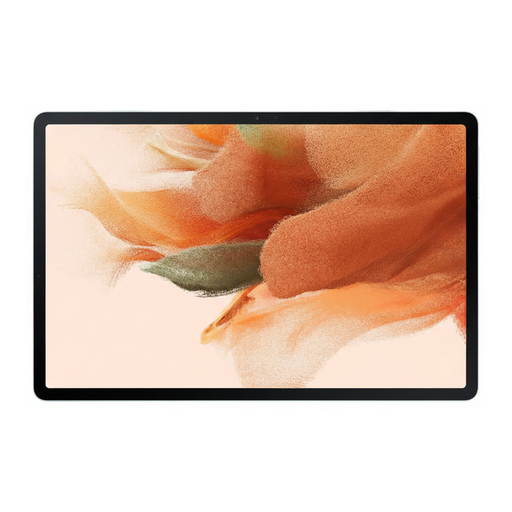
Samsung Galaxy Tab S7 FE, 64 GB, Wi-Fi, Green
The product description says an S Pen for note-taking is included; before buying, check that the specific offer matches this version.
64 GB; Wi-Fi; Green.
View on Joybuy
 No image available
TECLAST ArtPad Pro, 12.7-inch 2K, 256 GB, with T-Pen and accessories
The T-Pen mentioned in the title is useful for handwriting; if space is tight on the train, bear in mind the 12.7-inch format.
12.7-inch 2K display; 256 GB storage; Android 15. The title also mentions a protective case and an English Bluetooth keyboard.
View on Joybuy
Frequently asked questions
Is train Wi-Fi reliable enough to manage notes online only?
Don’t rely on the connection alone. According to Deutsche Bahn, Wi-Fi is available across the entire ICE fleet, but only on some Intercity trains and selected regional services; speeds depend, among other things, on the connection and the number of other passengers. Check your app’s offline mode and download important files before travelling.
How do I set up a tablet for handwritten notes?
First check that the stylus is compatible with your exact tablet model, then try your note-taking app with one of your own PDFs. For the 1st generation Apple Pencil with the iPad (A16), Apple Germany specifies a USB-C adapter for pairing and charging.
Do I need a subscription to organise my notes?
Not necessarily. reMarkable requires Connect for certain advanced cloud and editing features. Decide whether it’s relevant to your workflow based on the features you actually want to use.
Who should I contact in Germany if my tablet is faulty?
The seller, rather than the manufacturer, is generally responsible for your statutory rights. The Verbraucherzentrale describes a general two-year statutory warranty period for newly purchased goods; a voluntary warranty is separate. For contracts from 31 July 2026 onwards, it also describes a possible one-off extension of twelve months if you choose a repair when a fault occurs.
What requirements apply to wireless tablets sold in Germany?
EU requirements for radio equipment apply to the commercial sale of wireless devices. The Bundesnetzagentur lists conformity assessment, the EU declaration of conformity and CE marking among the requirements for placing products on the market.


