For tight arcade entrances, a wide angle at the short end of the zoom range matters more than a long telephoto reach. In changing daylight, you should also check the exposure controls and whether the camera supports RAW or exposure bracketing. A compact camera with a fixed zoom saves you from changing lenses, while a system camera lets you choose the angle of view with the lens, but means carrying extra kit. This assessment is based on manufacturers’ specifications and photographic technique, not on tests in Leipzig’s arcades.
Which camera is right for you?
Architecture from a tight spot
If you want to capture as much of the entrance and passage as possible, check the angle of view at the short end of the zoom range. Leipzig Tourismus und Marketing GmbH describes Leipzig’s network of arcades and covered courtyards.
Keeping your camera kit light
For a walk through several arcades, a camera with a built-in lens could be a good fit if you want to avoid changing lenses.
Facade details from a distance
If you can’t get close enough to photograph signs or architectural details, a longer optical telephoto range is useful. However, it won’t give you the wide angle you need to capture the whole entrance.
What should you look for when buying?
For arcade entrances, first consider what you can fit into the frame from where you can stand. Then weigh up light control, portability and whether you need to capture details at a distance.
Compact camera with a wide angle
A good fit if: You’re standing close to the entrance and want to capture as much of the architecture as possible in one shot. Canon Deutschland lists the PowerShot V1 as starting at 16 mm equivalent.
Trade-off: The zoom range ends at 50 mm equivalent. Canon also says the camera is strongly geared towards video.
Compact camera with a travel zoom
A good fit if: You want to photograph distant signs as well as entrances. Sony Deutschland lists the RX100 VII at 24–200 mm, while Panasonic Deutschland lists the TZ99 at 24–720 mm equivalent.
Trade-off: According to the manufacturers, both start at 24 mm equivalent, so neither offers the same wide starting angle as the PowerShot V1.
Camera with a prime lens
A good fit if: You want a fixed perspective and can choose a suitable spot. Fujifilm lists the X100VI as 35 mm equivalent, with RAW and in-body image stabilisation.
Trade-off: The fixed lens can’t zoom out optically if the entrance looks too tightly framed from where you’re standing.
System camera with interchangeable lenses
A good fit if: You want to choose the angle of view with the lens and shoot RAW files. Fujifilm lists an X mount, RAW and in-body image stabilisation for the X-S20.
Trade-off: The angle of view and total weight depend on the lens you choose, which you’ll also need to carry.
| Buying priority |
What to check |
Who is it important to? |
| Fitting the whole entrance into the frame from a tight spot |
Compare the starting focal length in 35 mm equivalent and the specific lens on a system camera. |
If I can’t step back, I want to fit the entrance and passage into the frame; around 31% of consumers put this wide angle of view first. |
| Bright outdoor areas and a dark passage |
Check exposure controls, RAW and exposure bracketing separately from image stabilisation. |
With big differences in brightness, I want to control exposure precisely and edit the files if needed; around 31% of consumers prioritise light control. |
| Taking a camera along on a city walk |
Compare the weight and packed size, including the battery; factor in the lens for system cameras. |
On a longer walk, I want to carry my camera without changing lenses; around 25% of consumers prioritise travelling light. |
| Signs and facade details from a distance |
Check the optical telephoto range and consider whether close-up details matter more than whole entrances. |
If I can’t get closer to the details, optical telephoto reach matters to me; around 13% of consumers prioritise distant subjects. |
Common buying mistakes
-
Assuming the longest zoom is best for tight entrances
A long telephoto range doesn’t tell you how wide the frame is at the short end. Panasonic says the TZ99 reaches 720 mm equivalent, but starts at 24 mm; Canon lists the PowerShot V1 as starting at 16 mm.
Compare the starting focal length with the space you have first, then look at the telephoto range.
-
Expecting stabilisation to solve every lighting contrast
Image stabilisation and how bright and dark areas appear in the image are two different things. Manufacturers’ stabilisation figures also apply only under the specific test conditions they state.
Check exposure controls and RAW or exposure bracketing separately from image stabilisation.
Exposure bracketing can take extra time to shoot and may require editing afterwards.
-
Comparing only the camera body of a system camera
With a system camera, the angle of view depends on the lens you choose. You also can’t assess the weight of the complete setup without factoring in the lens.
Compare a complete setup suited to your subject with a compact camera.
Key camera brands at a glance
Canon
The PowerShot V1 and PowerShot G7 X Mark III offer different approaches to compact cameras.
- Canon Deutschland lists a built-in 16–50 mm equivalent zoom for the PowerShot V1. According to its specifications, the G7 X Mark III weighs 304 g including the battery and memory card, and offers 24–100 mm equivalent.
- The PowerShot V1 ends at 50 mm equivalent and, according to Canon, is strongly geared towards video; the G7 X Mark III starts at 24 mm at the wide end.
Sony
The RX100 VII is a compact camera for buyers who want to photograph distant details as well as entrances.
- Sony Deutschland lists a 24–200 mm equivalent zoom and an aperture range of F2.8–4.5.
- The listed wide-angle end starts at 24 mm, so it isn’t as wide as the starting focal length Canon gives for the PowerShot V1. This doesn’t amount to an independent comparison of image quality.
Fujifilm
The X100VI offers a fixed perspective, while the X-S20 lets you choose the angle of view with an interchangeable lens.
- Fujifilm lists RAW and in-body image stabilisation for both models.
- The X100VI can’t zoom out optically. With the X-S20, the angle of view and total weight depend on the lens you choose; quoted stabilisation figures apply only under the relevant test conditions.
Panasonic
The Lumix TZ99 is aimed at travellers who want a long optical telephoto range.
- Panasonic Deutschland lists a 24–720 mm equivalent zoom and 30x optical zoom.
- The listed wide-angle end starts at 24 mm. Check whether that gives you a wide enough view from your spot in front of the entrance.
Joybuy products for this topic
The following Joybuy products are action and vlogging cameras with photo or wide-angle features listed in their product specifications. Check whether the specific camera and its angle of view are right for your architectural photography.
 No image available
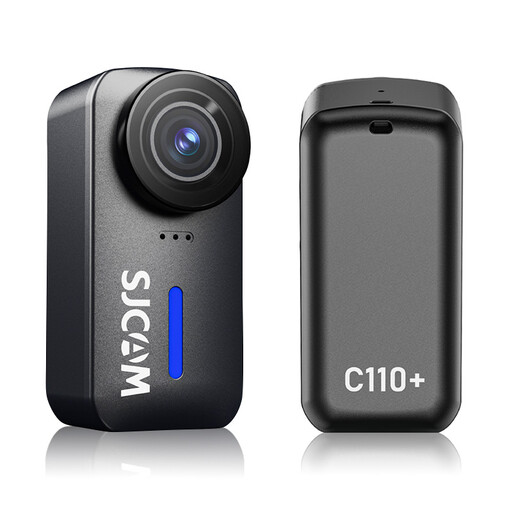
SJCAM C110+ 4K action camera
The product title lists a 170° wide-angle lens for a broad view; check whether this angle of view suits your subject.
The title also lists f/1.8, gyro stabilisation and 20 MP photos. The camera is described as coming with a waterproof case.
View at Joybuy
 No image available
DJI Osmo Pocket 3
The product specifications list a 20 mm lens and photo capabilities; before buying, check whether the frame will fit the entrance you want to photograph.
They also list a 1-inch CMOS sensor, 3-axis stabilisation and a rotating 2-inch touchscreen.
View at Joybuy
 No image available
Osmo Pocket 4P – Standard Combo – Black
The product specifications list a 20 mm f/2.0 lens for a broad view; check whether the perspective suits the spot you’ll be shooting from.
The specifications also list a 1-inch sensor and 4K recording. 4K/240 fps is specifically listed for slow motion.
View at Joybuy
 No image available
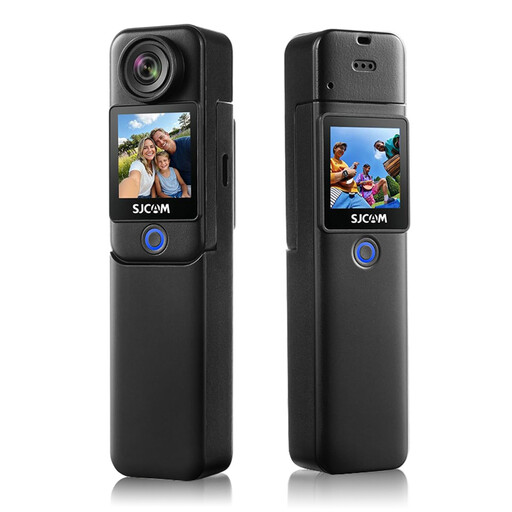
SJCAM C300 4K action camera
The product title lists 20 MP photos and a 154° wide-angle lens. Compare the stated angle of view with the frame you need from your chosen spot.
It also lists 6-axis EIS and recording time of up to 460 minutes with the grip and additional battery.
View at Joybuy
 No image available
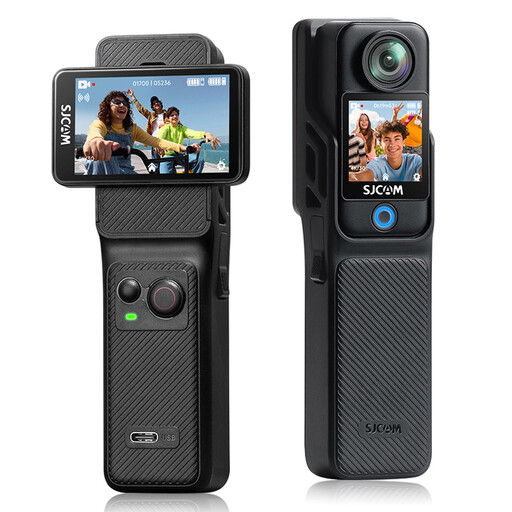
SJCAM C400 4K action camera
The product specifications list a 154° wide-angle lens with f/2.0 and 16 MP photos.
They also list 6-axis stabilisation, two touchscreens and recording time of up to 437 minutes with the grip and additional battery.
View at Joybuy
Frequently asked questions
Which setting can help when the street outside the entrance is bright and the passage is dark?
Start by checking the exposure of the bright and dark areas. For a static subject, exposure bracketing followed by merging the images may help. If there are people in the frame, differences between the shots may make them harder to combine. Canon lists AEB for the PowerShot V1, while Fujifilm lists RAW for the X100VI and X-S20. This doesn’t guarantee that every lighting situation can be captured in a single shot.
Do I need a tripod to take photos in an arcade?
Not necessarily: you can start by shooting handheld and checking the results. Stabilisation won’t automatically prevent motion blur from moving subjects; keeping the camera in the same position is useful for exposure bracketing. Whether you’re allowed to use a tripod in a particular arcade depends on the conditions at the location.
What additional costs and rights should I check when buying a camera in Germany?
When buying a system camera, factor in the lens you need and check what’s included in the box. The Verbraucherzentrale distinguishes between the seller’s statutory liability for defects and a voluntary guarantee. Many consumer purchases made online are generally covered by a 14-day right of withdrawal; check the details of the specific purchase.
Can I publish photos of an arcade entrance and identifiable people?
It depends on the subject and the circumstances. Under certain conditions, § 59 UrhG covers works permanently located on public paths, streets or squares; for buildings, the rule is limited to their external appearance. This does not mean that interior views or local photography rules are automatically permitted. As a general rule, publishing or publicly displaying identifiable people requires consent under § 22 KunstUrhG; exceptions and limitations are set out in § 23. The Federal Ministry of Justice and Consumer Protection and the Federal Office of Justice are listed as the publishers of these provisions.


