What should you look for?
First check whether your note-taking software can filter custom fields. Then consider how you’ll use the laptop when travelling, your files and your preferred way to work.
| Criterion |
What to check before buying |
Who it matters most to |
| Searching custom fields |
Create sample entries using your field types and test search and filtering in the app you plan to use. |
If I want to find entries later by location, date or type of trip, I’ll test the software first rather than relying on a special laptop feature. Around 36 % of consumers put searching custom fields first. |
| Writing on the go |
Compare the dimensions, display and ports you need on the exact model; battery life figures from manufacturers aren’t a guarantee of what you’ll get. |
If I often type while travelling, I want a device that suits how I get around and write day to day. Around 29 % of consumers prioritise writing on the move. |
| Storing scans and photos |
Estimate how much space your collection needs, check the ports for your storage devices and plan regular external backups. |
If my journals also contain photos and scanned documents, I want enough space for these files and a backup. Around 21 % of consumers prioritise storing scans and photos. |
| Touch input |
Check the touchscreen, stylus support and items included in the box separately for the exact model. |
If I want to interact with entries directly on screen, I’ll check for touch functionality and stylus support separately. Around 14 % of consumers prioritise touch input. |
Joybuy products for touch input
This selection includes laptops and convertibles with touch controls for browsing and editing travel journals. Check that your software supports custom fields separately from your choice of device.
 No image available
HP OmniBook Ultra Flip 14-fh0670ng, 2-in-1
A touchscreen 2-in-1 configuration for anyone who wants to browse journal entries using touch controls too.
32 GB RAM; 1 TB SSD; 2.8K OLED; Windows 11 Home.
View at Joybuy
 No image available
Ninkear YBook15, 2-in-1
The 360° hinge and touchscreen suit a workflow where you want to switch between using the keyboard and touch controls.
15.6-inch FHD IPS display; 8 GB DDR4; 512-GB SSD; backlit keyboard.
View at Joybuy
 No image available
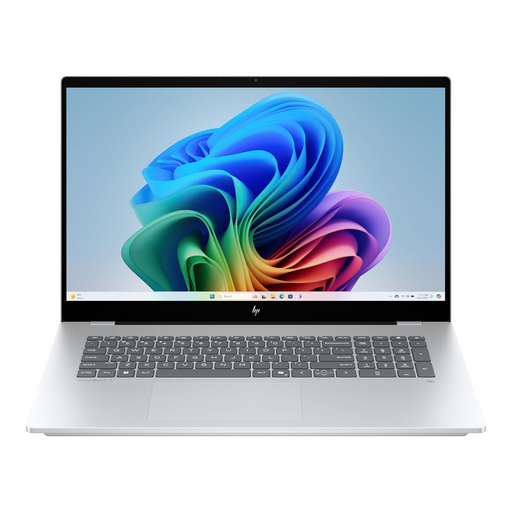
HP OmniBook X Flip 16
The touchscreen is an option if you want to interact with entries directly on screen. Also check that the size suits the way you travel.
WUXGA touchscreen display; Intel Core Ultra; 16 GB RAM; 512-GB SSD; Windows 11; USB-C Power Delivery.
View at Joybuy
Frequently asked questions
Do I need a laptop with a built-in feature for custom journal fields?
No. You can create the fields and filters you need in your note-taking software. Obsidian Help describes properties and Bases, which let you display, filter and sort notes by their properties. Test the field types you want using sample entries.
How do I start indexing my travel journal?
First, decide on a consistent set of fields, such as location, date and type of trip. In Obsidian, you can add properties to notes and display, filter and sort them in Bases. Test the search with some of your own entries before importing a larger collection.
Can photographed journal pages always be searched accurately?
No. You should check any recognised text. Microsoft Support describes OCR in supported desktop versions of OneNote and notes that results depend on image quality. OneNote for the web can’t perform the OCR function described.
How do I back up my collection if my laptop is lost or damaged?
Make a separate backup regularly and check that you can restore your files. Germany’s Federal Office for Information Security lists external storage devices as one way to back up files you’ve created yourself.
What rights do I have when buying a new laptop online in Germany?
For a consumer purchase made at a distance, you generally have a 14-day right to cancel, starting when you receive the goods; exceptions and contract terms apply. For new goods that are faulty, you generally have two years of statutory rights against the seller. Your Europe explains these consumer rights; a voluntary manufacturer’s warranty doesn’t replace your statutory rights.


