Train travellers who write a lot
If you edit longer pieces while travelling, consider the keyboard, the laptop’s dimensions and its carry weight together.


For keeping a travel journal on the train, a compact laptop with a keyboard that suits you and enough battery in reserve is a sensible starting point. Consider its weight and how much space it takes up together. If you use a cloud-based journal, make sure your entries and photos are available offline before you travel. For transferring photos, check the ports on the specific configuration and whether you might need an adapter.
If you edit longer pieces while travelling, consider the keyboard, the laptop’s dimensions and its carry weight together.
If you want to continue existing entries on the go, download the files you need in advance and check that your journalling app works offline.
If you want to add your own photos, check that the ports on the specific laptop work with your camera, phone or memory card, and see whether you need an adapter.
| Consideration | What to check when buying | Who is this important to? |
|---|---|---|
| Portability and power | Check the weight and dimensions of the specific configuration; don’t treat the stated battery life as guaranteed writing time. | If I often carry my laptop and charger and can’t count on having my own power socket on the train, overall weight and battery life in reserve matter. Around 36% of consumers put portability and power first. |
| Offline access | Check that your journalling app works offline and that the files you need have been downloaded before departure. | If you want to open existing entries even when the connection is unreliable, make your texts and photos available offline in advance. Around 29% of consumers prioritise offline access. |
| Comfortable typing in a limited space | Check the keyboard layout and typing feel; make sure the screen size and space required fit your usual seat on the train. | If I’m writing longer pieces, I want to type comfortably and read the screen easily without taking up unnecessary space. Around 21% of consumers put typing comfort first. |
| Photo transfers and ports | Check the ports on the exact configuration and how you’ll transfer photos from your camera or other devices; allow for the possibility that you may need an adapter. | If you regularly add your own travel photos, you need a suitable way to connect your camera, phone or memory card to your laptop. Around 14% of consumers prioritise photo transfers. |
Manufacturers quote battery life for specific types of use. On ICE trains, there isn’t a separate power socket at every seat either: according to Deutsche Bahn, second class generally has one socket per pair of seats, with one per seat in selected train models.
Compare the manufacturer’s test conditions with how you’ll use the laptop, and allow some battery life in reserve for your journey.
Deutsche Bahn warns that Wi-Fi speeds can vary. Microsoft explains that OneDrive files available online only can’t be opened without an internet connection.
Download your entries and the photos you need before departure, and check that you can open them offline.
Ports can vary depending on the configuration. For photos, what matters is whether the specific laptop can connect to your camera, phone or memory card.
Compare the port list for the exact model with your devices, and check whether you need an adapter.
The 13-inch MacBook Air M5 is a compact macOS option for travelling.
The Yoga Slim 7i Aura Edition Gen 10 is a specific 14-inch Windows configuration.
The OmniBook 5 range includes 14-inch laptops and a 14-inch convertible model.
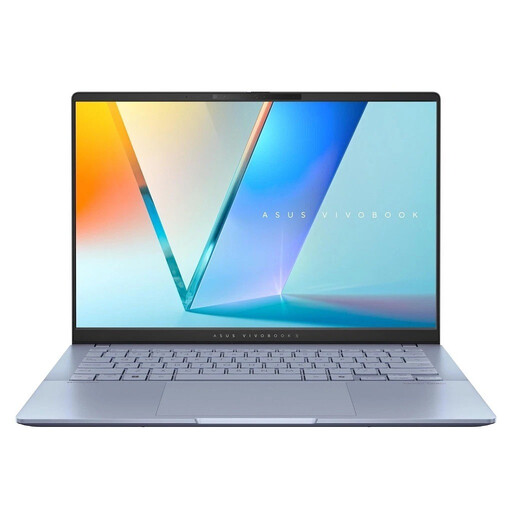
The Zenbook S14 is a compact Windows option for travellers.
The following Joybuy products include compact traditional laptops as well as a 2-in-1 device for writing on the go and adding travel photos.
 No image available
For writing longer pieces on the go, the German keyboard listed in the description is a useful feature to note.
14-inch 2.8K OLED display; 16 GB of RAM and 1 TB SSD.
Windows 11; listed weight of 1.14 kg, a 70-Wh battery and USB-C charging.
 No image available
This 2-in-1 device is an option if you’d like to use tablet mode or the adjustable kickstand as well as type.
13-inch OLED display; 16 GB of RAM and 512 GB SSD.
The description lists a weight of 0.872 kg, up to 14 hours of battery life and two Thunderbolt 4 USB-C ports.
 No image available
The compact 13.6-inch size and German QWERTZ keyboard listed in the description are well suited to writing on the go.
16 GB of RAM, 512 GB SSD and two Thunderbolt 4 ports.
Listed weight of 1.23 kg and up to 18 hours of video streaming; this battery-life figure is based on video streaming.
The product description states that a power adapter is not included.
 No image available
For writing on the go, the description lists a German keyboard and a 14-inch display.
WUXGA OLED display, 16 GB of RAM and 1 TB SSD; Windows 11.
Listed weight of 1.22 kg, plus Thunderbolt 4, USB-A and HDMI.
 No image available
For writing longer pieces on the go, the description lists a backlit keyboard and a 14-inch OLED display.
16 GB of RAM and 1 TB SSD; Windows 11.
Listed weight of 1.3 kg and up to 16 hours of local video playback. Check the ports on the specific configuration if you want to transfer photos.
Don’t rely on Wi-Fi as your only way to access your journal. Deutsche Bahn warns that speeds can vary; with OneDrive, files need to be available locally in advance if you want to access them without a connection. Also check the offline features in your journalling app.
No. According to Deutsche Bahn, second class on ICE trains generally has one socket per pair of seats, with one per seat in selected train models. So don’t assume there’ll be a separate socket at every seat.
Download the entries and photos you need before travelling, then check that you can open them offline. Microsoft notes that OneDrive files stored online only won’t be available without internet access. For other journalling apps, it’s their individual offline features that matter.
If the product is faulty, the seller is legally required to provide a minimum two-year guarantee from the date you receive it, as Your Europe explains for purchases in the EU; an additional manufacturer’s warranty doesn’t replace this. When you order online, you can generally cancel within 14 days of receiving your purchase, as explained by Verbraucherzentrale. Be sure to check for exceptions and the specific returns conditions.