Journal writers who travel frequently
If you often change where you write, weigh up the laptop’s size and weight against having enough room to type and suitable charging options.


If you often write your travel journal in different places, start by comparing the size, weight and keyboard of the specific laptop configuration you’re considering. Manufacturers’ battery-life figures don’t guarantee a particular amount of writing time. For longer entries, the keyboard and display matter; for a photo journal, you’ll also need to consider storage, ports and a separate backup. Wherever you’re working in a shared space, use a screen lock and take care when connecting to public Wi-Fi, whatever model you choose.
If you often change where you write, weigh up the laptop’s size and weight against having enough room to type and suitable charging options.
For longer entries at a shared table, the keyboard layout, display and ports on the specific device configuration are all important considerations.
If you add lots of travel photos to your writing, make sure you have enough local storage, suitable ports and a backup that’s separate from your laptop.
Start by comparing the needs of your writing sessions with the space in your luggage. If you’re creating a photo journal, you’ll also need to consider storage, ports and an independent backup.
Each row matches consumers with their main buying priority; other needs may also come into play.
| What matters | What to look for when buying | Who is this especially important for? |
|---|---|---|
| Portability and working without a socket | Compare the size and weight of the exact configuration. Consider battery-life figures only when they’re based on a usage method that’s relevant to you, and check your charging needs. Apple claims up to 15 hours of wireless web browsing for the MacBook Air 13 with M5 under its own test conditions; this isn’t a guarantee for a particular journalling session. | When I’m often moving between accommodation and places to work, I want to carry as little as possible and not have to rely solely on a general battery-life figure. Around 25% of consumers would prioritise portability. |
| Comfortable writing at a shared table | Check the keyboard layout and display finish for the full model number. Lenovo lists a backlit German keyboard and a matte display for configuration 21NSCTO1WWDE2; ASUS lists an OLED touchscreen for the UX3405CA-QL205W. | For longer entries, I want text that’s easy to read and a keyboard I enjoy typing on. Around 25% of consumers would prioritise writing comfort. |
| Travel photos, storage and keeping your data safe | Compare your local file storage needs with the SSD capacity and available ports. The BSI recommends regular backups; a large SSD is no substitute for a separate backup. | If I add lots of photos to my journal, I need room for my files and a backup method that doesn’t depend on the laptop alone. Around 20% of consumers would prioritise their photo and file storage needs. |
| Protecting personal entries | Check whether you can set up a screen lock, and disable file or folder sharing on public Wi-Fi networks. The Verbraucherzentrale and the BSI offer guidance on using devices while travelling. | At a shared workspace, I want to keep my private entries from prying eyes and be careful when using unfamiliar Wi-Fi networks. Around 15% of consumers would prioritise protecting their entries. |
| Purchase and accessories | Check what’s included and the charging power required for the exact model number. ASUS says the UX3405CA-QL205W doesn’t include a power adapter; the supplier specifies a charging power of at least 45 W and no more than 65 W. | When choosing a device and the accessories I need, I want to know in advance what I can already use and what I still need to buy. Around 15% of consumers would prioritise the total cost. |
Apple gives separate figures for video streaming and wireless web browsing on the MacBook Air 13 with M5. These don’t reflect a specific combination of writing, viewing photos and syncing.
Only compare battery-life figures when the usage method they’re based on is clear, and check the charging options you’ll need for your planned sessions.
Display features and included accessories can vary between configurations. ASUS lists an OLED touchscreen for the ASUS Zenbook 14 OLED UX3405CA-QL205W, but says it doesn’t include a power adapter.
Before buying, check the full model number, keyboard layout, specifications and box contents.
If you don’t already have a compatible power adapter, you’ll need to budget for one separately.
A fault, loss or theft could affect your saved writing and travel photos, regardless of how much storage space is free on your laptop.
Set up regular backups separately from your laptop, and check whether your backup method will work without a reliable Wi-Fi connection.
Depending on the configuration, you may need a power adapter or specific accessories to use the laptop while travelling. The two USB-C ports on the MacBook Neo also differ in their data capabilities.
Before comparing models, make a note of the charging and connection features you need, and check that your existing accessories are compatible.
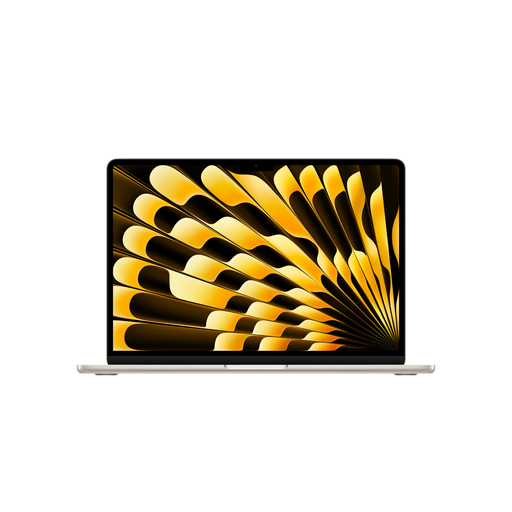
The MacBook Air 13 with M5 and MacBook Neo offer different configurations of compact macOS laptops.
The ThinkPad X1 Carbon Gen 13, in configuration 21NSCTO1WWDE2, is one option if you’re looking for a lightweight Windows laptop with a German keyboard.
According to ASUS, the Zenbook 14 OLED UX3405CA-QL205W combines a 14-inch OLED touchscreen with storage for local files.
According to Acer, the Swift Go 14 range includes different display options for mobile use.
This selection includes compact laptops for frequent changes of location, as well as a larger 16-inch option for longer writing sessions at a shared table.
 No image available
A compact option if you’d also like to take notes with a stylus at your changing workspace.
The title lists 24 GB RAM and a 1 TB SSD; the product description lists Windows 11 Pro, a 13-inch touchscreen and stylus support.
 No image available
A compact option for frequent changes of location if you’re looking for a German keyboard and storage for local files.
This configuration is listed with a 13.6-inch display, a weight of 1.23 kg, a backlit German QWERTZ keyboard and two Thunderbolt 4 ports. The product description states that a power adapter isn’t included.
 No image available
This compact option combines a German keyboard with local storage for longer entries and travel photos.
The product description lists a 13.6-inch display, a weight of 1.23 kg, 24 GB of unified memory, a 1 TB SSD and two Thunderbolt 4 ports. It also states that a power adapter isn’t included.
 No image available
A compact option for longer entries, if the stated storage capacity is enough for your local files.
This configuration is listed with a 13.6-inch display, a weight of 1.23 kg, a backlit German QWERTZ keyboard and two Thunderbolt 4 ports. The product description states that a power adapter isn’t included.
 No image available
A larger option if you’d prefer more screen space for longer entries at a shared table and are happy to accommodate its extra size in your luggage.
The product description lists a WUXGA IPS display, 16 GB RAM, a 512 GB SSD, Windows 11 Pro Education and a weight of 1.80 kg. At 16 inches, it’s less compact than the 13- to 14-inch options listed.
Take care when using public Wi-Fi, and don’t treat it like your private network. The Verbraucherzentrale recommends, among other things, disabling file or folder sharing; the BSI warns about Wi-Fi networks with misleading names. This advice doesn’t guarantee complete security.
Back up your files regularly to a location separate from your laptop. The BSI lists faults, accidental deletion and theft as possible causes of data loss. Before you travel, check whether your backup method will work without a reliable Wi-Fi connection.
No, it depends on the specific configuration. ASUS says the Zenbook 14 OLED UX3405CA-QL205W doesn’t include a power adapter and requires USB-C charging of at least 45 W and no more than 65 W. Check the contents and charging requirements for the full model number.
If you have limited room at the table, compare compact 13- or 14-inch configurations. A larger device may also be worth considering if you’d like more screen space and don’t mind carrying the extra weight and bulk. Also check the keyboard layout and display on the specific configuration.
For your statutory rights, the retailer is generally your point of contact. According to consumer information from the European Union, when you buy from a trader in the EU, you’re entitled to a minimum two-year legal guarantee from the date you receive the goods. This is separate from any additional manufacturer’s warranty.