What to look for when buying
The right choice depends on what matters most when updating your journal: handwriting, longer pieces, photos or being able to pick up where you left off on another device.
| What matters |
What to check before buying |
Who is it important to? |
| Handwriting and stylus |
Compatible stylus model and what’s included with the specific version. |
If I prefer to add to my travel memories by hand, I want to know whether the right stylus is actually included in the box. Around 31% of consumers put handwriting first. |
| Longer pieces |
Display size and a compatible keyboard; check what’s included with the offer. |
If I write longer travel stories at the kitchen table, it matters whether the screen or keyboard suits the way I work. Around 31% of consumers give longer pieces top priority. |
| Photos in your journal |
How to import them, the file format of your photos and any file size limits. |
If I want to add photos to my entries, I want to bring them into my journal without unnecessary extra steps. Around 23% of consumers put photo integration first. |
| Storage and picking up where you left off |
Offline use, syncing and any paid extra features. |
If I want to continue an entry on another device later, I need a storage and syncing set-up that works for me. Around 15% of consumers prioritise storage or the ability to continue across devices. |
Suitable products at Joybuy
The following Joybuy offers suit the scenario of keeping a handwritten journal at the kitchen table. They pair stylus-enabled tablets with different display and storage specifications.
 No image available
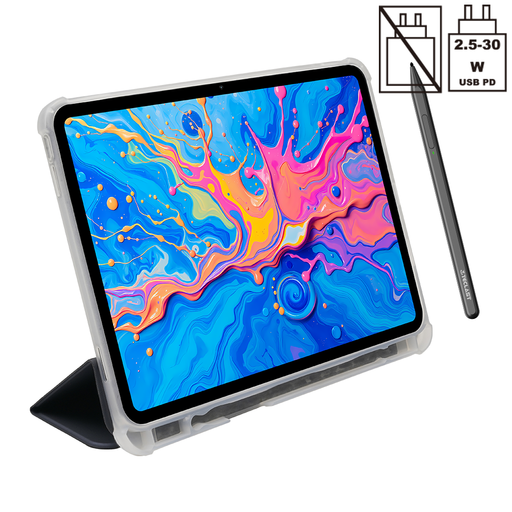
TECLAST ArtPad Pro tablet
For handwritten journal notes at the table, the offer lists a 12.7-inch display and an included T-Pen.
12.7-inch 2K display; 256 GB storage; T-Pen with 4096 pressure levels; Helio G99 (MT8781); 20 GB RAM (8 GB + 12 GB virtual).
View at Joybuy
 No image available
Apple 11-inch iPad Air (M4, 2026), Wi-Fi, 256 GB, Blue
The 11-inch iPad Air is worth considering if you’re looking for a versatile tablet for journal entries and other tasks. Check whether the specific offer includes a compatible stylus.
11-inch display; 256 GB storage; Wi-Fi. Apple lists compatible Pencil models for the iPad Air M4, but doesn’t include a Pencil in its stated box contents.
View at Joybuy
Frequently asked questions
Do I need to buy a stylus separately for a travel journal?
It depends on the specific offer. Samsung says the S Pen is included with the Galaxy Tab S10 FE; Apple lists compatible Pencil models for the iPad Air M4, but no Pencil in the stated box contents. Check the packaging details for other bundles.
How can I add travel photos to a reMarkable notebook?
According to reMarkable, you can add PNG and JPEG images to an open notebook by, among other methods, dragging them in from the desktop app. HEIC isn’t supported for this feature; images larger than 3200 × 3200 pixels are resized.
Can I work on my journal offline and sync it later?
Before you travel, check how offline use works in the specific journal app you use. reMarkable says files sync once the device is connected to Wi-Fi; this doesn’t tell you how offline features work in other apps or on other tablets.
What ongoing costs might come with a digital notebook?
reMarkable’s built-in features are available without Connect, while certain additional features require it. Before deciding, check which features you actually need and which require a subscription.
What are my rights when buying a tablet online in Germany?
When you buy online from a trader in Germany, you generally have the EU’s 14-day right of withdrawal, starting from the day you receive the goods; exceptions apply. Your Europe, the European Union’s information portal, states that faulty goods are covered by a legal guarantee of at least two years. This is separate from a voluntary warranty.


