Listening to vinyl while you work
If you want to start a record without having to position the tonearm yourself each time, look for a fully automatic model.


If you want to spend as little time as possible handling the tonearm while you work, a fully automatic turntable is a good place to start. Check that the output of the specific model is compatible with your audio system or speakers. For shellac records or USB recordings, however, you’ll need to check the speed, the right stylus and the connection you need: Audio-Technica lists USB and 78 rpm for the AT-LP120XUSB, but treats shellac styli as a separate option.
If you want to start a record without having to position the tonearm yourself each time, look for a fully automatic model.
Check that your audio equipment’s connections are compatible with the turntable’s outputs. For a wireless connection, it’s also important to check whether the turntable transmits a signal and your playback device can receive it.
If your collection includes shellac records or you want to transfer recordings via USB, check the speed, the right stylus and the connections for the specific model.
First, decide how much you want to operate the turntable while you work and how it will connect to your existing audio system. Then check that you have enough space and that the turntable meets the needs of your record collection.
| Priority | What to check before buying | Who it matters most to |
|---|---|---|
| Ease of use | Check whether the specific model has automatic start and return, and how much you’ll need to handle the tonearm. | If I don’t want to keep operating the tonearm while I work, I pay particular attention to automatic features. Around 36% of consumers put ease of use first. |
| Connecting to your audio system | Check the inputs, whether you need a phono or line output, and the direction of transmission for a Bluetooth connection. | The signal and connection need to be compatible with my existing speakers or headphones. Around 29% of consumers prioritise connecting to audio equipment they already own. |
| Space | Allow for desk space, room to place a record and open the dust cover, and the position of your speakers. | With a small desk, I want enough room to put a record on and to position the turntable somewhere as stable as possible. Around 21% of consumers focus first on space and vibration. |
| Formats and digitisation | Check the record speeds and, for shellac, whether the stylus is suitable too. If you want to record to a computer, check for a USB connection. | If my collection includes shellac records or I want to record to a computer, I check the speed, stylus and connection together. Around 14% of consumers prioritise specialist formats or digitisation. |
Bluetooth alone doesn’t tell you whether a device transmits or receives a signal. A turntable with Bluetooth output needs to be compatible with a speaker or headphones that can receive it.
Before buying, check the turntable’s Bluetooth function and whether the playback device you plan to use can receive the signal.
Depending on the equipment you already own, you may need a different or additional playback device.
A phono input and a standard line or AUX input are different types of connection. What matters is whether the turntable provides the right signal or has a switchable phono preamp.
Compare your audio system’s inputs with the turntable’s outputs and the position of its switch.
As well as the speed, shellac records need a suitable stylus. Audio-Technica offers separate SP styli, so check that one is compatible with the turntable you’re considering.
Depending on the cartridge, you may need an additional compatible SP stylus or cartridge.
Vibrations from speakers can travel through a shared surface to the turntable. U-Turn Audio recommends placing turntables and speakers on separate surfaces.
Plan for a level surface, allow room to put a record on and measure the available space in your work area beforehand.
The models featured here range from the fully automatic AT-LP60XBT to the manual AT-LP120XUSB.
According to Sony, the PS-LX310BT combines fully automatic operation with Bluetooth, as well as phono and line outputs.
According to Dual, the CS 329 is a wired, fully automatic turntable for phono or line-level inputs.
The DP-300F is a belt-driven, fully automatic turntable for an audio system with an AUX or phono input.
According to Technics, the SL-1500C is a manual direct-drive alternative supplied with a cartridge and an integrated phono equaliser.
The models below range from a turntable described as fully automatic to all-in-one systems with built-in speakers and connections for different listening and recording options.
 No image available
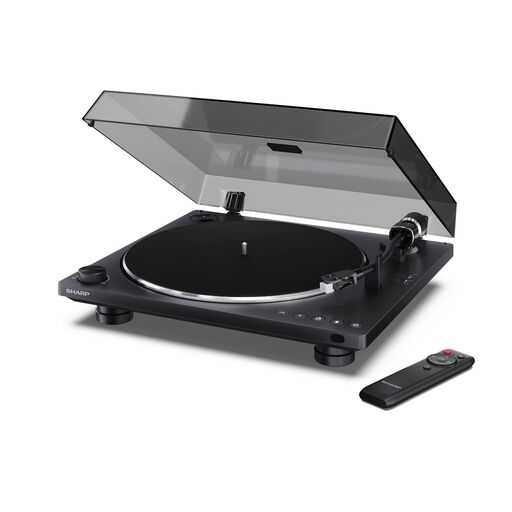
This model could suit you if you want to listen while you work and make use of automatic operation and Bluetooth playback.
The product name lists Bluetooth 5.4, USB-C recording and an Audio-Technica AT-3600L cartridge. The product description lists RCA outputs with an integrated preamp.
 No image available
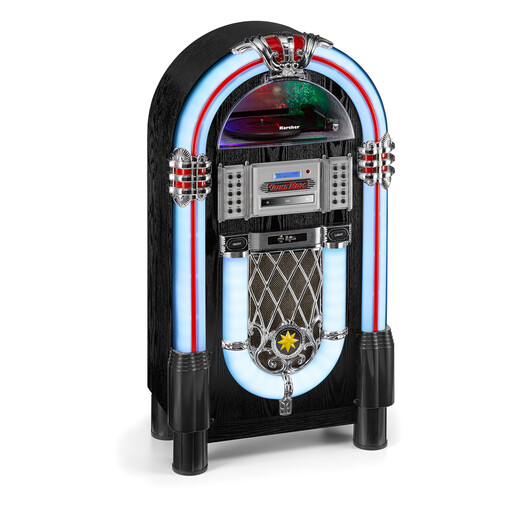
This all-in-one system could be right for you if you want to listen to records without a separate speaker system.
The product description lists built-in stereo speakers, playback at 33, 45 and 78 rpm, a CD player, Bluetooth audio streaming, and USB and SD card playback. If you want to play shellac records, check that the stylus is suitable too.
 No image available
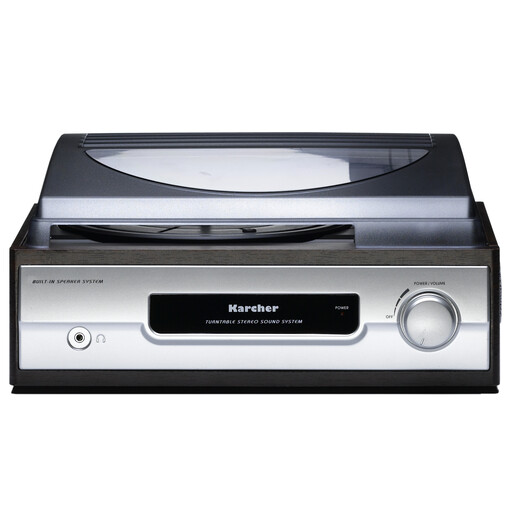
Built-in speakers and a headphone socket give you playback options right at your workstation.
The product name lists 33 and 45 rpm, auto-stop, a headphone socket and line output. The product description lists built-in stereo speakers.
 No image available
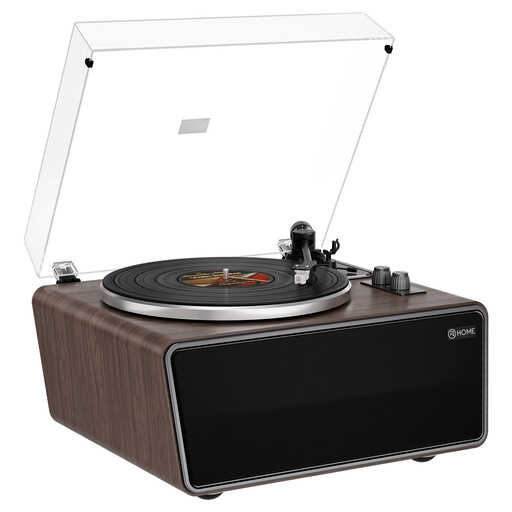
This model could be a good fit if you want to use built-in speakers or record vinyl to a computer.
The product description lists four built-in speakers, USB recording, RCA phono and line outputs, and 33⅓ and 45 rpm. The product name also lists an AT-3600L-MM cartridge.
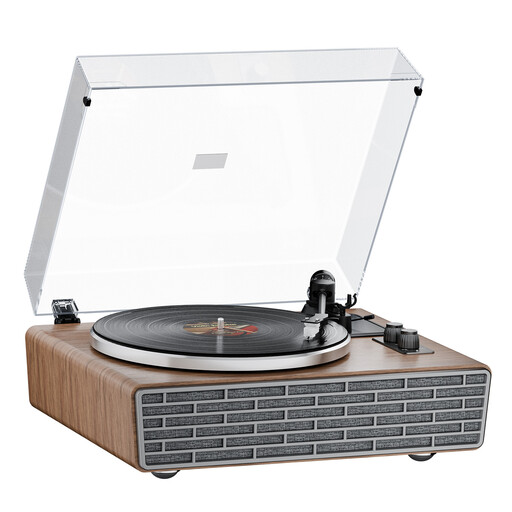 No image available
The built-in speakers let you listen without adding separate speakers.
The product name lists four built-in speakers, a belt drive, a transparent dust cover and an AT cartridge. The product description lists 33⅓ and 45 rpm, Bluetooth, and RCA phono and line outputs.
Yes, as long as the output signal is compatible with the speakers’ input. For a line-level input, you’ll need a line signal, for example from a built-in phono preamp set to the appropriate mode. For a phono input, use the phono signal path. Also check whether a Bluetooth connection transmits or receives a signal.
Place it on a level surface, and avoid sharing a surface with speakers that vibrate if possible. Also measure the space you’ll need to put a record on and open the dust cover, if there is one.
Follow the cartridge manufacturer’s instructions for cleaning. When cleaning a stylus with a brush, Audio-Technica advises against moving it from side to side.
No. In Germany, statutory consumer rights and a voluntary warranty are separate. The Verbraucherzentrale explains that, if a product is faulty, the first option may be for the seller to put it right by repairing or replacing it; a warranty is subject to its own terms and conditions.
No. Germany’s Federal Environment Agency explains that old electrical equipment must be collected separately from unsorted household waste. The rules for returning it to a retailer depend on the retailer’s take-back arrangements.