Listen to vinyl while you work
If you want to play second-hand LPs or singles with minimal fuss while you work, a fully automatic turntable can make life easier. Check whether it really does start and return automatically.


For occasional listening while you work, a fully automatic turntable with an output that suits your existing setup is often the simpler option. If you listen more often or want to change cartridges and styli, a model with adjustable settings may be a better fit. Before buying, check the condition and speed of your records, along with the connections on your speakers or amplifier. For shellac records, having a 78 rpm setting alone is not enough: the SP stylus must also be compatible with the cartridge.
If you want to play second-hand LPs or singles with minimal fuss while you work, a fully automatic turntable can make life easier. Check whether it really does start and return automatically.
The right connection depends on your setup. Check whether it has a phono or line input, and whether the turntable offers a compatible output or a built-in phono stage.
If you often listen to second-hand records, consider visible damage, stylus care and the availability of suitable replacement styli. With historic formats such as shellac, the speed and stylus type need to be compatible.
First compare the record format and condition, then consider the controls and how the turntable connects to your existing setup. This will also help you decide whether you might want to change the stylus or cartridge later.
| Priority | What to check when buying | Who is it important to? |
|---|---|---|
| Protect records and stylus | Check that the stylus is the right type and can be replaced. Don’t play visibly damaged records without checking them first. | If I listen to second-hand records, I don’t want to put unnecessary wear on the stylus or records. Around 31% of shoppers prioritise protecting their records and stylus. |
| Easy to use | Check separately whether the tonearm starts automatically, returns automatically or simply lifts at the end of a record. | If I don’t want to operate the tonearm by hand every time while I’m working, the precise automatic functions matter. Around 25% of shoppers prioritise ease of use. |
| Connect to existing equipment | Match the turntable’s phono or line output to the input on your speakers or amplifier. | If I want to keep using my existing speakers or amplifier, the signal path needs to be compatible. Around 25% of shoppers prioritise compatibility with their connections. |
| Ability to upgrade later | Check whether the cartridge or stylus can be changed, and which replacement parts are compatible. | If I want to change the stylus or cartridge later, I need a compatible system and should consider how much adjustment will be required. Around 19% of shoppers prioritise upgradeability. |
Speed and stylus profile are two separate requirements. A 78 rpm setting alone doesn’t tell you whether the fitted stylus is suitable for shellac records.
Check your collection and, for shellac records, make sure the cartridge and SP stylus are compatible.
If neither the turntable nor your setup has a suitable phono stage, you may need an additional device.
A tonearm lift raises the arm at the end of a record, but that doesn’t mean the turntable also starts the record automatically or returns the arm.
Check the start, end-of-record lift and return functions separately, rather than relying on the word “automatic”.
The AT-LP60XBT and AT-LP120XBT-USB differ in areas including their controls and speed options.
The CS 329 is a pre-set, fully automatic model, while the CS 518 is a manual turntable with options for changing and adjusting components.
The PS-LX310BT is designed for listeners looking for fully automatic operation and a choice of connection options.
According to the manufacturer, the SL-1500C combines built-in phono equalisation with a supplied cartridge and an automatic end-of-record lift.
According to Rega, the Planar 1 is designed for manual operation and connection to a suitable phono stage.
The Joybuy models below range from fully automatic turntables to options with built-in speakers or additional playback features. The key is to choose the features you’ll actually use in your home office and make sure the connections suit your setup.
 No image available
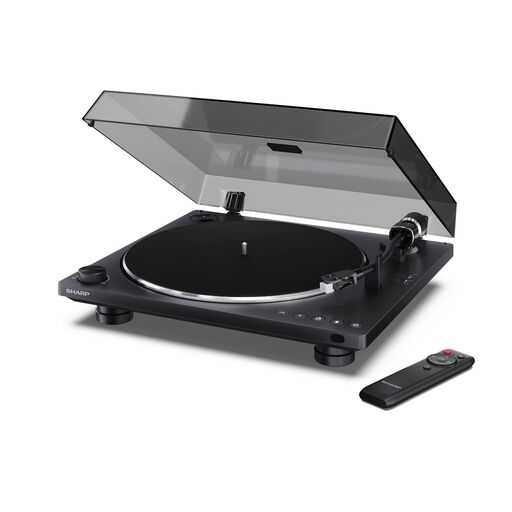
Fully automatic operation could be a good fit if you want to keep things simple when listening in your home office.
Bluetooth 5.4 and USB-C recording; AT-3600L cartridge. The description lists a built-in preamplifier with phono and line settings, as well as RCA outputs.
 No image available
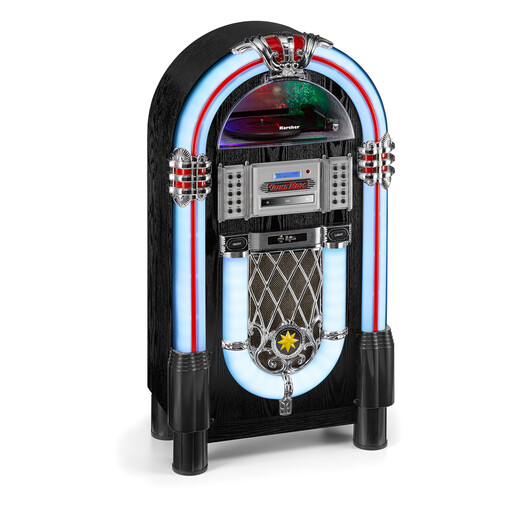
This jukebox could suit you if you want to enjoy other music sources as well as records, using a self-contained audio system.
The description lists playback at 33, 45 and 78 rpm, built-in stereo speakers, CD, Bluetooth, DAB+/FM radio, and USB and SD playback. You’ll also need a suitable SP stylus for shellac records.
 No image available
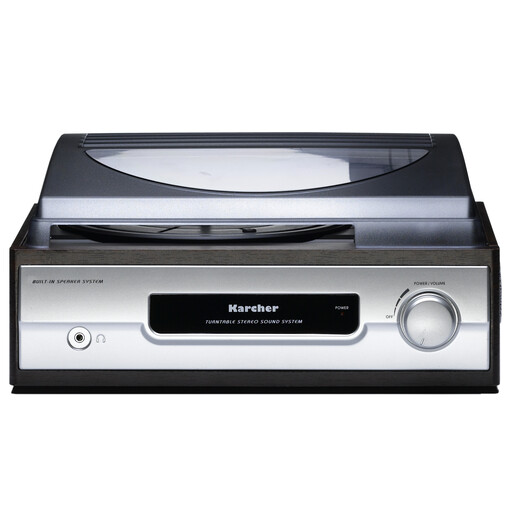
Built-in speakers could be a handy option if you want to listen to records without separate speakers.
The description lists 33 and 45 rpm, built-in speakers, a line output, a headphone socket and auto-stop. Auto-stop alone doesn’t mean the turntable starts and returns automatically.
 No image available
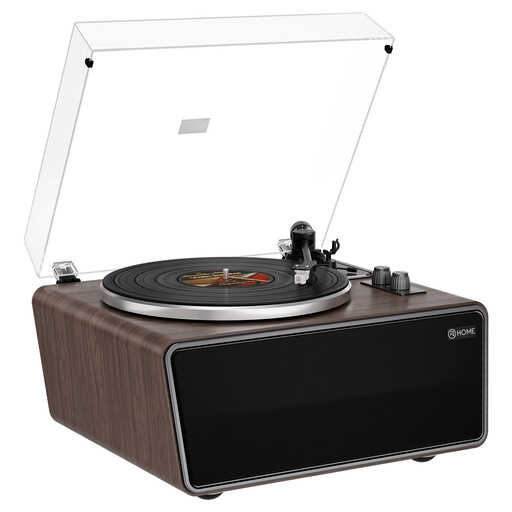
This all-in-one model could suit you if you want to use built-in speakers while still being able to connect external audio equipment.
The description lists four built-in speakers, playback at 33⅓ and 45 rpm, phono/line RCA outputs and an AUX input. It also lists an AT-3600L MM cartridge and an adjustable counterweight.
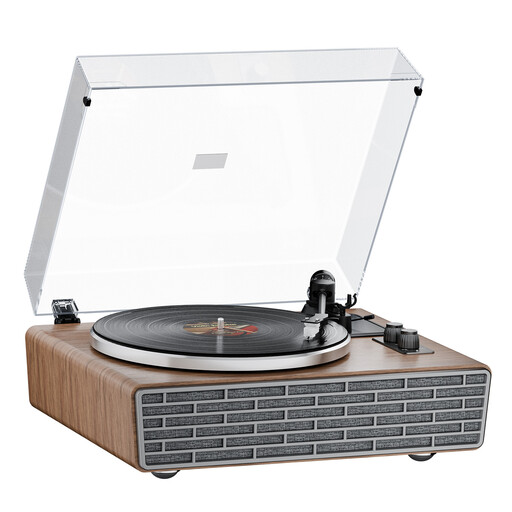 No image available
Bluetooth and built-in speakers offer listening options for a space where you don’t want to rely solely on an external audio system.
The description lists 33⅓ and 45 rpm, four built-in speakers, RCA outputs with phono and line output, and an AUX input. It also lists an AT-3600L cartridge and a dust cover.
Only if the signal path is compatible with the speakers’ input. If they expect a line signal, you’ll need a suitable phono stage or the line output of a turntable with a built-in preamplifier. Sony lists a switchable phono/line output for the PS-LX310BT; Rega’s instructions specify a suitable phono stage for the Planar 1.
Check the record for visible damage before playing it, and gently remove any dust. Ortofon recommends using a dry brush on the stylus, brushing towards its tip. It also warns against playing visibly damaged records, as scratches or cracks can increase stylus wear.
No, speed alone isn’t enough. You also need to check that the SP stylus is compatible with the cartridge. Audio-Technica lists the AT-VMN95SP as a 78 rpm SP replacement stylus for the VM95 series; this doesn’t mean it’s compatible with other cartridges.
For consumer purchases made online, you generally have a 14-day right to cancel. The Verbraucherzentrale distinguishes the statutory rights you have against the seller from a voluntary guarantee. Check separately whether an exception or special circumstances apply to your particular contract.
Not necessarily. An end lift raises the cartridge at the end of the record, but doesn’t mean the turntable starts or returns the tonearm automatically. Check these functions separately if you want to operate the tonearm as little as possible while working.