Who will be watching the videos?

USB presenters

You bring finished videos on a storage device and want to show them without relying on the internet or an additional playback device, if possible. LG Germany notes that the file extension and codec must be compatible with the model in question; Sony Germany also lists the file systems supported by each model.

Group viewers

You want to watch videos with several people indoors, so you need to weigh up screen size, seating and energy use. The Verbraucherzentrale recommends measuring your usual viewing distance, while the German Environment Agency advises taking power consumption into account when choosing a device.

Presenters at the garden location

You’re considering setting up the TV in a garden shed or outdoors. A Sony manual from 2010 warns against outdoor and damp locations for the older models it specifically names. This should not be taken as a general statement about other devices.

What should you look for when choosing?

Direct USB playback

A good fit if: you want to present without a network connection or another playback device, and the manual for the specific model confirms it supports your storage format and video and audio codecs.

Keep in mind: a USB port alone doesn’t guarantee that every file will play.

Laptop or playback device via HDMI

A good fit if: the files play on a device you already have and you can connect it to the TV.

Keep in mind: the extra device needs compatible connections and a power supply. Check that it plays your videos with sound, too.

Criterion What to check before buying Who it matters most to
File compatibility Check the file system and video and audio codecs against the exact model. If I want to show videos directly from USB storage, the file system needs to be compatible, as do the video and audio codecs. Around 31% of consumers put file compatibility first.
Viewing together Measure the viewing distance and available space before deciding on a screen size. For a group watching indoors, I want to make sure the seating works with the screen, so I measure the distance and the available space. Around 25% of consumers prioritise viewing with several people.
Bright surroundings Take the lighting and any potential reflections at the planned location into account. If we’re watching during the day in a bright room, I want to assess the picture at the intended spot. Around 19% of consumers prioritise viewing in bright surroundings.
Suitability for the location If the TV may be exposed to damp or weather, check the setup guidance for the exact model. If the TV is going in a damp garden shed or outdoors, I’ll first check whether the manufacturer approves that location. Around 13% of consumers prioritise suitability for their intended setup location.
Energy use and additional equipment Check the energy label, the connections you need and whether you’ll need a separate playback device. If the TV will be used frequently, I want to consider the energy use of the specific model and any additional equipment I’ll need. Around 12% of consumers prioritise ongoing energy use and the equipment required.

Common buying mistakes

  • Assuming “MP4” or “USB” proves full compatibility

    The file extension, codec and storage format are separate requirements. LG Germany notes that supported formats may vary by model.

    Before buying, compare the manual for the exact model with a representative video and audio file.

    Depending on the device and how you use it, you may have higher electricity costs. An HDMI setup may also require a separate playback device.

  • Confusing USB recording with playing your own videos

    Recording TV programmes and playing files you’ve already saved are different features. So, the absence of a recording function doesn’t tell you on its own which USB videos a TV can play.

    Check the specifications for the exact model for media playback and supported file formats.

Brands to consider

LG

Worth considering if you’re checking direct USB playback or looking at the OLED-C5 and QNED86 product lines.

  • LG Germany explains that the file extension and codec must be compatible, and that supported formats depend on the model.
  • Product pages for a display range don’t confirm that your specific video file will play.

TCL

The 65Q7D Pro is a documented Mini LED example for anyone looking for a large picture in a brighter indoor space.

  • CHIP gives the TCL 65Q7D Pro positive marks for brightness, contrast and colour reproduction in its review.
  • CHIP notes relatively high power consumption in HDR mode. TCL’s peak HDR brightness figure is a manufacturer claim, not an independent measurement.

Samsung

Samsung’s connection guidance distinguishes between USB media and HDMI playback devices. The QN71H is a model in the Neo QLED range.

  • The connection guide can help you plan how you’ll play your videos.
  • To check whether a particular file will play, look up the file system and codec specifications for the model in question.

Sony

Sony Germany provides model-specific details of USB file formats and file systems.

  • Its published tables show differences between the model groups listed.
  • A warning in a 2010 manual applies to the older devices it specifically names and should not be applied to current Sony models.

Philips

The Philips 55PUS8500/12 is a 55-inch option for indoor viewing.

  • Philips Germany describes it as a 4K QLED TV with Ambilight.
  • The product description doesn’t confirm that a particular video file stored locally will play.

Joybuy TVs for HDMI playback devices

The following Joybuy models are selected for use with a separately checked HDMI playback device. Also make sure the playback device can play your files with sound and is compatible with your chosen TV.

TCL 85Q7D Pro 4K TV, 85 inches

TCL 85Q7D Pro, 85 inches, 4K

For presenting via a separately checked HDMI playback device. The right screen size depends on your viewing distance.

85 inches; 4K; 1,056 local dimming zones; HDMI ports.

View at Joybuy

TCL 75Q7D Pro 4K TV, 75 inches

TCL 75Q7D Pro, 75 inches, 4K

For presenting via a separately checked HDMI playback device. Choose a size that suits your viewing distance and available space.

75 inches; 4K; 760 local dimming zones; HDMI ports.

View at Joybuy
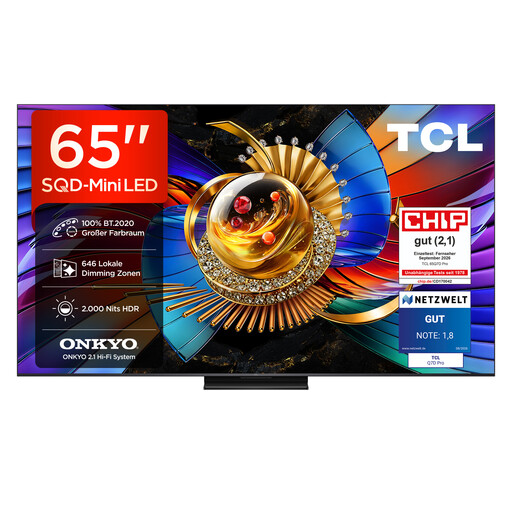
TCL 65Q7D Pro 4K TV, 65 inches

TCL 65Q7D Pro, 65 inches, 4K

For presenting via a separately checked HDMI playback device. Check that the screen size and viewing distance suit the room.

65 inches; 4K; 646 local dimming zones; HDMI ports.

View at Joybuy
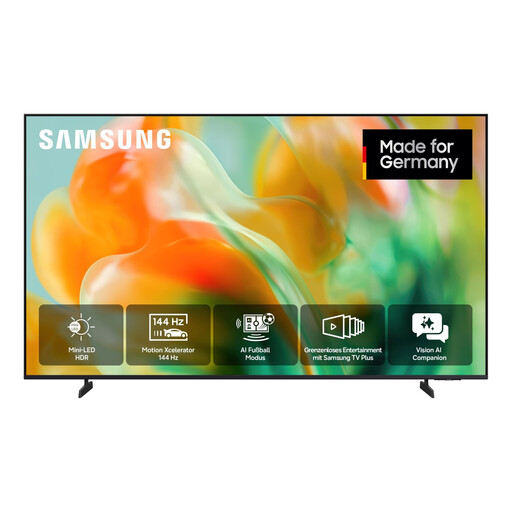
Samsung GU55M80H M80H Mini LED TV, 55 inches, 4K

Samsung GU55M80H M80H, 55 inches, 4K

For presenting via a separately checked HDMI playback device. Match the screen size to your viewing distance and room.

55 inches; UHD 4K; Mini LED; three HDMI ports.

View at Joybuy
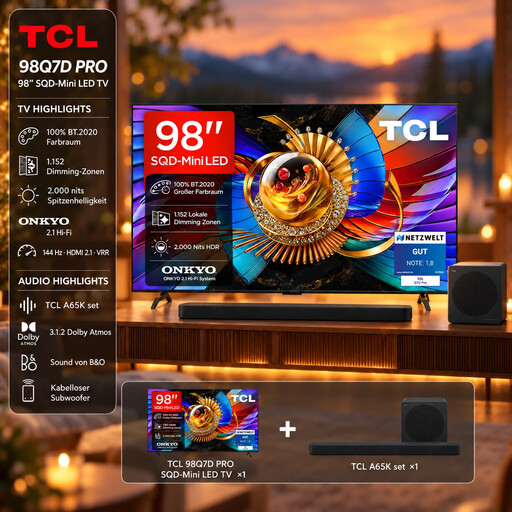
TCL 98Q7D Pro 4K TV with A65K soundbar set, 98 inches

TCL 98Q7D Pro with A65K soundbar set, 98 inches, 4K

For presenting via a separately checked HDMI playback device. Before buying, check that the screen size suits the available space and your viewing distance.

98 inches; 4K; 1,152 local dimming zones; HDMI 2.1; soundbar set.

View at Joybuy

Frequently asked questions

Is a USB port enough to play my project videos?

No. A USB port alone doesn’t prove that your files are compatible. Check the file system used by your storage device and the video and audio codecs in your files against the exact TV model. LG Germany explains codec issues, while Sony Germany publishes model-specific details of supported file systems.

Can I connect a laptop instead?

Yes, an HDMI input lets you use this playback method, provided both devices have compatible connections. Also check that the laptop can play the specific files, including their sound.

Is USB recording the same as playing my own videos?

No. Samsung describes recording TV programmes as a separate PVR feature. The absence of a USB recording function also doesn’t tell you on its own which files already saved to USB a TV can play.

How should I remove USB storage after the presentation?

Use the eject function if your particular device offers one. LG Germany recommends doing this in its USB guide to help prevent errors with the storage device.

What information is shown on a TV energy label?

The EU energy label for electronic displays ranks devices on a scale from A to G. Compare the label and product specifications for the exact model, especially if you’ll use the TV often. The scale is set by the European Commission.