
Lieferung heute & morgen

Qualitätsgarantie

Willkommens-Angebote freischalten: KOSTENLOSE Lieferung | Bis zu 80 % RABATT | Kostenlose 30-Tage-JoyPlus-Testphase
App herunterladen
TV backlighting can enhance the look of your living room, bedroom or gaming setup. However, not every LED set delivers the desired result. In everyday use, factors such as screen size, installation and control often matter more than the number of colours or eye-catching product claims.
That is why our selection by the Joybuy Product Recommendation Officer focuses on clear, practical criteria: suitable dimensions, available connection types, synchronisation features and useful installation tips.
An LED strip for 46 to 60 inches is not automatically suitable for a 65-inch TV. If the strip is too short, areas along the sides or in the corners will remain unlit. With a model that is too long, tight curves and overhanging sections may result.
Always check the screen size specified by the manufacturer. For TVs measuring 55 to 65 inches, a purpose-designed set is generally easier to install than an arbitrary RGBIC LED strip from a roll.
Smart TV lighting can respond in several different ways:
These functions are not interchangeable. A model with music synchronisation does not automatically match its colours precisely to film scenes. If you want a system in the style of Ambilight for TV, check whether it actually includes a camera for colour detection.
App control is only practical if the connection and smartphone operating system are compatible. With Wi-Fi models, the supported frequency band may also be important. For example, the Govee TV Backlight 3 Lite H6099 specifies 2.4 GHz Wi-Fi; according to the product description, a 5 GHz network is not supported.
Compatibility with Alexa and Google Assistant does not necessarily mean that every function is available via voice command. You can often switch the lighting on and off or control the brightness and scenes, while full setup takes place through the Govee Home App.
First, measure your TV’s diagonal and consider how much of the rear surface can actually be covered. Wall mounts, connections and protruding components can affect installation.
For typical sizes, you may find specifications such as the following:
The description LED lighting for 55–65-inch TVs should not be confused with universal suitability for other sizes.
RGB LEDs typically combine red, green and blue light components. RGBIC refers to a control system in which individual sections of the strip can display different colours. This makes effects such as colour gradients and multiple colour zones possible.
RGBICW adds warm white light. This can be useful for neutral or warmer room lighting, but it is not a replacement for complete room lighting. Also check whether the brightness and colour modes can be adjusted via the app.
The back of the TV should be clean, dry and free from dust before installation. An adhesive strip usually holds more reliably on smooth, grease-free surfaces than on dusty or textured ones. Do not bend corners sharply, as this can put strain on the cables and LEDs.
The following points are also important:
The stated energy-efficiency class or power consumption can help you assess running costs. For example, the Govee H6099 is listed with 5 watts and energy-efficiency class G.
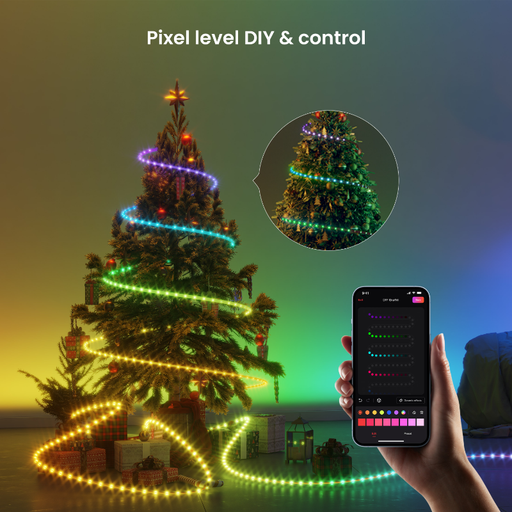
Why this product suits this profile: The 2 m RGBIC LED strip is suitable for smaller TVs, desks or gaming areas where camera-based colour matching is not required.
The fixed length makes planning straightforward. However, buyers should measure the usable rear surface of the screen in advance.
2 m length and RGBIC colour control; designed for TVs, desks and ambient room lighting.
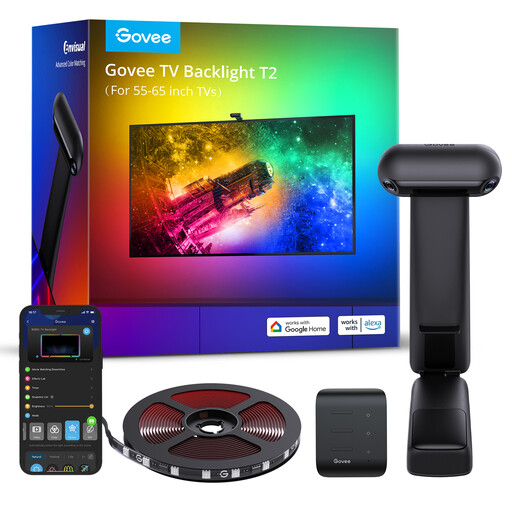
Why this product suits this profile: Designed for 55- to 65-inch TVs, this system combines RGBIC LEDs with two cameras that detect colours at the edge of the screen.
The intended screen size is clearly specified. Calibration via the Govee Home App should be carried out carefully so that the camera assigns the areas of the image correctly.
Dual-camera system, RGBIC technology, Wi-Fi and Bluetooth control, plus Alexa and Google Assistant compatibility according to the product specifications.
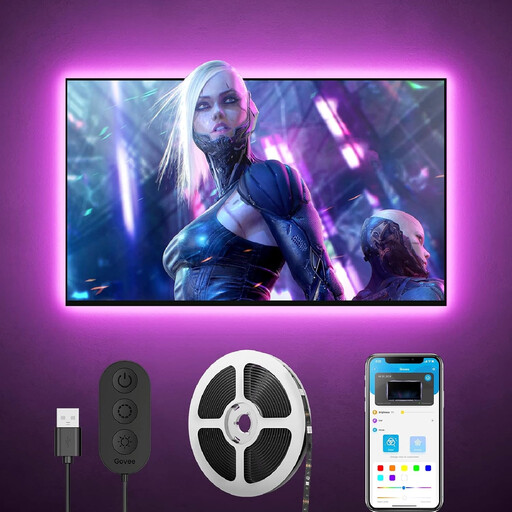
Why this product suits this profile: The 3 m set is designed for 46- to 60-inch TVs or larger monitors and offers music synchronisation via an integrated microphone.
The product description specifies the strip configuration as 2 × 1 m and 2 × 0.5 m. This makes it easier to check whether the installation will suit your device format before buying.
More than 64 scene modes, DIY mode, 16 million colour options and app control for Android and iOS according to the product description.
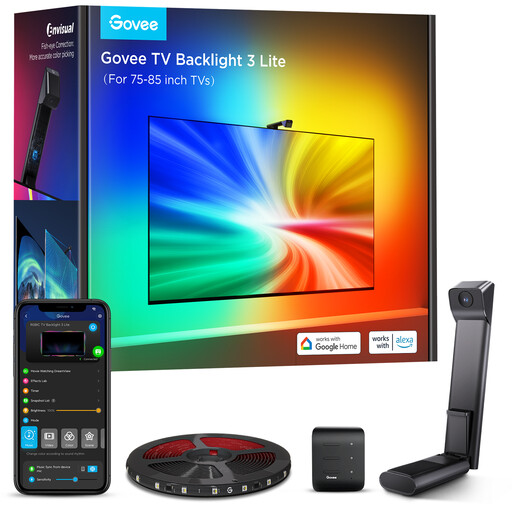
Why this product suits this profile: Designed for 75- to 85-inch TVs, this set is aimed at large home cinema or gaming installations.
The 75–85-inch size specification reduces the risk of the strip being too short. The camera must be positioned centrally and then calibrated.
Fisheye camera, RGBICW colours, DreamView and audio synchronisation, plus app and voice control according to the manufacturer’s specifications.
We have put together a complete, regularly updated list of products that fully meet these strict selection criteria and the safety regulations applicable in the EU.
Clean the back of the TV, attach the strip along the outer edges and avoid sharp bends. Camera systems must then be calibrated using the relevant app. Make sure ventilation areas remain unobstructed and that cables are routed safely.
The actual service life depends on operating time, brightness, heat generation, power adapter and mechanical strain. The available product data does not allow for a general lifespan estimate. Regular visual checks and operation with the specified power adapter can help prevent unnecessary strain.
Consumption depends on the power rating, brightness and daily usage time. A 5-watt model running for ten hours a day would theoretically use around 0.05 kWh per day. To assess your individual costs, multiply the power consumption stated on the product by your electricity tariff.