Choose a TV based on where people will actually sit, the light in the room, how you’ll connect your source and whether you can listen privately—not just on screen size or the advertised refresh rate. For watching together, consider viewing angles and reflections in the TV’s intended position. For ballet recordings, check the motion settings too. In a small shared-flat room, a more compact TV may be more practical than a larger model.
Who this guide is for
Ballet fans who notice every movement
If you follow the movement closely in a recording, you’ll want to be able to choose between the original motion and extra smoothing. The UHD Alliance explains that Filmmaker Mode disables motion smoothing, among other things; Sony Germany explains that Motionflow smooths motion by adding extra frames.
Shared-flatmates watching together
If you won’t all be sitting directly in front of the screen, check the picture from the seats you’ll actually use. The consumer advice centre also recommends measuring your usual viewing distance before you buy.
Flatmates who watch quietly in the evening
If you don’t want to disturb anyone else, compare the TV’s audio features with your headphones. Sony Germany notes that the TV and audio device must support the relevant profile for Bluetooth audio to work.
Comparing what matters when you buy
First measure the space for your TV and your viewing distance. Then consider how you’ll use the motion settings and audio day to day. The EU energy label lists power consumption separately for SDR and HDR, as the European Commission explains.
| What matters |
What to check when buying |
Who it matters most to |
| The dancers’ movement |
Test motion smoothing with your own content; check whether you can adjust or turn it off. |
If I want to see movement as it was intended in the recording, I want to be able to judge the picture processing for myself. Around 26% of consumers put motion presentation first. |
| Audio that won’t disturb flatmates |
Check the Bluetooth profile supported by the TV and headphones, and whether there’s a suitable wired audio output if needed. |
If I want to listen quietly in the evening, I need an audio connection that works with my headphones. Around 21% of consumers prioritise listening without disturbing others. |
| Picture quality from seats to the side |
Compare the picture from the seats you’ll actually use; check the screen size against the space available. |
If we’re watching together in our shared flat, I want a good picture even from a seat to the side. For around 21% of consumers, having several viewing positions is a key consideration. |
| Picture quality in changing daylight |
Check for reflections where the TV will go in daylight and in the evening; check the exact model’s anti-reflection specifications. |
If the room is bright during the day, I want to minimise distracting reflections. Around 16% of consumers focus mainly on how the TV performs in changing room light. |
| Space and overall cost |
Measure the screen size, stand and overall dimensions; compare the SDR and HDR figures on the EU energy label for TVs of a similar size. |
If space and budget are limited, I want to consider the size and running costs together. Around 16% of consumers put space and overall costs first. |
Common buying misconceptions
-
A high refresh rate guarantees the right motion presentation
The advertised refresh rate alone won’t tell you whether motion smoothing will suit your ballet recordings. As the UHD Alliance and Sony Germany explain, frame interpolation can change the look of film footage.
Compare a recording you know well using the available motion settings, then decide which look you prefer.
-
Bluetooth on the spec sheet means any headphones will work
For Bluetooth audio, the TV and audio device need to support a compatible profile. Sony Germany lists A2DP support as a requirement for pairing with Bluetooth audio devices.
Check the exact model number and your headphones for A2DP support. For a wired connection, the TV needs a suitable audio output.
-
The purchase price and energy efficiency rating are all you need to compare
According to the European Commission, the EU energy label distinguishes between SDR and HDR power consumption. Depending on the source of your recordings, you may also need a suitable input or an additional playback device.
Compare TVs of a similar size using their label figures, and check how you’ll connect your recordings before you buy.
An additional playback device takes up more space and can increase your ongoing electricity use.
A guide to relevant brands
LG
LG offers OLED ranges in a variety of sizes. For its C6 model in Germany, LG Germany lists a low-reflection display and Filmmaker Ambient Mode.
- The C6 specifications may help when checking room lighting and film settings.
- These model features don’t prove how every LG range performs, or whether it’s compatible with your existing headphones.
Samsung
Samsung positions its OLED, Neo QLED, Mini LED and Crystal UHD ranges for different uses; this guidance comes from the manufacturer.
- The ranges offer different approaches that you can compare by looking at the specific models.
- Claims about brightness and contrast don’t apply to every model. Check the specifications for the exact model number.
TCL
TCL uses QD Mini LED as an LCD technology. For its 65Q8C in Germany, TCL lists local dimming and a native refresh rate of 144 Hz.
- The 65Q8C specifications give you specific features to consider when checking the model.
- They don’t automatically apply to other TCL TVs, and on their own they don’t tell you whether motion smoothing is right for you or how the picture looks from seats to the side.
Philips
On models such as the 55OLED810/12 in Germany, Philips combines an OLED display with picture-responsive lighting at the back.
- Philips describes the viewing angle of this model positively.
- The extra lighting doesn’t replace checking for reflections, measuring the space and confirming audio compatibility.
Sony
The BRAVIA range includes OLED models. Sony Germany’s support information for specific models explains Bluetooth audio and motion settings.
- This guidance helps you check the audio and motion features of the specific model.
- You can’t assume that all BRAVIA models support A2DP or have the same motion menus.
Joybuy products for ballet evenings
The Joybuy products below are OLED TVs in a range of sizes. Compare them against the space available, your viewing distance and the connections you need in your shared flat.
 No image available
LG OLED83C67LA, 83-inch OLED evo AI 4K Smart TV
If several people will be watching together, take extra care to check the viewing distance and available space for this large screen.
Model: OLED83C67LA; 83 inches; OLED evo; 4K; Smart TV.
Joybuy
 No image available
LG OLED55B68LA, 55-inch OLED gaming TV
If space in your shared-flat room is limited, compare this smaller screen with the space available and your usual viewing distance.
Model: OLED55B68LA; 55 inches; OLED; 144 Hz according to the product name.
Joybuy
 No image available
LG OLED77C67LA, 77-inch 4K OLED Smart TV
With this larger option, check in advance that the screen and stand will fit in the space you’ve set aside and that everyone will have enough viewing distance.
Model: OLED77C67LA; 77 inches; 4K; OLED; 120 Hz; energy class D; model year 2026.
Joybuy
 No image available
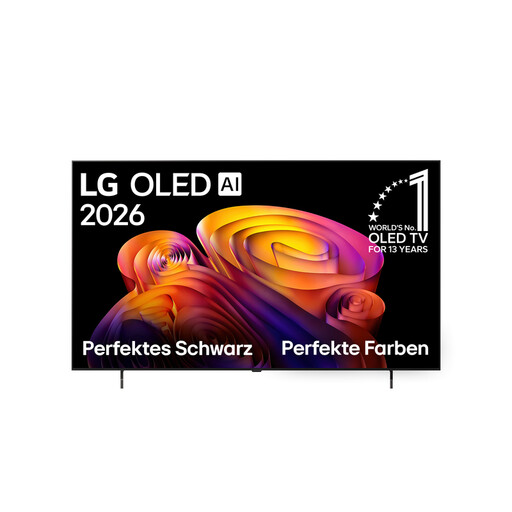
LG OLED65B68LA, 65-inch 4K OLED Smart TV
For ballet evenings with your flatmates, check the picture from the seats you’ll actually use and make sure the 65-inch screen suits the room.
Model: OLED65B68LA; 65 inches; 4K; OLED.
Joybuy
 No image available
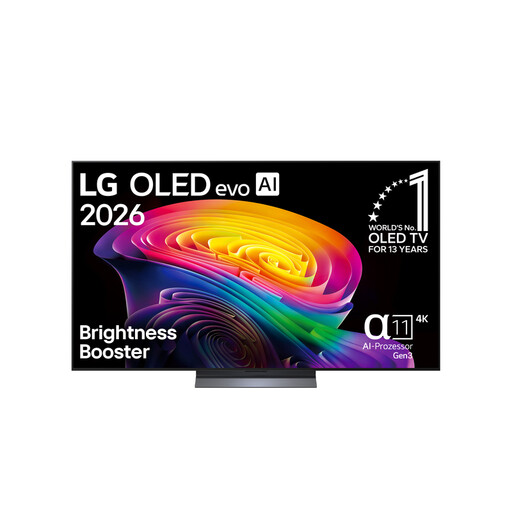
LG OLED65C67LA, 65-inch OLED evo 4K TV
If you want to watch ballet recordings with headphones, check which audio connection your existing device needs before you buy.
Model: OLED65C67LA; 65 inches; OLED evo; 4K; 120 Hz.
Joybuy
Frequently asked questions
Do I need a 120 or 144 Hz TV for ballet recordings?
No. The advertised refresh rate alone doesn’t mean the motion presentation will suit your recording. Try the motion settings on the TV with a video you know well. According to the UHD Alliance, Filmmaker Mode disables motion smoothing, among other things, if the model offers this mode.
How can I check whether my headphones will work for late-night viewing?
Compare your headphones with the audio features of the exact TV model. For Bluetooth audio, Sony Germany says both devices need to support A2DP; for a wired connection, you’ll need a suitable audio output.
What should I consider when setting up and connecting the TV?
Measure the space available and your usual viewing distance, and check whether you’ll play your recordings through an app, a playback device or another existing connection. You’ll need an internet connection for Smart TV features.
How can I compare power consumption?
For TVs of a similar size, compare the SDR and HDR figures on the EU energy label; the European Commission lists these viewing modes separately. Your actual costs also depend on how you use the TV and your electricity tariff.


