Ballet night with several seats
You watch together from different seats and want to see how well colours and brightness hold up from the side.


If several people regularly sit at an angle to the screen, a TV with proven off-axis picture stability should be a priority. OLED is an obvious place to start, but it’s not the only technology worth considering. Also test the specific model in your room’s lighting and with your playback setup: a stable viewing angle won’t compensate for distracting reflections or the limitations of a low-resolution recording.
You watch together from different seats and want to see how well colours and brightness hold up from the side.
You switch between older and newer recordings and want to assess movement and picture processing using your own content, rather than relying solely on gaming specifications.
You need to consider the view of the stage from the side alongside the effect of windows or lamps; your seating arrangement alone won’t determine the right choice.
A good fit if: Seats off to the side are used regularly, and you want colours, costumes and dark areas of the stage to remain clear from those seats too.
Things to weigh up: Features and HDR formats vary by model. A high gaming refresh rate alone doesn’t prove that your ballet recordings will look better.
A good fit if: A specific LCD model provides a good enough picture from your side seats, and other buying priorities matter more.
Things to weigh up: RTINGS.com rates IPS better than VA for viewing angles; that doesn’t mean it’s always better for contrast or reflections, or that every individual TV will perform the same way.
A good fit if: You’ll mostly watch head-on and a test of the specific TV shows that the occasional side seat is acceptable for you.
Things to weigh up: According to RTINGS.com, IPS offers better viewing angles than VA in its tests. So check how the specific VA model looks from your outer seats.
| Buying priority | What to look for | Who is it important to? |
|---|---|---|
| Picture quality from the side | Measure your seating positions and viewing angle; look for independent viewing-angle measurements for the specific model and, if possible, assess the picture from the furthest seat. | If several seats are off to the side, I want to see costume colours and dark areas of the stage clearly from there too. Around 36% of consumers prioritise viewing angle. |
| Movement and recordings | Play familiar recordings and compare picture modes and motion settings; don’t confuse gaming specifications with the frame rate of the recording. | When watching older and newer recordings, I want to assess movement using my own content. Around 29% of consumers prioritise motion handling and recording quality. |
| Room lighting and reflections | Consider windows and lamps when positioning the TV; check for possible reflections on the specific model at the times you usually watch. | When I watch in a lit room, I want to assess reflections alongside my view of the stage from the side. Around 21% of consumers say room lighting is their top priority. |
| Playback setup and ongoing costs | Check the app or playback device, the connections you need, the space available and the EU energy label for the exact model variant; ask about delivery and installation if needed. | For consumers who prioritise playback setup, positioning and running costs, practical use in the intended location is what matters most. These priorities account for around 14%. |
An overall review score doesn’t automatically tell you how colours and brightness look from the outer seats.
If you have a wide seating arrangement, give the specific TV’s viewing-angle rating more weight than its position in a list.
A technology name alone doesn’t tell you exactly how a particular TV looks from the side. LCD TVs are also affected by their panel technology.
Check the panel type and independent reviews of the specific model separately.
The Verbraucherzentrale points out that larger TVs with more features generally use more electricity.
Measure the space available and your viewing distance, then compare the energy label for the specific TV. If needed, check delivery, connection or installation arrangements before buying too.
The OLED55C56LB is a 55-inch OLED TV with picture modes and Dolby Vision.
Philips says the 55OLED810/12 combines an OLED display with Ambilight and Dolby Vision.
The German GQ55S90FAEXZG model from the S90F range is an OLED TV.
In Germany, the BRAVIA 8 II is described, among other options, as a 55-inch QD-OLED with Google TV.
The TV-65Z95BEG is a 65-inch OLED TV with Fire TV and an integrated sound system.
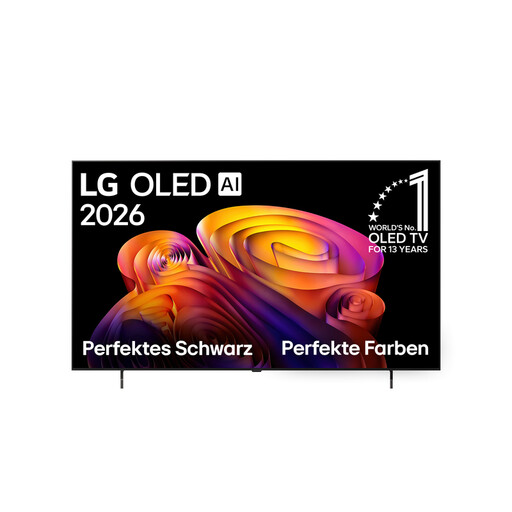
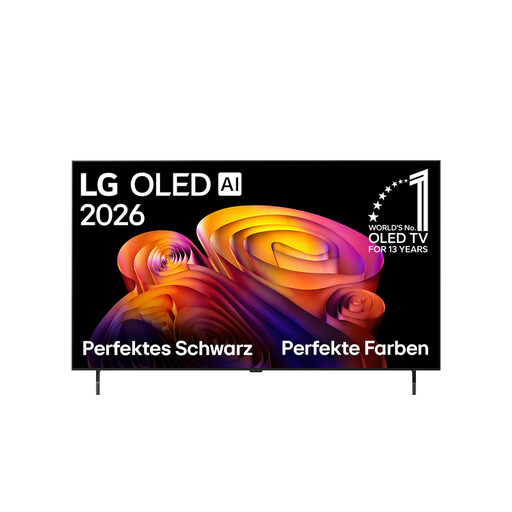
This selection features LG OLED TVs in a range of screen sizes, so you can assess ballet recordings and side seating positions. Check viewing angles, room lighting and available space for each specific model.
 No image available
As an OLED model, this TV is worth considering for side seating; assess the picture quality on the specific device.
83 inches; 4K resolution; Dolby Vision; α11 AI Processor.
Allow enough space and viewing distance for the 83-inch screen.
 No image available
As an OLED model, this TV is worth considering for side seating; compare the picture quality with your seating arrangement.
65 inches; 4K resolution; Dolby Vision; Dolby Atmos; α11 AI Processor.
 No image available
As an OLED model, this TV is suitable for assessing picture quality from side seats; also consider the right screen size for your room.
48 inches; 4K resolution; α8 Gen3 4K AI Processor; Dolby Vision and Dolby Atmos; webOS 26.
The product description lists four HDMI inputs.
 No image available
As an OLED model, this TV is worth considering for side seating; test the picture with your own recordings.
42 inches; 4K resolution; 2026 model year; α11 Gen3 AI Processor; Dolby Vision and Dolby Atmos; webOS 26.
 No image available
As an OLED model, this TV is worth considering for side seating; assess the picture in your usual lighting conditions too.
55 inches; 4K resolution; α11 Gen3 AI Processor; Dolby Vision and Dolby Atmos; webOS 26.
No. Panel type can help you narrow down your options, but it doesn’t replace checking the specific TV’s horizontal viewing angle and how the picture looks from your outer seats.
First check which app or playback device you’ll use, then test the exact content if possible. Compare picture modes and motion settings; an advertised gaming refresh rate doesn’t describe the frame rate of your recording.
Measure your viewing distance and the space available before choosing a screen size. If you need delivery or connection, check what’s included and what it will cost before buying.
Compare the EU energy label for the exact model variant; your usage and settings also affect actual consumption. The Verbraucherzentrale distinguishes statutory consumer rights from a voluntary guarantee. If there’s a fault, contact the retailer first.
Yes. EU Regulation 2019/2013 covers energy labelling and additional product information for electronic displays, including TVs. Check the label for the specific model variant being offered.