Choose a TV for watching cycling races together based on your seating, the room’s usual lighting and how you’ll receive the broadcast – not just on screen size or the advertised refresh rate. OLED may be worth considering if people will be sitting at wide angles; for daytime viewing, some LCD or Mini-LED models may also be suitable. Whether a particular race is being broadcast will also depend on the channel or service and your connection.
Who is this buying guide for?
Shared houses with seating spread around the room
If you watch from the sofa and seats to the side, consider screen size and picture quality from every position. The Verbraucherzentrale recommends taking the lighting and viewing angles in the room into account, as well as resolution; RTINGS describes how viewing angles vary between panel types.
Shared houses that watch during the day
In a bright living room, reflections and how clearly you can see the picture in your usual lighting matter. The key is how the specific model looks in the spot where you plan to put it.
Shared houses with different ways of receiving broadcasts
If you want to watch live TV through an existing connection or an internet service, check how you’ll receive it before buying. The Verbraucherzentrale points out that the reception method determines which tuner you need.
What should you look for when buying?
OLED TVs
Worth considering: If several people will be sitting well to the side and the specific model looks good in your room’s lighting. RTINGS generally describes OLED TVs as having wider viewing angles, particularly QD-OLED models.
Things to weigh up: Brightness, reflections and energy use still need to be checked for each model. OLED is not automatically the better choice for a bright room.
LCD and Mini-LED TVs
Worth considering: If you often watch during the day and the specific TV is easy to see where you plan to place it. The Verbraucherzentrale reports that, according to Stiftung Warentest, LED TVs perform better for brightness and reflections in daylight.
Things to weigh up: Picture quality from the side depends on the panel and model. Mini-LED and refresh-rate figures alone do not prove how good a live broadcast will look.
When choosing together, start with your actual seating and lighting, then consider reception and how you’ll split the budget.
| What matters |
What to check when buying |
Who it matters most to |
| Screen size and seats to the side |
Take viewing distances and angles from the side into account. Check that the TV’s dimensions and the space it needs fit the spot you have in mind. |
When we watch from the sofa and seats to the side, we want everyone to be able to see the picture clearly. Seating arrangements and picture quality may be particularly important to around 29% of consumers. |
| Daylight and motion |
Check for reflections in your usual room lighting and assess motion handling using a comparable live source. A refresh-rate figure alone does not prove how a broadcast will look. |
I want to watch the race during the day without the light or reflections making it hard to see. Daylight and motion handling may be priorities for around 29% of consumers. |
| Receiving the race |
First check which channel or service is showing the race and how you currently receive broadcasts. Then check for a suitable tuner or device compatibility. The Verbraucherzentrale explains that the reception method determines which tuner you need. |
If I need to know whether the specific race is available via aerial, cable, satellite or the internet, I want to check how to receive it before buying. Live reception may be a priority for around 21% of consumers. |
| Sharing the costs |
Compare the EU energy label and consumption figures in kWh/1,000 h on a like-for-like basis. Agree in advance on any reception services you need and how costs will be split in the shared house. |
When we’re sharing a budget, we want to plan for the purchase, electricity use and any reception costs. Around 21% of consumers may pay particular attention to shared costs. |
Common buying mistakes
-
Choosing the screen size based only on the furthest seat
Viewing distance, lighting and viewing angles all work together; the furthest seat is not the only thing to consider. The Verbraucherzentrale recommends taking the conditions where you’ll place the TV into account too.
Measure the distances and viewing angles from all the seats you plan to use, then check them against the space available.
A larger TV can take up more space and, according to the Verbraucherzentrale, generally uses more electricity.
-
Assuming 144 Hz guarantees a better cycling broadcast
An advertised refresh rate describes a feature of the TV, but it does not prove the quality of the live picture being sent to it.
Assess motion handling using a comparable TV source, and don’t treat gaming specifications as test results for a sports broadcast.
-
Buying a smart TV without checking how you’ll receive the broadcast
Tuners, internet services and programme availability all have different requirements. A smart TV alone does not guarantee that a particular race will be available.
First check which channel or service is showing the race, then check your connection, tuner or device compatibility. Depending on the channel and reception method, you may need additional equipment or a subscription.
Brands and specific models to consider
LG
An OLED option in the German-market OLED55C57LA, if you want to check picture quality from several seats.
- LG lists OLED evo and webOS 25 for this model; for gaming, the manufacturer specifies up to 4K at 144 Hz.
- The gaming specification does not prove the frame rate of a cycling broadcast or the TV’s suitability for bright daylight.
Samsung
The GQ55QN90FATXZG is a Mini-LED option to compare in a bright shared living room.
- Samsung advertises Mini-LED and “Glare Free” for this specific model.
- Check for reflections where you plan to put the TV. The manufacturer’s claim is not a general statement about every Samsung TV.
Sony
The K-55XR5 is a specific option to consider if the tuner, connections and dimensions are important to you.
- Sony lists a 120 Hz panel, four HDMI inputs and a width of 122,8 cm for the K-55XR5.
- These specifications are not independent proof of sports picture quality or viewing angles.
TCL
The 55C7K is another Mini-LED option for comparing features and how a TV looks in your room.
- TCL lists QD-Mini-LED and a native refresh rate of 144 Hz.
- The manufacturer’s figures are no substitute for checking how it looks from seats to the side or with the live source you’ll actually use.
Joybuy TVs for watching cycling races together
These Joybuy TVs come in a range of screen sizes and have different reception specifications. Compare them with your seating arrangements and the live TV you want to watch in your shared house.
 No image available
KOORUI K65N3UQ-T8, 65-inch, 4K UHD, QLED smart TV
Compare the stated 65-inch screen size with the viewing distances and space available in your shared living room.
Product specifications include 4K UHD, QLED, Tizen and DVB-T2/C/S2 reception.
Joybuy
 No image available
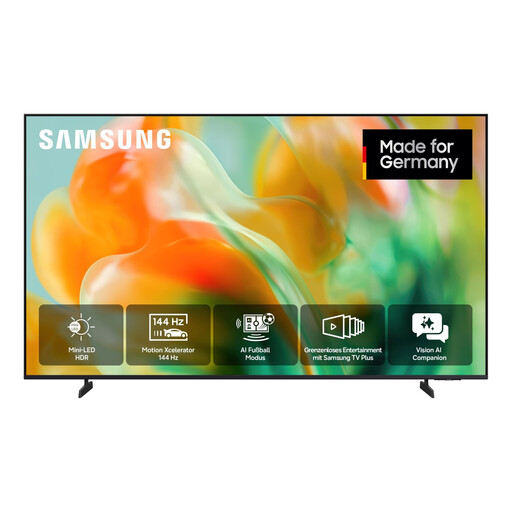
Samsung GU55M80H M80H, 55-inch, Mini-LED 4K smart TV
The 55-inch screen size gives you a specific starting point for comparing viewing distances and available space in your shared house.
The product description lists Mini-LED, 4K UHD and DVB-T2 HD, DVB-C, DVB-S and DVB-S2. Its stated native refresh rate of 144 Hz does not prove the quality of a cycling broadcast.
Joybuy
 No image available
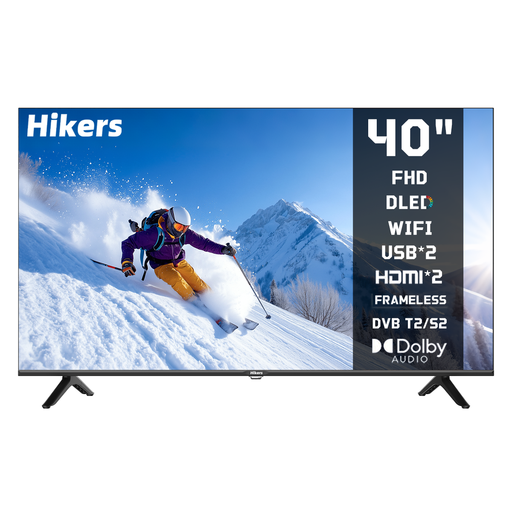
Hikers 40-inch LED smart HD TV with VIDAA
Compare the 40-inch screen size with your viewing distance and the space available.
Product specifications include HD, VIDAA, Wi-Fi and DVB-T2/S2/C reception.
Joybuy
 No image available
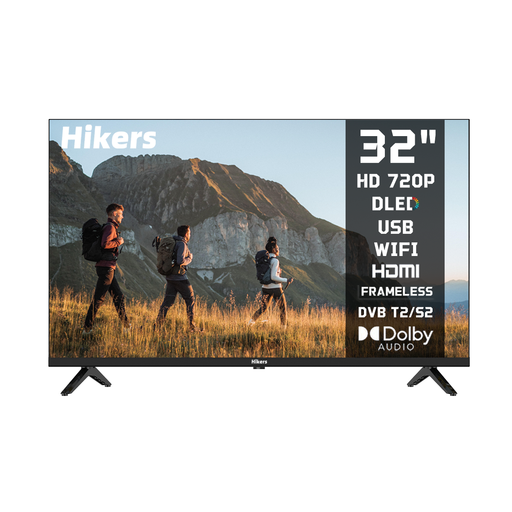
Hikers 32-inch LED smart HD TV with VIDAA
The 32-inch screen could be worth considering if space is limited or your viewing distance is shorter. Measure the space you have first.
Product specifications include HD, VIDAA and DVB-T2/S2/C reception.
Joybuy
 No image available
Hikers 50-inch QLED 4K smart TV with VIDAA
Compare the stated screen size with your viewing distances and the space available in your shared living room.
Product specifications include 4K UHD, QLED, VIDAA, MEMC and DVB-T2/T-, DVB-C and DVB-S/S2 reception.
Joybuy
Frequently asked questions
What screen size works for the sofa and other seats in a shared house?
Measure the viewing distance and angle from every seat you plan to use. In an article dated 13 November 2025, the Verbraucherzentrale gives a guideline viewing distance of 2,00 to 2,70 m for 55 inches when watching HDTV. You should also take lighting and seats to the side into account.
Can a smart TV show the cycling race you want without an additional connection?
Not automatically. First check which channel or service is showing the specific race, then check your existing reception method and whether the service is supported by your TV or an external device.
Does everyone in the shared house have to pay the broadcasting fee because you’ve bought a new TV?
No. According to the ARD ZDF Deutschlandradio Beitragsservice, the fee is generally charged once per household or shared house, regardless of the number of reception devices or residents. Check whose name is on the account; individual exemptions have their own eligibility requirements.
How can everyone in the shared house compare electricity use and potential reception costs?
The European Commission displays consumption on the EU energy label in kWh per 1,000 hours. Compare TVs on the same basis of use, and separately check whether you’ll need a paid service for your chosen reception method.
Is a high refresh-rate figure enough for smooth cycling coverage?
No. A refresh-rate figure alone doesn’t tell you how the live broadcast will look. If possible, assess motion handling using a comparable TV source, and check which channel or service is showing the race.


