What should you look for when buying?
Large OLED TV
A good fit if: off-centre seating or contrast in controlled lighting matters to you, and the screen size suits your viewing distance.
Things to weigh up: Check reflections and motion handling on the specific model. An advertised anti-reflection feature is no substitute for testing it in your own room.
Large Mini-LED LCD TV
A good fit if: you need a large screen for your measured viewing distance and daylight is a factor in your choice.
Things to weigh up: Manufacturer claims about peak HDR brightness don’t prove how well a TV will handle dance broadcasts or how it will look from the sides in your room.
Smaller screen size
A good fit if: your viewing distance, available space or budget rules out a particularly large TV.
Things to weigh up: If you sit further away, people and on-screen scores may look smaller. RTINGS gives 65 inches at 2.68 m as a guide.
Start by deciding what matters most to you. Practical limits vary depending on your viewing distance and room size.
| What matters |
What to check when buying |
Who it matters to |
| Screen size that suits your space |
Compare your viewing distance and usable space with the TV’s dimensions. |
If I want to make out the steps and scores from the far end of the sofa, I’ll measure the distance and available space first. Around 31% of consumers put finding the right screen size first. |
| Motion handling |
Check the native refresh rate and motion processing separately, and watch fast-moving scenes using a comparable signal. |
If you want to follow fast choreography and camera pans with minimal judder, assess the picture using the broadcast you’ll actually watch. Around 25% of consumers prioritise motion. |
| Lighting and seating |
Assess reflections and viewing angles based on your own windows and the seats you actually use. |
If I watch during the day or with other people, what matters is how the TV looks from our actual seats. Around 19% of consumers prioritise room lighting and group seating. |
| Reception and signal |
Check the channel, streaming service, app, tuner and any required devices against the reception method you’ll use. |
If you want to watch the competition on a particular channel or service, check how you’ll receive it first. Around 13% of consumers put reception compatibility first. |
| Total cost |
Consider the energy label for the specific model, as well as delivery and installation arrangements. |
If I need to take both the purchase price and ongoing costs into account, I’ll compare the label for the specific TV. Around 12% of consumers prioritise total cost. |
Joybuy products
This selection includes large OLED and Mini-LED TVs for watching dance broadcasts from further away. Before choosing, check that the screen size and installation option suit your room.
 No image available
Hisense 85E8S, 85-inch
Could suit a longer viewing distance if an 85-inch TV fits your room and available space.
4K Ultra HD and QD-Mini-LED.
The product specifications list a native refresh rate of 144 Hz. On its own, this doesn’t show how the TV will handle motion in a broadcast.
View at Joybuy
 No image available
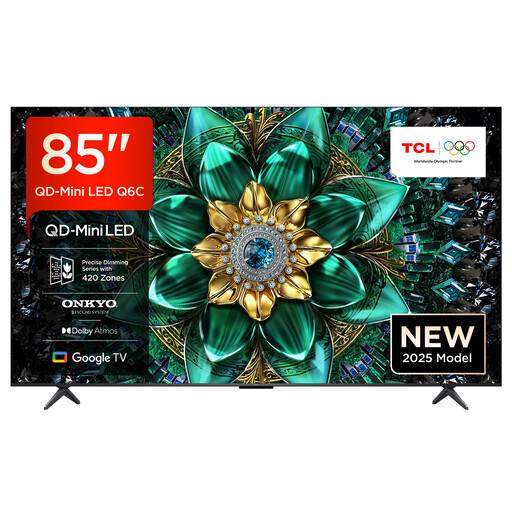
TCL 85Q6C, 85-inch
A large screen could suit a longer viewing distance if you have enough room and space for it.
QLED Mini LED and 4K HDR.
The stated native 144 Hz gaming mode isn’t the same as the frame rate of a dance broadcast.
View at Joybuy
 No image available
LG OLED77C67LA, 77-inch
Could suit a longer viewing distance if a 77-inch TV fits your available space.
OLED, 4K and 120 Hz according to the product specifications.
The refresh rate alone doesn’t tell you how the specific broadcast will look during fast dance movements.
View at Joybuy
 No image available
LG OLED77B68LA, 77-inch
Could suit a longer viewing distance if the 77-inch screen and installation work for your room.
OLED, 4K and Dolby Vision HDR according to the product specifications.
Check the refresh rate specifications for the reception method you’ll use. Gaming specifications don’t show the frame rate of a TV broadcast.
View at Joybuy
 No image available
LG OLED77G67LW, 77-inch
A 77-inch OLED option for a longer viewing distance, provided wall mounting suits your room.
OLED, 4K and HDR according to the product specifications.
The product description says a table stand isn’t included; this configuration is designed for wall mounting. An advertised gaming frame rate isn’t the same as the frame rate of a TV broadcast.
View at Joybuy
Frequently asked questions
Are 75 or 85 inches automatically better if you sit further away?
No. The right screen size depends on your viewing distance and available space. RTINGS gives 65 inches at 2.68 m as a guide; personal preferences and the content you watch also play a part.
Are advertised rates of 144 or 165 Hz enough for smooth dance footage?
No. An advertised refresh rate alone doesn’t tell you how a dance broadcast will look. Check the native refresh rate, the broadcast’s frame rate and motion processing separately. Gaming frame rates don’t show how many frames the broadcast delivers.
Will I need a separate receiver or app to watch the broadcast?
It depends on the channel and how you receive it. Before buying a TV, decide whether you’ll watch the competition via satellite, cable, aerial or streaming, then check whether the specific model needs any apps, tuners or additional devices.
What should I check before setting up a large TV?
Measure the available space and route for getting the TV into place, and check the stand or wall-mounting option specified for the exact model. Confirm delivery and connection services in advance. Sony provides model-specific information about wall mounts.
How can I compare the TVs’ energy consumption?
Compare the EU energy label for the specific model and note the separate figures for SDR and HDR. To work out your own annual costs, you’ll also need to know how long you watch TV and your current electricity tariff.


