Cricket fans with a bright living room
If you watch matches during the day with high windows nearby, first check whether reflections obscure the pitch or scoreboard, and how bright the TV is when displaying a mostly light picture.


For watching cricket in daylight, a bright, low-reflection Mini LED LCD is a sensible place to start if light from high windows falls on the screen: RTINGS.com often recommends Mini LED models for bright rooms. An OLED could also be suitable if a specific model is designed for bright rooms and you prioritise side seating or contrast. With OLED, you should also consider the risk of burn-in from scoreboards that remain on screen for long periods. Also check reflections from your actual seating positions, motion handling, how you receive your TV signal and power consumption.
If you watch matches during the day with high windows nearby, first check whether reflections obscure the pitch or scoreboard, and how bright the TV is when displaying a mostly light picture.
If several people watch from different seats, picture quality from side angles and viewing distance matter just as much as screen size.
If you use your TV regularly, check that it suits the way you receive your programmes and compare the power consumption of the specific models you’re considering.
A good fit if: High windows let plenty of light into the TV area during the day and being able to see the pitch clearly is your priority.
Bear in mind: Even an anti-reflective screen won’t eliminate every reflection. Also check viewing angles and motion handling on the specific model.
A good fit if: Side seating or contrast is particularly important, and the specific TV is suitable for bright rooms.
Bear in mind: You can’t assume that one OLED model’s suitability applies to all OLED TVs. Weigh up the risk of burn-in if scoreboards stay on screen for long periods.
A good fit if: You can position the TV or shade the room to keep windows out of the screen’s reflection path.
Bear in mind: The QLED label alone doesn’t guarantee a particular level of anti-reflection or sharp motion during sports broadcasts.
Assess reflections and brightness separately, and factor in seating positions, the movement of the game, reception and power consumption.
| Consideration | What to look for when buying | Who it matters most to |
|---|---|---|
| Window reflections | Check reflections from your intended seating position and brightness when the picture is mostly light, separately. | If you watch during the day with high windows nearby, you’ll want to see the ball and scoreboard despite the incoming light; around 40 % of consumers therefore put daylight readability first. |
| Motion clarity | Compare motion tests for the specific model. A gaming refresh rate alone doesn’t prove that TV broadcasts will look sharp. | If you want to follow fast-moving balls and camera action clearly, real-world sports performance matters; around 25 % of consumers prioritise motion clarity. |
| Side seating | Measure the viewing distance and available space, and check the picture from the side seats. | If several people watch together, you’ll want a clear picture away from the centre too; around 18 % of consumers focus mainly on picture quality for multiple seating positions. |
| Reception and power consumption | Check how you’ll receive your TV signal and compare the EU energy labels of suitable models. | If you use your TV regularly, you’ll want to consider reception and ongoing power costs; around 17 % of consumers put these points first. |
A bright picture won’t necessarily eliminate reflections from a high window. As a result, parts of the picture may still be hard to see, even at high brightness.
Check brightness and reflection handling separately, ideally from your actual seating position.
A high advertised refresh rate alone doesn’t tell you how sharp the motion in a broadcast match will look.
Look at motion tests for the specific model, and distinguish its native refresh rate from figures quoted for Game Mode.
Screen size alone won’t tell you whether the TV suits your viewing distance or the way you receive your programmes.
Measure your viewing distance and available space, and check how you’ll watch the match before buying.
The BRAVIA 9 range includes Mini LED models. Check the brightness and reflection handling of each specific model.
The QN90F range includes Mini LED models with a Glare-Free screen, as advertised by Samsung.
The Q6C and Q7C ranges offer QD Mini LED models, which you can compare individually for features and size.
The 55U7DS PRO is a Mini LED model for which Hisense advertises reduced reflections.
OLED models such as the OLED65C59LB are worth considering if contrast and side seating are important to you.
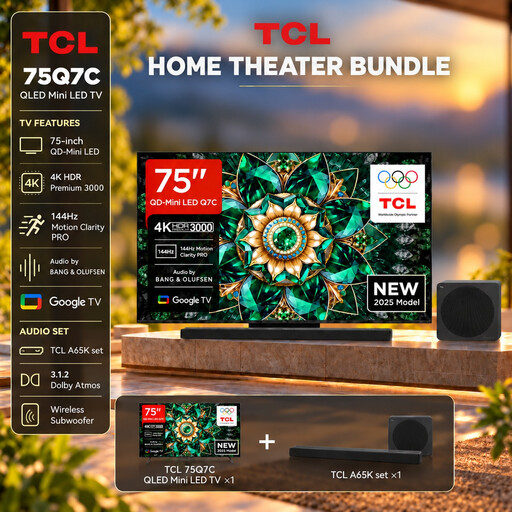
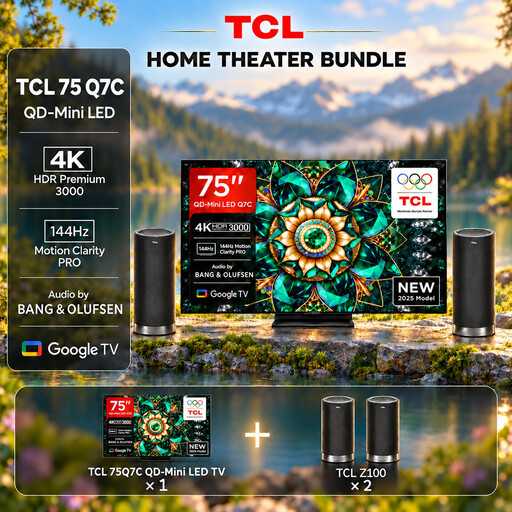
This selection includes 75-inch TCL QD Mini LED TVs and LG OLED models in 65 and 83 inches. Compare display type and screen size with your viewing distance, and check reflections where you plan to position the TV.
 No image available
If you’re planning a large screen for cricket, factor the stated screen size into your checks of viewing distance and available space.
75 inches; QD Mini LED; up to 2600 Nits peak brightness; 144 Hz VRR; HDMI 2.1. The peak brightness figure alone doesn’t guarantee freedom from reflections.
 No image available
If you’re planning a large screen for cricket, factor the stated screen size into your checks of viewing distance and available space.
75 inches; QD Mini LED; up to 2600 Nits peak brightness; 144 Hz VRR; HDMI 2.1. The peak brightness figure alone doesn’t guarantee freedom from reflections.
 No image available
If several people sit to the side, you can factor the stated viewing angles into your checks of the seating positions.
83 inches; OLED; 120 Hz and VRR up to 165 Hz according to the product information; Dolby Vision HDR. Consider the risk of burn-in from static scoreboards displayed for long periods.
 No image available
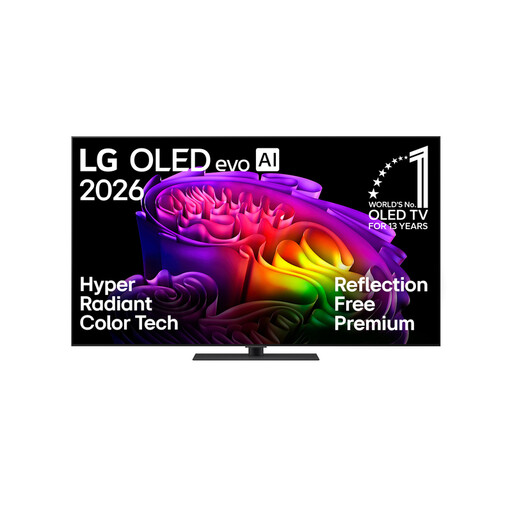
If daylight falls on your screen, you can consider the stated anti-reflective screen as one point to check; it doesn’t guarantee a reflection-free picture from your window-side seat.
65 inches; OLED evo; anti-reflective screen; Brightness Booster; 144 Hz native refresh rate according to the product information. Consider the risk of burn-in from static scoreboards displayed for long periods.
 No image available
If you’re planning a large screen for cricket, factor the stated screen size into your checks of viewing distance and available space.
75 inches; QD Mini LED; up to 2600 Nits peak brightness; 144 Hz VRR; HDMI 2.1. The peak brightness figure alone doesn’t guarantee freedom from reflections.
No. The refresh rate alone doesn’t prove that motion will look sharp during a broadcast. TCL lists a native refresh rate of 144 Hz for both the 55Q6C and 55Q7C; Hisense describes 165 Hz on the 55U7DS PRO as Game Mode. Also check motion tests for the specific TV and take the picture source into account.
From your planned main seat and the side seats, check whether the window is reflected in the screen. Also measure the viewing distance and available space. The Verbraucherzentrale recommends checking your usual viewing distance and how you receive your TV signal before buying.
Compare the EU energy labels and corresponding consumption figures for the models you’re considering. The European Commission explains that the label also includes information about efficiency for HDR content; actual consumption also depends on how you use the TV and its settings.
No. If an item you buy is faulty, your statutory rights are against the seller; a guarantee is an additional voluntary offer with its own terms and conditions. The Verbraucherzentrale explicitly distinguishes between statutory rights and guarantees.