First, choose how you’ll play your content. For photos and videos stored on USB, check whether the media player on the specific TV model supports your files. For an interactive quiz on a laptop or console, you’ll need the right HDMI connection and a suitable game setting. Choose a screen size to suit your viewing distance, available space and seating. A high refresh rate alone doesn’t automatically make a TV the right choice for a family quiz.
Who plays family quizzes on a TV?
Families with quiz files on USB
If you want to show your own pictures, music or videos without an additional device, check whether the TV supports the specific file formats. LG Germany and Sony Germany note that format support depends on the model and, in some cases, the media player.
Quiz rounds with a laptop or console
If the quiz runs on a connected device, you’ll need the right HDMI connection. For interactive games, a suitable game setting also matters. The HDMI Licensing Administrator describes ALLM for compatible source devices and displays, while Samsung Germany lists HDMI ports as a way to connect external devices.
Families with several seats
If everyone wants to join in from different seats, consider screen size, viewing distance, lighting and viewing angle together. The consumer advice centre lists these as factors to consider when choosing a screen.
What should you look for when buying?
| Consideration |
What to check when buying |
Who should consider this? |
| Playing local files |
Check the file system, container, video and audio codecs on the specific model and media player; test your own files. |
If I want to show quiz pictures or videos straight from a storage device, they need to play with both picture and sound. Around 33% of consumers put local file compatibility first. |
| Making questions easy to read |
Consider the viewing distance and available space; check the text size and side seats where the TV will be set up. |
If several people need to read along from different seats, the display needs to work for the whole group. Readability comes first for around 27% of consumers. |
| Playing interactively |
Check the source device and connection; for compatible devices, check for a game mode or ALLM. |
If my quiz runs on a laptop or console, I want my input to appear on screen without distracting delay. Around 20% of consumers prioritise responsiveness when playing via a connected device. |
| Ease of use |
Check how to select inputs and navigate the media player menu; separately check whether a desired TV app is available and can access your files. |
If you want to switch quickly between files, source devices and content on quiz night, easy-to-use controls are particularly important. Around 13% of consumers put this first. |
| Energy use and equipment |
Check the EU energy label and energy consumption information for the specific new device; allow for any source devices and cables you’ll need. |
If I want to take energy use and additional equipment into account, I compare these details before deciding. Around 7% of consumers prioritise energy use and the equipment they need. |
Pitfalls to avoid when choosing a TV for family quizzes
-
Assuming a USB port guarantees compatibility with every quiz
A USB port doesn’t mean the media player can play every file format or run an interactive application. Support depends on the model and the player being used.
Check the file type and the application you need first. For the TV you’re considering, test whether your typical files will play.
If your quiz needs an interactive application, you may also need a suitable laptop or console as a source device.
-
Choosing the highest refresh rate for every quiz
A quiz using still images from USB has different requirements from an interactive game played on a console. On compatible devices, ALLM can activate a lower-latency mode, which may disable some picture processing features.
First decide whether you’ll be playing media or playing interactively. Choose gaming features to suit your source device and check the game setting on the specific model.
-
Choosing a screen size without considering seating and the room
Viewing distance, resolution, lighting and viewing angle all affect how easily everyone can read the quiz questions. A larger screen also needs more space.
Check readability from the furthest seats and those to the side, ideally using content with text at the same size as your quiz questions.
Brands to consider
LG
Worth considering if USB playback and an OLED gaming model such as the OLED48C67LA are on your shortlist.
- LG Germany describes how to play USB content. For the C6 mentioned here, LG specifies up to 4K @ 165 Hz.
- Supported file extensions and codecs can vary by model. The refresh rate specification doesn’t confirm that particular quiz files will play.
Samsung
The Neo QLED QN90F range is an option if you want to connect a console and local media through different ports.
- Samsung Germany explains USB and HDMI connections using the QN90F as an example.
- This example doesn’t confirm that every media format will play, or that all Samsung models have the same features.
TCL
The QD-Mini LED C7K range offers another option for checking screen size and how you’ll connect your devices.
- TCL specifies a native refresh rate of 144 Hz for the 55C7K.
- This manufacturer specification doesn’t confirm compatibility with particular quiz files.
Sony
BRAVIA models are worth considering if information about media player apps and file formats is part of your decision.
- Sony Germany specifies supported formats by model and player used.
- The USB file system overview applies only to the model groups listed and shouldn’t be assumed to apply to other devices.
Philips
The 55PUS9000/12 is worth considering if you want this model’s Ambilight features as well as a good picture for your quiz.
- Philips specifies a 55-inch screen and 144 Hz for this model.
- Ambilight and the refresh rate don’t tell you whether your own quiz files will be supported.
Joybuy TVs for quizzes and local media
This selection includes TVs for quiz nights using USB media or a laptop or console as the source device. Check that your files are compatible and that the model has the connection you need.
 No image available
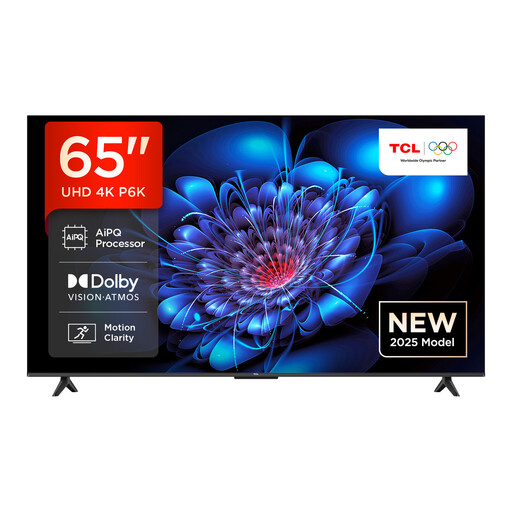
TCL 65P6K, 65-inch, Direct LED, 4K HDR, Google TV
A 65-inch option for quiz nights with a laptop or console as the source device. Check that the screen size and connections suit your viewing distance and device.
65-inch; Direct LED; 4K HDR; Google TV.
View at Joybuy
 No image available
Hisense 75E8S, 75-inch, MiniLED, 4K Smart TV, 144 Hz
Designed for quiz content played from USB storage. Before buying, check that the media player supports your files and codecs.
75-inch; MiniLED; 4K; 144 Hz; QLED; VRR; ALLM.
View at Joybuy
 No image available
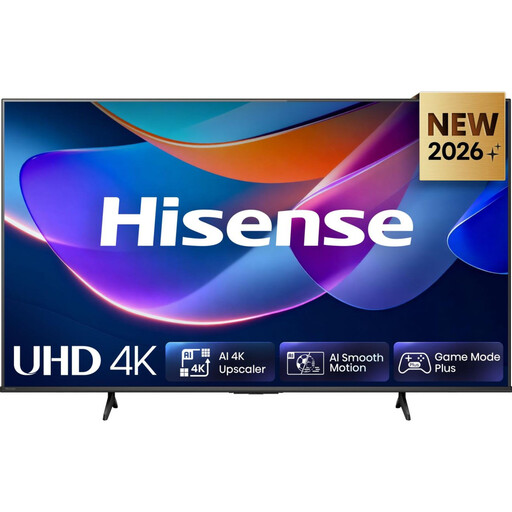
Hisense 50A6S, 50-inch, 4K UHD Smart TV, Game Mode Plus
A 50-inch option for a quiz played on a laptop or console, if the screen size suits your viewing distance. Bear in mind the stated VRR limit.
50-inch; 4K UHD; Game Mode Plus. According to the product information, VRR is limited to up to 60 Hz.
View at Joybuy
 No image available
TCL 75Q7C, 75-inch, QLED Mini LED, 4K HDR, 144 Hz VRR
For a larger quiz group using a laptop or console as the source device, provided a 75-inch screen suits your available space and viewing distance.
75-inch; QLED Mini LED; 4K HDR; 144 Hz VRR; HDMI 2.1.
View at Joybuy
 No image available
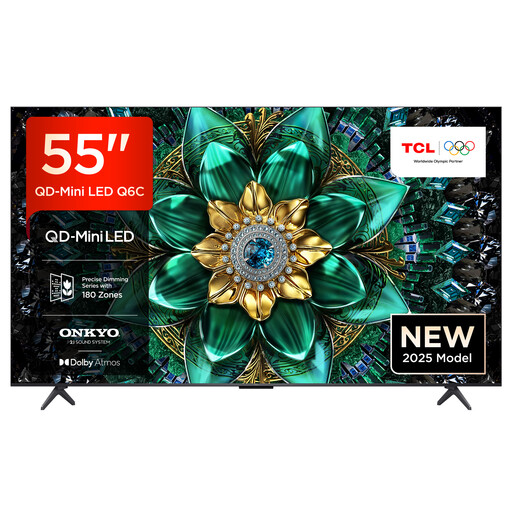
TCL 55Q6C, 55-inch, QLED Mini LED, 4K HDR, Google TV
A 55-inch option for quiz nights with a laptop or console. Consider the viewing distance and the HDMI connections you need before choosing.
55-inch; QLED Mini LED; 4K HDR; Google TV; 144 Hz.
View at Joybuy
Frequently asked questions
Can I simply copy an interactive quiz file to a USB stick and start it on my TV?
Not necessarily. USB playback covers media content supported by the relevant player; it doesn’t automatically launch an interactive application. Whether a suitable TV app is available and can read your files depends on the model and app. If not, use a suitable source device such as a laptop or console.
What should I check if a quiz video from a USB stick has no sound or won’t play at all?
Check the media player on your exact TV model, along with the supported video and audio codecs and the storage device’s file system. LG Germany notes that file extensions and codecs vary by model; Sony Germany also distinguishes between models and player apps.
Which energy label should I look for when buying a new TV in Germany?
The EU energy label is relevant for new TVs. Energy efficiency and consumption information can help you compare models. According to Your Europe, the label must also be clearly visible at the point of sale, including in online shops.
What can I do if the TV I bought online is faulty or I change my mind?
Your statutory rights if a product is faulty are different from a voluntary guarantee. Online purchases generally come with a right to cancel. The consumer advice centre states that this is usually 14 days, although when the period starts and any exceptions depend on the specific contract.


