Start by measuring the distance to the seats at the back and checking what screen size makes faces and details easy to see from there. A 4K specification alone won’t tell you which size is right. Sony UK points out that recommended minimum viewing distances aren’t a one-size-fits-all guide to screen size for every room. Then choose based on your video sources, file compatibility, room lighting and sound. LCD, Mini LED and OLED each have different strengths, but no one technology is right for every family.
Who is this guide for?
Families with seats further back
If you’re sitting in the back row, you’ll want to make out faces and details, while weighing up screen size, space for the TV and the quality of your own videos. Sony UK recommends taking your seating position and viewing conditions into account when choosing a viewing distance.
Families with videos on multiple devices
If your recordings are on smartphones or USB storage, the right way to play them and the file formats supported will determine how easy they are to watch together. Sony UK recommends checking which file types the specific model can play.
Groups watching in a bright room or from different seats
If you watch in daylight or from different parts of the room, assess the picture where you plan to put the TV and from the seats you’ll actually use. The specifications from TCL, Samsung and LG apply to specific models, not every range from each brand.
What should you look for when buying?
Large LCD TV with direct LED backlighting
A good fit when: If a large screen and playing your own videos are priorities, a model such as the Sony K-75S3 could be worth considering. Its specifications list USB formats, Chromecast and AirPlay.
Worth noting: The specification sheet lists Frame Dimming; this doesn’t provide an independent picture-quality comparison. Check the full model code and try one of your own video files.
Large Mini LED LCD TV
A good fit when: If you’d like to compare an LCD option with zoned backlighting, TCL and Samsung both offer specific Mini LED models.
Worth noting: Manufacturer claims about dimming zones or Quantum Mini LEDs tell you about the features, but not how the picture will look in your room’s lighting or from seats off to the side.
Large OLED TV
A good fit when: If you often watch with the lights down and want to compare OLED display technology, the LG OLED77C56LB is a specific example with a 77-inch screen.
Worth noting: Check for reflections where you plan to put the TV, as well as playback of your files. Manufacturer specifications aren’t a substitute for comparing TVs in your own conditions.
| What matters |
What to check before buying |
Who should pay particular attention? |
| Screen size and viewing distance |
Check the distance to the back row and the TV and stand dimensions; assess your own typical recordings from the seats at the back. |
If you want faces to remain clear from the back row, both viewing distance and screen size matter. Around 31% of consumers put choosing the right screen size first. |
| Video sources and file formats |
Check support for your own devices and video and audio formats using a sample file. |
If you want to show videos from a smartphone or USB storage, check the connection method and the specific file in advance. Around 25% of consumers put connectivity and compatibility first. |
| Room lighting and seating |
View the picture from seats off to the side and in similar lighting; consider the screen’s position and possible reflections. |
If your group watches in daylight or sits spread around the room, visibility from your own seats is key. Around 19% of consumers focus mainly on room lighting and viewing angles. |
| Clear dialogue |
Test one of your own recordings through the TV speakers; if needed, check the audio connections and space for additional speakers. |
If you want to hear conversations clearly in family videos, assess the sound using a typical recording. Around 13% of consumers prioritise speech clarity. |
| Power consumption and overall costs |
Consider the EU energy label for the exact model, how long you plan to use it and any potential installation or audio costs. |
If ongoing energy use and extra equipment factor into your decision, check the model’s label and how you plan to use it. Around 12% of consumers focus on these overall costs. |
Common misconceptions
-
Assuming the 4K minimum viewing distance is right for the back row
A distance at which individual pixels are less noticeable doesn’t automatically mean that people at the other end of the room will see faces clearly enough.
Measure the distance to the furthest seat and assess some of your own typical recordings from there before deciding on a screen size.
-
Assuming USB or a smart TV will play every video
Supported file systems and video and audio formats depend on the specific model. A USB port alone doesn’t guarantee that a particular recording will play.
Check a representative file, including its audio track, against the model’s specifications or try it directly on the TV.
If the file won’t play directly, you may need to use another way to connect it.
-
Comparing Mini LED and OLED on marketing claims alone
Manufacturer claims about each technology aren’t a direct comparison in your room’s lighting or from seats off to the side.
Assess the technologies separately and, where possible, compare the picture in similar lighting and from similar seating positions.
Key brands at a glance
Sony
The BRAVIA 3 K-75S3 is a large-screen 4K LCD option for families who want to check USB formats and multiple ways to connect on the specific model.
- Sony UK lists a 75-inch screen, AirPlay, Chromecast and USB codecs for the K-75S3.
- The specification sheet lists Frame Dimming; this doesn’t amount to an independent picture-quality comparison or guarantee playback of every recording.
TCL
The 75C7L is a specific Mini LED model to consider when comparing backlighting, placement and viewing positions.
- TCL lists local dimming zones and a native 144 Hz display for this model.
- Manufacturer specifications don’t show how the picture will look in your lighting conditions or from your seats.
Samsung
The 75-inch QN85F is another Mini LED option. If you want to play videos from Apple devices, check AirPlay support for the exact model.
- Samsung lists Quantum Mini LEDs for the QN85F.
- Samsung notes that AirPlay support on its TVs varies by model, so this shouldn’t be assumed for every series.
LG
The OLED77C56LB is an OLED model for comparison, with a large screen and listed connectivity features.
- For this specific model, LG lists a 77-inch OLED display, AirPlay 2 and Google Cast.
- Check for reflections where you plan to put the TV and test playback of your own files. Manufacturer specifications aren’t a direct real-world comparison with LCD models.
Joybuy product picks
These models include large LCD, Mini LED and OLED TVs that could be suitable for watching videos together from further away.
 No image available
TCL 75Q7D PRO, 75-inch, 4K SQD Mini LED
The 75-inch screen is an option for families who want to watch videos together from further away.
Listed in the product name: 4K, 760 Local Dimming Zones, 2.000 Nits HDR, Anti-Reflection and 144 Hz.
Check that the file formats and connection options work with your devices.
View on Joybuy
 No image available
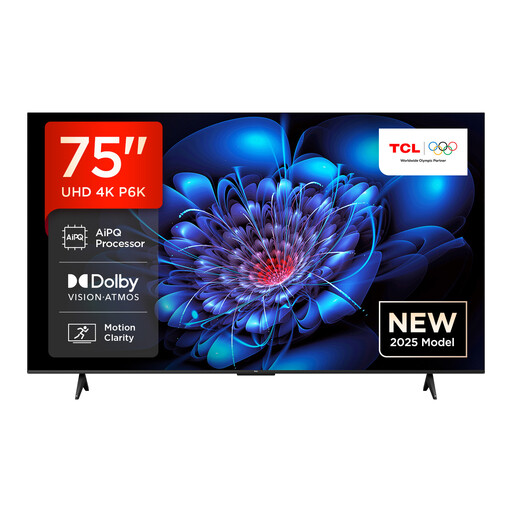
TCL 75P6K, 75-inch, Direct LED
The large screen size could be worth considering if you want to watch together from further away.
Listed in the product name: Direct LED, 4K HDR and Google TV.
Check whether your own video files and devices are compatible with the exact model.
View on Joybuy
 No image available
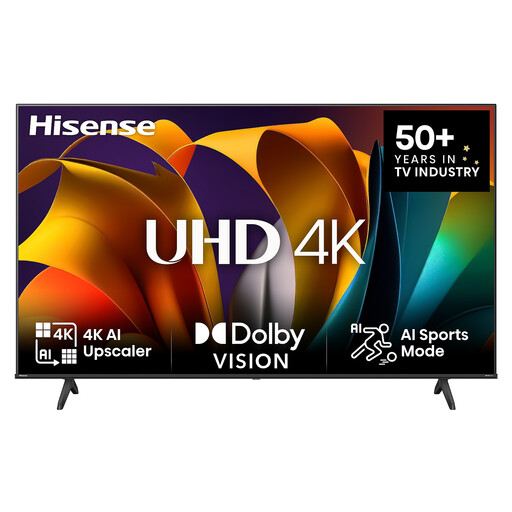
Hisense 85E6NT, 85-inch, 4K UHD
The 85-inch screen size listed in the product name is relevant for larger groups and seats further back.
Listed in the product name: LED, 4K UHD, 60 Hz, VIDAA Smart OS, Dolby Vision HDR and energy efficiency class E.
Check in advance whether the complete TV will fit in the room you have in mind.
View on Joybuy
 No image available
Hisense 75E8S, 75-inch, MiniLED
The 75-inch screen is an option if several people will be watching videos together.
Listed in the product name: 4K, QLED, 144 Hz, Dolby Vision, VIDAA OS, VRR and ALLM.
Whether you’re placing it on a stand or mounting it on the wall, make sure it’s fixed securely and safely.
View on Joybuy
 No image available
LG OLED77G67LW, 77-inch, OLED evo AI G6
The 77-inch screen offers another size option for watching family videos together.
Listed in the product name: 4K Smart TV, α11 Gen3 AI Processor, up to 165 Hz, Dolby Vision and webOS 26.
This model is designed for wall mounting; a table-top stand is not included.
View on Joybuy
Frequently asked questions
Is 75 inches enough if you’re sitting a long way from the screen?
There’s no one-size-fits-all answer. Measure the distance to the seats at the back and check how large faces look in typical videos from there. Sony UK gives around 1.4 metres as an approximate minimum viewing distance for a 75-inch 4K TV, not a recommendation for the maximum distance at which a group can still make out details.
Can I play videos directly from a USB stick?
Only if the specific model supports the file system and video and audio formats. USB formats and codecs are listed for the Sony K-75S3; Sony UK recommends checking the manual for the relevant model to see which file types it supports.
What should I check before mounting a TV on the wall?
Check the dimensions and weight of the complete model, as well as the compatible wall mount, screws and type of wall. Sony recommends having its BRAVIA models installed by a suitably qualified professional because of the risk of injury. This is the manufacturer’s recommendation, not a general legal requirement.
How can I compare power consumption and my rights after buying?
The EU energy label for covered electronic displays includes information for SDR and HDR, among other things; the efficiency class alone won’t tell you exactly what your electricity will cost. According to Your Europe, when you buy from a trader in the EU, you have a legal guarantee of at least two years from the date you receive the goods. Online purchases generally come with a 14-day right to cancel, subject to legal exceptions; the Council of the European Union explains this right for distance purchases.


