What matters when buying?
First, check that your own files work with your preferred playback method. Then compare screen size, seating, room lighting and ongoing energy consumption with your needs.
| What to consider |
What to check |
Particularly important if |
| Playing your own files |
Check the file extension, video and audio codecs, and file system against the manual for the specific model. Test a typical recording with sound using your intended playback method. |
I want to play family videos directly from storage, so I need to know in advance whether both the picture and sound will work. Around 31% of consumers rank reliable file playback as a top buying priority. |
| A good view for everyone |
Measure the available space and seating distances, and check the picture from seats to the side as well. |
Not everyone will be sitting directly in front of the screen, so I want to make sure the picture looks good from the outer seats too. Around 25% of consumers prioritise visibility for the group. |
| Room lighting and reflections |
RTINGS describes OLED as particularly good in darker rooms, while Mini LED is often a suitable display technology for bright rooms. Still, check reflections on the specific model. RTINGS also notes that OLED can be at risk from permanently static images. |
When we watch during the day with light coming in through the windows, I want to assess distracting reflections rather than relying on a brightness figure alone. Around 19% of consumers prioritise performance in daylight. |
| Clear dialogue |
Play a recording with typical conversations at your usual volume. If needed, check that the connections work with your existing audio equipment. |
When watching family videos with dialogue, I want to be able to follow conversations without turning the volume up unnecessarily high. Around 13% of consumers prioritise clear voices. |
| Energy consumption |
For the specific model, compare figures for the same operating mode. The European Commission shows consumption in kWh per 1,000 hours, with separate figures for SDR and HDR. |
If the TV is used regularly to show videos, I want to compare its stated consumption with how I use it and my electricity tariff. Around 12% of consumers make running costs a priority. |
TVs for family videos at Joybuy
These models offer a range of sizes and TV types for watching together. Whatever you choose, check how your files play and how well everyone can see the screen on the specific device.
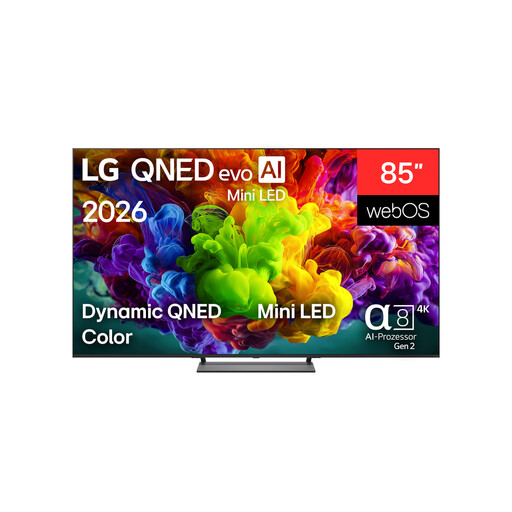 Image unavailable
LG 85QNED93B6A QNED Evo TV, 85 inches
For watching together on a large screen, if the 85-inch screen size suits your room and setup.
85 inches; UHD 4K; Smart TV.
Professional installation is recommended for wall mounting, and at least two people are advised for transport and installation.
View at Joybuy
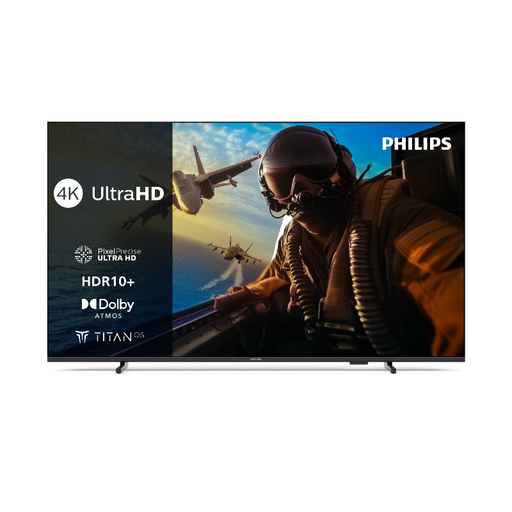 Image unavailable
Philips 55PUS7000 4K LED Smart TV, 55 inches
For family videos with dialogue, the Vocal Boost feature listed in the product specifications may be worth considering. Check how clear voices sound with your own recordings.
55 inches; 4K LED Smart TV; energy efficiency class E.
According to the product information, this TV is intended for domestic use, not commercial use.
View at Joybuy
Frequently asked questions about TVs for family videos
Is a USB port enough to make my videos play?
No. Check the file extension and video and audio codecs of your recordings against the requirements for your specific TV, and test a file with sound. LG Germany explains that several file requirements must be met, and Sony also notes that some individual files may not play.
How do I prepare a USB drive for my TV?
Back up all your files first, then check the supported file system and instructions for your specific model. Sony warns that formatting deletes everything on the storage device.
Can I connect a camera to the TV via USB instead of using a USB stick?
Not necessarily. In a support guide, Sony notes that the TVs covered in it can’t play videos from a camera or camcorder connected via USB. Check the available connections on your own model.
What do the energy figures on the EU energy label mean?
The European Commission gives TV energy consumption in kWh per 1,000 hours, with separate figures for SDR and HDR. For the specific model, compare the same operating mode. To estimate the cost, you’ll also need to factor in how long you use the TV and your electricity tariff.
What are my rights if there’s a fault or I buy online?
If a product is faulty, your statutory rights generally apply against the seller; a voluntary guarantee is separate. For online purchases in Germany, the Verbraucherzentrale says you will generally have a 14-day right to cancel. When the period starts and which exceptions apply depend on the circumstances of the contract (Verbraucherzentrale information correct as at 13 August 2026).


