If several seats are well off to the side of the TV, compare specific models by their horizontal viewing angles. OLED is one place to start, while a tested IPS LCD could be an alternative. Also check how your DVDs and older TV recordings are upscaled and whether they can be shown in their original format. If your room is bright or you often watch content with static images, it’s worth comparing suitable LCD models too.
Who this guide is for
Comedy nights on a wide sofa
If you watch from either end of the sofa, compare off-centre picture measurements rather than judging the TV only from directly in front. RTINGS.com highlights wide viewing angles as important for seating that’s spread out across the room.
Collectors of older recordings
If you often watch DVDs, older TV broadcasts or 4:3 versions, check how the TV handles low-resolution content and displays the original aspect ratio. RTINGS.com notes the importance of upscaling older sources.
Viewers who value clear dialogue
If you want every punchline and quiet line of dialogue to come through clearly, check the sound settings on the specific TV and, if necessary, the connections for an external audio solution. LG Germany lists a voice enhancement feature for the OLED55C56LB model.
What to look for when buying
| What matters |
What to look for |
Who it matters most to |
| Picture quality from the side |
Check how colour, brightness and black levels change horizontally on the specific model. RTINGS.com highlights wide viewing angles for seating that’s spread out across the room. |
If I’m sitting on a wide sofa with several people, I want the picture to look consistent from the seats at either end too. Around 36% of consumers put consistent picture quality when viewed from the side first. |
| Older sources and picture format |
Assess DVDs or older TV signals using the source you actually watch. Sony Germany Support points out that zoom or widescreen options can crop parts of the picture or distort it. |
Anyone who often watches older recordings will want to avoid losing detail through unsuitable upscaling and preserve the original aspect ratio. These concerns account for around 29% of consumers. |
| Clear dialogue |
Try the voice and sound settings on the specific TV. If you’re planning to use an external audio solution, check that it has the connections you need. |
If quiet dialogue and punchlines matter more to me than extra picture features, I pay particular attention to the sound settings. Around 21% of consumers prioritise dialogue clarity. |
| Brightness and energy consumption |
Assess the picture in the lighting conditions of your own room. For specific models, compare the EU energy label figures for SDR and HDR. |
If you watch during the day in a bright room and want to keep an eye on running costs, check both together. Around 14% of consumers focus on room brightness and energy consumption. |
Pitfalls when buying for older comedies
-
Assuming a technology label tells you the viewing angle
OLED, IPS and Mini LED don’t, on their own, tell you how consistent the picture will be from your viewing angle. Mini LED describes the backlighting, not necessarily the LCD panel type or a wide viewing angle.
Compare measurements or view the specific model from the position where you plan to sit.
-
Stretching 4:3 recordings to fill a 16:9 screen without checking
Zoom and widescreen settings can crop parts of the picture or distort it, as Sony Germany Support explains.
Check the original format and the settings on both the TV and the playback device. Some streaming apps don’t let you change the picture format on the TV.
-
Assuming OLED is risk-free for mostly static images
Displaying static content for long periods or repeatedly is different from watching films with changing images. Sony Germany Support also identifies bars that remain visible for a long time when viewing 4:3 content as a potential risk factor.
Think about how long and how often you watch this type of content. If you often use the TV for static images, compare suitable LCD models too.
Brands to consider
LG
For the specific OLED55C56LB model, LG Germany lists OLED, 4K processing, webOS 25 and a voice enhancement feature.
- Its features include specific picture and sound options that you can check on the model mentioned.
- The manufacturer’s claim about voice enhancement is not an independent measurement of dialogue clarity. The OLED trade-offs remain relevant if you repeatedly watch static content for long periods.
Sony
Sony Germany describes the BRAVIA 8 II K55XR8M25BP.CEI as a 55-inch OLED with Google TV. The manufacturer’s support pages also cover picture format and OLED care.
- This specific model is an OLED option to consider when comparing picture quality from different seats.
- The panel type alone doesn’t tell you how well your DVD will be upscaled. Nor does watching a 4:3 comedy occasionally, by itself, prove that damage will occur.
Philips
For the 55OLED810/12, Philips lists OLED, P5 picture processing and Ambilight. The brand also describes the picture quality positively when viewed from different angles.
- Ambilight is an extra feature to consider if you’d like backlighting around the screen.
- The positive description of the viewing angle is a manufacturer’s claim, not an independent measurement for this model.
Panasonic
For the TV-55Z95BEG, Panasonic lists an OLED display, Fire TV and the HCX Pro AI Processor MK II.
- This clearly identified model offers another set of features to consider when comparing TVs for older content.
- The German product page lists this exact variant as unavailable. This doesn’t indicate the availability of other variants or sellers.
TVs at Joybuy
The Joybuy models below include OLED, LED and Mini LED TVs. Compare their viewing angle, picture processing and sound specifications with your seating position and older sources.
 No image available
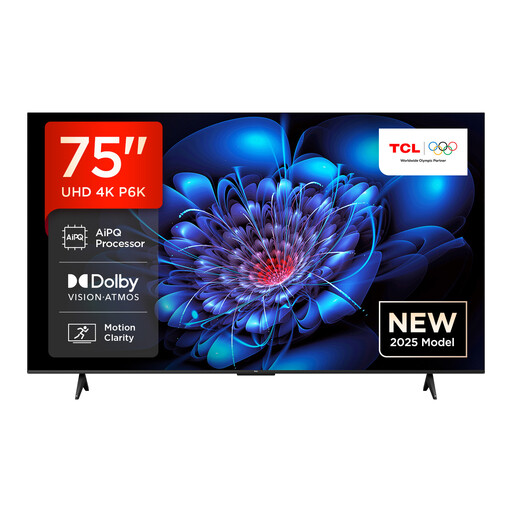
TCL 75P6K, 75-inch 4K Direct LED TV
For off-centre seating, the product description specifies an HVA panel with wider viewing angles. Check how the picture looks from your actual seat.
The specifications list 4K, HDR10/HLG, Google TV and an AiPQ processor for picture processing. Assess how it handles your DVDs or older TV sources.
View at Joybuy
 No image available
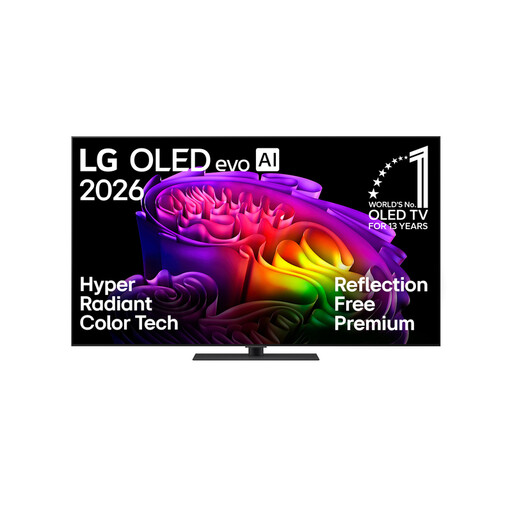
LG OLED65G66LS, 65-inch 4K OLED TV
As an OLED model, this TV is worth considering when comparing off-centre viewing. If you often watch static images for long periods, factor in the risks associated with OLED.
The product specifications list AI Super Upscaling 4K, Clear Voice Pro and AI Voice Remastering. The TV is also described as having a 60 W 4.2-channel system.
View at Joybuy
 No image available
LG OLED55C67LA, 55-inch 4K OLED TV
The product description lists wide viewing angles for this OLED model. Check this against measurements or a demonstration from your actual viewing position.
Features include AI Super Upscaling 4K, webOS, Dolby Vision, HDR10 and HLG. Check how older recordings look using your own source.
If you display static content for very long periods, or repeatedly, you should consider the risk of burn-in associated with OLED.
View at Joybuy
 No image available
TCL 75Q7C, 75-inch 4K QLED Mini LED TV
The product description lists a wide viewing angle. Check this on the specific model if several seats are off to the side of the screen.
Features listed include Dolby Vision IQ, Dolby Atmos, Google TV, 144 Hz VRR and a Bang-&-Olufsen sound system. These features alone don’t tell you how well the TV will handle your content or dialogue.
View at Joybuy
 No image available
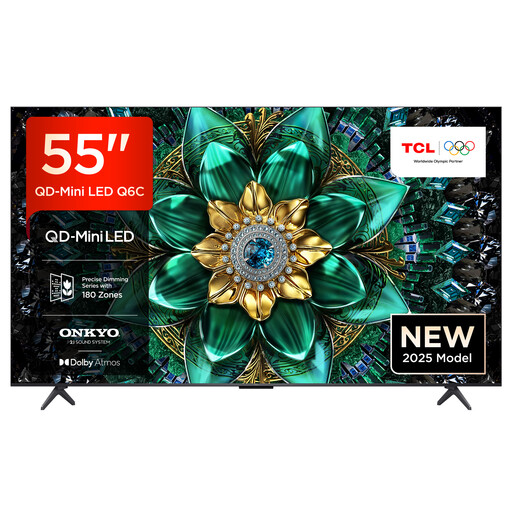
TCL 55Q6C, 55-inch 4K QLED Mini LED TV
The product description lists wide viewing angles. If your sofa is off to the side of the TV, check picture consistency on the specific model rather than relying on the description alone.
The specifications list Dolby Vision IQ, Google TV, 144 Hz Motion Clarity Pro and an integrated Onkyo 2.1 system with Dolby Atmos. Test older sources and dialogue using the settings you plan to use.
View at Joybuy
Frequently asked questions
How can you check whether your seat to the side is well placed?
Compare measurements showing how colour, brightness and black levels change horizontally on the specific model. A good picture when viewed from directly in front doesn’t answer this question.
Should older comedies be zoomed to fill the screen?
Not automatically: zoom can crop parts of the picture or distort it. First check the original format and, if you’re using an external playback device, its settings too. Some streaming apps don’t let you change the format on the TV.
What should you consider if you often watch 4:3 content on an OLED TV?
Sony Germany Support identifies side bars displayed for long periods or repeatedly as a possible cause of image retention. The risk depends on how you use the TV; tests involving very high levels of static content don’t directly reflect occasional film nights.
How can you check a TV’s energy consumption when buying in Germany?
New TVs covered by the rules must carry an EU energy label. It uses a scale from A to G and includes figures for SDR and HDR. Compare the label for the exact model rather than relying on the screen technology alone.
Do smart TV features need an internet connection?
You’ll need an internet connection for internet-based features such as HbbTV. Before setting up your TV, check which apps and ways of receiving content you actually plan to use.


