What should you look for when buying?
Start with your actual viewing position and the learning video you use. Check screen size, subtitles, sound and energy consumption separately.
| What matters when buying |
What to check |
Who will find this most important? |
| Readable text from a distance |
Measure your viewing distance and available space; test the text in a typical learning video from your intended seat. The Consumer Advice Centre’s HDTV guidance suggests around 2.40–3.10 m for 65 inches and around 3.10–3.80 m for 75 inches. These figures don’t guarantee that small text will be legible. |
If I’m learning from a fixed seat some distance away, I want to be able to make out words and exercises. Around 36% of consumers put screen size first when choosing. |
| German subtitles in your learning service |
Test the video app you need and a specific learning video on the TV; adjust the subtitle style and background if the service offers these options. |
If I want to read along as I listen, German subtitles need to be available in the video I’m actually watching and legible from where I sit. Around 29% of consumers prioritise subtitles. |
| Clear spoken explanations |
Listen to a lesson at your usual volume from your seat; if needed, check that the specific model has connections for your existing audio equipment. |
If I’m focusing on spoken explanations while learning, clarity matters more to me than speaker specifications alone. Around 21% of consumers focus first on speech quality. |
| Energy consumption of a larger screen |
Compare the EU energy label and model-specific figures for SDR and HDR; where possible, compare TVs with a similar screen size. |
If I’m considering a larger screen because of my viewing distance, I also want to take its running energy consumption into account. Around 14% of consumers put this first. |
Joybuy products for greater viewing distances
This Joybuy selection includes 75-inch TVs for watching learning videos from further away, including LCD, QLED and Mini LED models, as well as an option bundled with a soundbar. Check subtitles, the video app and speech clarity on the specific TV.
 No image available
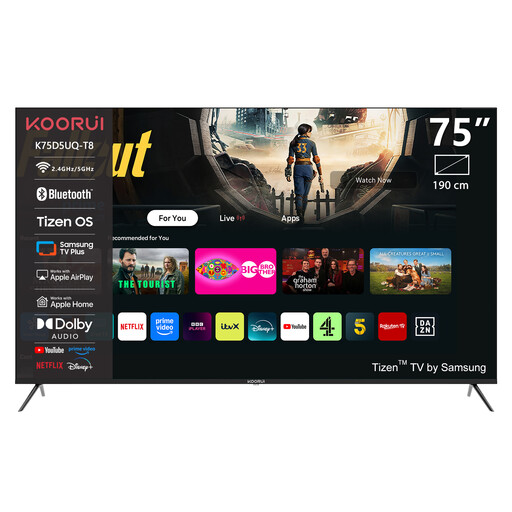
KOORUI K75D5UQ-T8, 75 inches
The stated 75-inch screen size gives you a starting point for testing readability from your seat.
UHD 4K, QLED, Tizen TV and LAN network support.
View at Joybuy
 No image available
TCL 75Q7D PRO, 75 inches
Test how easy it is to read a learning video from your intended viewing distance on this 75-inch model.
4K, QD Mini LED, QLED and Google TV.
View at Joybuy
 No image available
TCL 75T8D, 75 inches
Test the stated 75-inch screen size with the text in the learning videos you actually plan to watch.
QLED, QD Mini LED, 4K HDR and Google TV.
View at Joybuy
 No image available
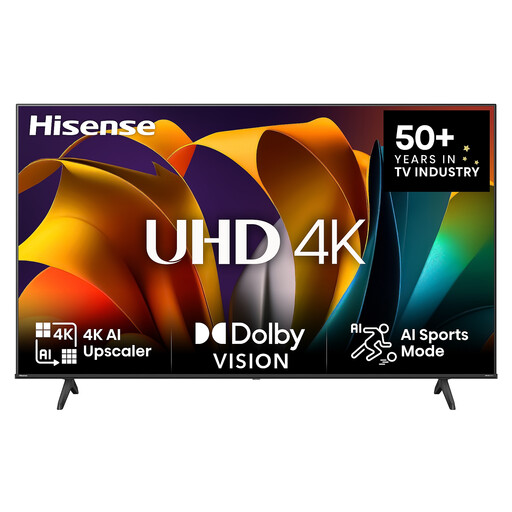
Hisense 75E6NT, 75 inches
Check the 75-inch screen size using a typical learning video from your own seat.
4K UHD, LED, 60 Hz, VIDAA, Wi-Fi and Bluetooth.
View at Joybuy
 No image available
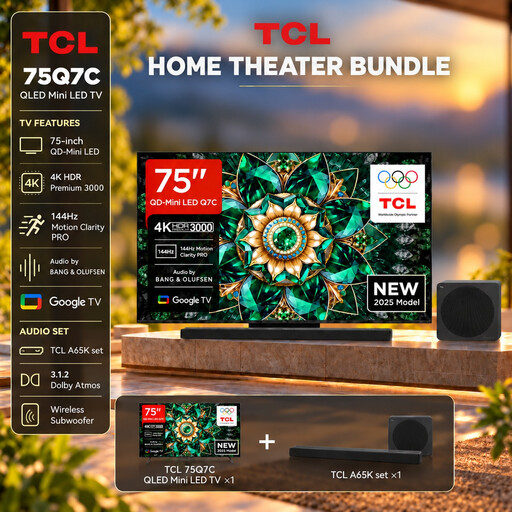
TCL 75Q7C with A65K soundbar set
This set is worth considering if you want to compare a separate audio solution as well as screen size for learning videos.
75 inches, QLED Mini LED, 4K and Google TV; listed as a set with an A65K soundbar.
View at Joybuy
Frequently asked questions
Is a 75-inch TV automatically the right size if you sit a long way away?
No. The right size depends on factors including viewing distance, available space and how easy it is to read the specific learning video. For a 75-inch (190 cm) HDTV, the Consumer Advice Centre suggests a viewing distance of around 3.10–3.80 m. This isn’t a guaranteed viewing distance for small on-screen text.
Can I change German YouTube subtitles on my TV?
YouTube explains how to adjust the font, style and background on supported TVs. The video itself needs to have subtitles available, so test the display with the learning video you actually plan to use.
What should I check before wall-mounting a TV?
Check the dimensions, weight and VESA mounting pattern of the specific TV, as well as the bracket and installation location. For example, Sony lists a 30 × 30 cm VESA mounting pattern and a weight of around 38.1 kg without the stand for the K-75XR95M2. These specifications don’t apply to other models.
Which details help when comparing energy consumption?
Compare the EU energy label and the SDR and HDR figures for the specific models, ideally choosing TVs with a similar screen size. Actual electricity consumption also depends on how you use the TV and its settings.
What rights do I have when buying a TV online in Germany?
When you buy online as a consumer, you generally have a 14-day right to cancel, starting from the day you receive the goods; exceptions and contract terms apply. Your statutory rights against the seller are separate from any voluntary guarantee.


