Study groups with side seating
If you watch German lessons with other people, the picture and on-screen text should remain clear from the seats at either side. RTINGS highlights wide viewing angles as important for wider seating arrangements.


Choose a TV for German lessons based on the viewing angles from your seats and how easy subtitles are to read along your actual learning set-up – not just the display technology name. OLED is one option for wider seating arrangements. If lesson slides or menus often stay on screen for a long time, compare a suitable LCD TV too, and consider the risk of permanent image retention on OLED described by RTINGS. Subtitle availability also depends on the specific video and app you use.
If you watch German lessons with other people, the picture and on-screen text should remain clear from the seats at either side. RTINGS highlights wide viewing angles as important for wider seating arrangements.
If you read along as you listen, check the subtitles on the lesson videos you actually use. YouTube Help notes that subtitles may not be available for every video, and automatically generated captions can contain errors.
If exercises, pause screens or menus often stay on screen for a long time, factor the display technology and the manufacturer’s guidance on static images into your choice. RTINGS describes a risk under extreme static conditions, while LG provides precautions for OLED displays.
Consider viewing angles and OLED image retention as separate factors when choosing a TV. RTINGS covers both topics, while YouTube Help explains subtitle availability and its limitations.
| What to consider | What to check when buying | Who it matters most to |
|---|---|---|
| Picture from the side | Watch a typical lesson video from the seats at either side and compare viewing-angle measurements for the specific model, rather than relying on the panel name alone. | If you sit well to the side with other people, a consistent picture beyond the centre matters. Around 36% of consumers put viewing angle first. |
| Subtitles and access to lessons | Check a lesson you actually use on your intended app or playback device, including the text size, style and controls. | If you read along as you listen, you need subtitles that are available and easy to read for the lessons you use. Around 29% of consumers prioritise subtitles and access to lessons. |
| Long-lasting lesson screens | Consider whether you mostly watch changing video content or often leave the same exercises and menus on screen for a long time. For OLED, follow the care guidance from the specific manufacturer. | If the same bright exercise slide or menu stays on screen for a long time, the TV’s suitability for this type of content should be a key factor. Around 21% of consumers put this first. |
| Purchase and running costs | Compare screen size for your intended seating position and the exact model’s energy consumption on the EU energy label, in kWh/1,000 h. | If you’re watching your budget but still want text to be easy to read, compare size and energy use for the way you’ll use the TV. Around 14% of consumers prioritise purchase and running costs. |
How the picture looks from the side depends on the specific model. A particular IPS panel type has not been confirmed for the LG 55QNED70A6A, so the QNED name alone does not guarantee a specific viewing angle.
Compare viewing-angle measurements for the specific model and test a lesson video from the seats you’ll actually use.
Subtitles depend on the specific video and playback app. Automatically generated subtitles can contain errors.
Check one of your lessons on the platform you plan to use, including the language, subtitle style and controls. Depending on the course platform, you may need an additional playback device.
If static content stays on screen for a long time repeatedly, image retention is a separate factor to consider. The stress test described by RTINGS shows a risk under extreme conditions, not how often it happens during normal lessons.
Consider how long the same exercises or menus stay on screen for you, and compare a specific LCD TV with tested viewing angles if needed.
Across the model ranges considered here, LG offers OLED and QNED LCD TVs in a range of sizes.
The Samsung GQ55S90FAEXZG is a 55-inch OLED option with Tizen.
The Sony BRAVIA 8 K-55XR8A combines a 55-inch OLED display with documented connections and playback options.
According to the manufacturer, the Philips 55OLED759/12 combines OLED and Ambilight with TITAN OS.
The following Joybuy picks include smart TVs with a range of screen sizes and platforms. Before you buy, check that your course source is available on the TV and that subtitles are easy to read from your seat.
 No image available
A compact option for watching German lessons on a smart TV platform. Check separately that your course source is available.
32 inches, Full HD, QLED and Tizen OS.
 No image available
A larger screen option for watching German lessons on a smart TV platform. Check that your course source is available and that the text is easy to read from your seat.
65 inches, 4K UHD, QLED and Tizen TV. LAN support is listed in the product description.
 No image available
A 55-inch option for watching lesson videos on a smart TV platform. Check the specific playback app and whether subtitles are easy to read from the side.
SQD Mini-LED and Google TV.
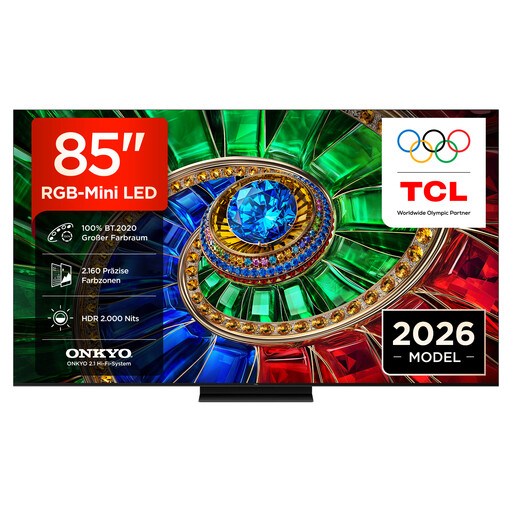 No image available
A very large screen option for lesson videos. Check that it fits your room and that text remains clear from your intended seating positions.
4K smart TV with Google TV.
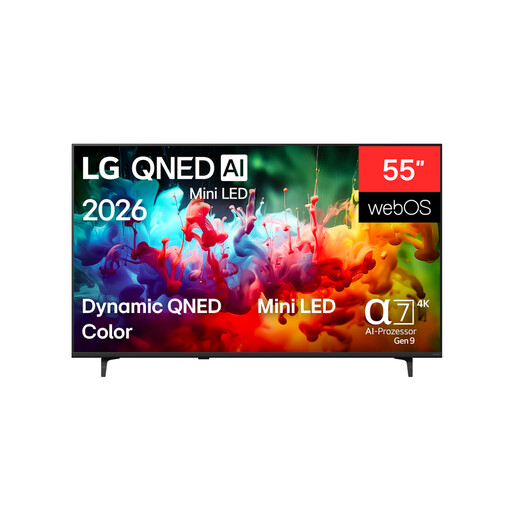 No image available
A 55-inch smart TV option for German lessons. Test how easy the text is to read from your seat at the side and check that your course source is available.
4K QNED with webOS.
No. A smart TV alone does not guarantee subtitles for every video. According to YouTube Help, you can select available subtitles on supported TVs; if a video has no subtitle track, there will be none to select. Automatically generated subtitles can contain errors. So check a lesson on the platform you actually plan to use.
Play a sample video from the furthest seat you plan to use and check both the text and the picture. RTINGS explains why horizontal viewing angle matters for wider seating arrangements; you should check how readable the subtitles are on the specific model with your own lesson videos.
OLED can work well for wider seating arrangements, but if static images often stay on screen for a long time, you should also consider the risk of permanent image retention. RTINGS describes this risk under extreme static conditions, not how often it occurs during ordinary German lessons. Factor in how you’ll actually use the TV and follow the manufacturer’s care guidance.
Compare the energy consumption shown on the EU energy label, in kWh/1,000 h, for the specific models. To estimate your annual cost, multiply this figure by your yearly hours of use, divide by 1,000, then multiply by your electricity price per kWh. The European Commission explains the energy consumption figure for displays; your actual costs depend on your usage and tariff.