Showing photos in a bright living room
If you want to look at landscape photos together despite daylight coming through tall windows, focus on how clearly they appear and how much they reflect.


If tall, bright windows are in your line of sight, Mini LED TVs are a sensible place to start. What matters most, though, is how the specific display handles reflections where you plan to put it. OLED may be a good fit if side-on seating matters and you can control the light. A matt, frame-style TV is worth considering if you want your own photos to stay on display between viewing sessions. Also check how photos are transferred, how the picture looks from different angles and how much energy the TV uses when left on for longer periods. Don’t choose based on the panel type or matt finish alone.
If you want to look at landscape photos together despite daylight coming through tall windows, focus on how clearly they appear and how much they reflect.
If you’re showing your photos to several people seated in different places, consider how the picture looks from the side as well as how you’ll transfer the files.
If you want selected landscape photos to remain on display outside viewing sessions, take the display mode and energy consumption into account.
A good fit if: You want landscape photos to remain clear in daylight. RTINGS.com often names Mini LED as a suitable starting point for bright rooms.
Things to weigh up: The technology alone doesn’t guarantee low reflections or a good view from the side. Check the specific model in the place where you plan to use it.
A good fit if: Guests are often seated to the side and you can control the light when displaying photos.
Things to weigh up: Consider the risk of image retention with OLED if photos or on-screen menus are left unchanged for long periods.
A good fit if: You want your own landscape photos to remain on display as part of your room’s decor between viewing sessions; Samsung describes this feature for The Frame.
Things to weigh up: A matt finish doesn’t rule out distracting reflections. Check how the screen looks and how photos are transferred on the specific model.
RTINGS.com highlights the trade-offs involved in handling reflections: a matt finish alone doesn’t determine how reflections or dark areas of the picture will look. Samsung explains how to upload your own photos to The Frame, while LG notes that supported file formats for USB playback vary by model.
| What matters | What to check when buying | Who will find this most important? |
|---|---|---|
| Clarity in light from windows | View one bright and one dark photo of your own in typical daylight, from the seat where you plan to sit. | When I show photos in front of tall windows, I want to see the details without reflections obscuring the picture. Around 36% of consumers put clarity in daylight first. |
| Transferring your own photos | Check the import method, supported image files and how to use it for the exact model. | If I want to display my own landscape photos without any extra hassle, having a suitable way to import them matters to me. Around 29% of consumers prioritise photo transfer. |
| Viewing from different seats | Assess how the picture looks from seats at the sides of the room, as well as the screen size you have in mind. | When several guests are sitting to the side, I want them to be able to enjoy the pictures from those seats too. Around 21% of consumers prioritise group viewing. |
| Displaying photos for longer | Compare the EU energy label for the specific model and consider the difference between a short viewing session and longer display. | If photos are to stay on screen for longer, I take energy use and static images into account when deciding. Around 14% of consumers put longer photo display first. |
A matt finish can distribute reflections differently, and how dark areas of the picture appear is also part of the trade-off.
View one bright and one dark photo of your own from your planned seat, with the windows lit as they usually are.
A manufacturer’s HDR brightness figure alone doesn’t tell you how reflections will look or how your own photo files will appear on that particular TV.
Check the screen finish, seating positions and photo-transfer options separately from advertised brightness figures.
Screen size and how long you use the TV affect its energy consumption. With OLED, long periods displaying an unchanged image are another factor to consider.
Compare the energy labels of specific models and think about whether you’ll display photos just for a viewing session or for longer.
Longer use can increase energy consumption in everyday use; the actual amount depends on the TV and how you use it.
The 65C7K, documented in Germany, is a QD Mini LED model that makes a useful example when assessing a TV for a bright room.
The German 65U8Q is a documented Mini LED model to consider when comparing TVs for daylight viewing.
The OLED55G59LS is a documented OLED example. LG also describes USB media playback on its TVs.
The Frame is relevant if you want to display your own landscape photos as wall art between viewing sessions.
BRAVIA 7 is a Mini LED range documented in Germany that you can consider when comparing TVs for bright rooms.
This selection includes TVs for displaying landscape photos, including Mini LED models and an OLED model. Check reflections, photo import and whether the screen size suits your room on the specific TV you’re considering.
 No image available
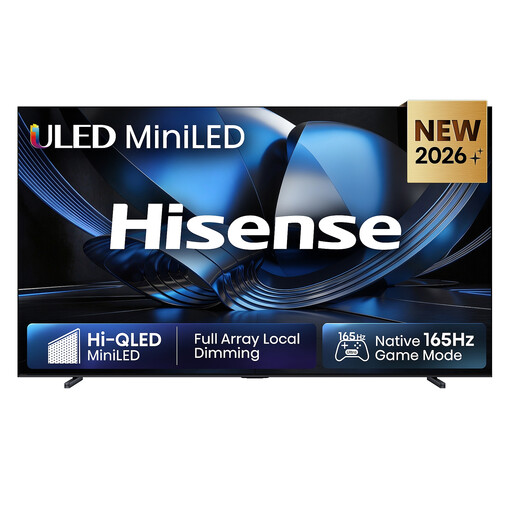
The Mini LED technology makes this model worth considering for bright rooms. Assess how it handles reflections at the spot where you plan to put it.
The product title lists 4K and an anti-reflection finish; this doesn’t indicate how it will perform in front of your window.
At 98 inches and a stated weight of 54.5 kg, you’ll need to plan for the space required and safe handling.
 No image available
This Mini LED model is worth considering for daylight viewing; how it handles possible reflections from windows depends on where you put it.
The product details list 4K. For longer photo displays, also consider its stated energy efficiency ratings of F for SDR and G for HDR, as well as its consumption of 190 W for SDR and 350 W for HDR.
 No image available
The 65-inch screen could be worth considering if you’re looking for a smaller option than the 98- and 100-inch models in this selection for viewing landscape photos.
The product title lists 4K UHD and QLED; it doesn’t confirm how the TV handles reflections or which photo files it supports.
 No image available
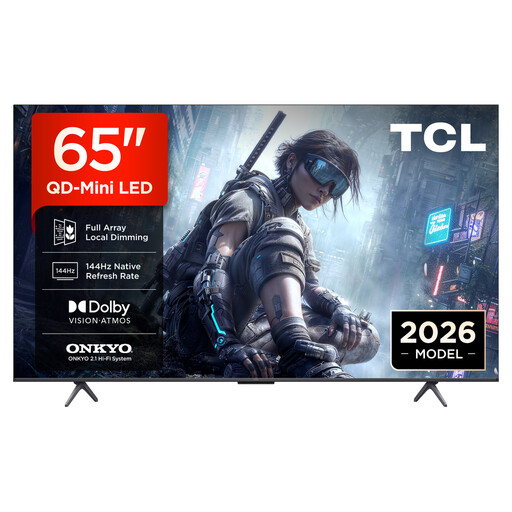
With QD Mini LED dimming and a 65-inch screen, this model is worth considering if you want to explore this screen size and technology.
The product title lists 4K HDR; check how it actually performs in daylight and displays your own photo files on the TV itself.
 No image available
This OLED model may be worth considering if you can control the light and need to take side-on seating into account.
The product title lists 4K. If you plan to display unchanged photos for a long time, bear in mind the general OLED risk of image retention.
No. A matt finish alone doesn’t rule out distracting reflections. RTINGS.com describes the different pros and cons of matt and glossy finishes; check reflections and dark areas of the picture on the specific TV.
It depends on the model and file formats. LG describes USB media playback on its TVs and notes that supported file extensions and codecs can vary. Samsung describes how to display your own photos on The Frame. Try your chosen import method with one of your own photos on the exact model you’re considering.
Compare the EU energy label for the specific TV and consider how long it will be switched on. The German Environment Agency notes that larger screens affect energy consumption; with OLED, you should also weigh up the effect of displaying unchanged images for long periods.
LG recommends ejecting the drive through the TV’s on-screen menu before unplugging it. The menu steps may vary by model.