For adventure films watched from a sofa set well back, start by matching your viewing distance to the screen size and the quality of your film sources. Without those details, it’s not possible to recommend a specific screen size. A large OLED may suit mostly dark film nights, while a large Mini LED LCD could be an option in a brighter room. For the specific model, also compare HDR formats, audio connections and energy consumption in SDR and HDR. These features alone don’t prove that a TV will perform better in your room.
Who is this choice relevant to?
Film fans with a sofa set well back
If your seat is a long way from the screen, consider screen size, viewing distance and the quality of your film sources together. The Verbraucherzentrale notes that resolution, lighting conditions and viewing angle in the room also matter.
Home cinema fans who watch in the evening
If you mostly watch films in the evening, compare how models handle dark scenes and which HDR formats they support. LG lists OLED and Dolby Vision among the features of its OLED83C5ELA; these model specifications are no substitute for comparing TVs in the conditions in your room.
Film fans in bright living rooms
In daylight or with the room lights on, light sources and viewing angles at your intended seating position matter as well as screen size. The Verbraucherzentrale recommends taking the lighting conditions where the TV will be installed into account when choosing a size.
What should you look for when buying?
Large OLED TV
A good fit if: You mostly watch films in the evening and are considering OLED with a screen size suited to your viewing distance. LG lists OLED and Dolby Vision for its 83-inch model.
Things to weigh up: RTINGS reports burn-in under extreme use with static images. This does not mean the same risk applies to ordinary viewing of films with changing images.
Large Mini LED LCD TV
A good fit if: You want to consider a large model with adjustable backlighting for use in a lit room. TCL and Sony offer 85-inch Mini LED models.
Things to weigh up: Brightness and dimming figures come from manufacturers and are not independent measurements. Check HDR formats and reflections on the specific TV, in the place where you plan to use it.
More straightforward large LED LCD TV
A good fit if: A screen size suited to your seating position and the connections you need matter more than extra picture features.
Things to weigh up: ‘LED’ alone tells you nothing about the contrast control on a specific model. The Verbraucherzentrale classifies LED TVs technically as LCD sets with LED backlighting.
| Priority |
What to check before buying |
Who it matters to |
| Screen size for a long viewing distance |
Consider viewing distance, available space and the quality of your film sources together. The Verbraucherzentrale’s distance chart distinguishes between HDTV and SDTV. |
From a sofa set well back, I want to make out details in films without choosing a screen size that doesn’t suit the room. Around 31% of consumers put screen size first. |
| Contrast and HDR |
Compare OLED or LCD with Mini LED dimming, along with the HDR formats supported by the specific model, against the film sources you use. |
For dark scenes, I want to weigh up contrast and suitable HDR support. Around 25% of consumers prioritise film contrast and HDR. |
| Picture in a bright living room |
Check light sources and viewing angles where the TV will be installed. Don’t treat manufacturer brightness figures as independent picture measurements. |
If I watch in daylight or with the lights on, reflections and room brightness should factor into my choice. Around 19% of consumers prioritise watching with the room lights on. |
| Film sound and connections |
Check that the specific model has HDMI for your existing video sources and the right audio output for your sound system. The Verbraucherzentrale describes HDMI as a connection for additional devices such as Blu-ray players. |
I want to be able to connect my existing film and audio equipment before deciding on additional sound options. Around 13% of consumers prioritise sound and connections. |
| Energy consumption |
Compare the specific model’s SDR and HDR figures on its EU energy label with how you use it. The European Commission explains that consumption is shown in kWh per 1,000 hours. |
If I watch films regularly, I want to estimate consumption based on the playback type and how long I use the TV for. Around 12% of consumers put running costs first. |
Common buying mistakes
-
Choosing by screen size alone
Viewing distance, the quality of your film source, lighting and viewing angle all affect which screen size will suit your room.
First measure the distance from your usual seat to the planned screen position. Then compare suitable screen sizes and the space available.
-
Treating ‘LED’ or a peak HDR figure as a complete picture assessment
For TVs, LED describes the backlighting used in an LCD screen. Manufacturer claims about HDR and dimming are no substitute for checking the specific model in your own lighting conditions.
Compare dimming, supported HDR formats and reflections separately, for the specific model you’re considering.
-
Assuming SDR consumption applies to every HDR film night
The EU energy label gives separate figures for SDR and HDR. To make a comparison, use the figure that matches the type of content you’re watching.
Use the relevant figure for the model, your viewing hours and your electricity tariff to estimate your own costs.
Relevant brands at a glance
TCL
TCL Germany lists the 85Q7C as a QD Mini LED TV with HDR features.
- The model page lists dimming and HDR features for the 85Q7C.
- These manufacturer claims are not independent measurements in your own room, and shouldn’t be assumed to apply to other TCL models without checking.
LG
LG lists the OLED83C5ELA as an 83-inch OLED model with Dolby Vision and Filmmaker Ambient Mode.
- The features listed apply to the OLED83C5ELA.
- RTINGS describes burn-in under extreme conditions with static images. This is not evidence that the model will develop a fault during ordinary film viewing.
Sony
For its 85-inch BRAVIA 7 K85XR70PAEP, Sony Germany lists Mini LED and Dolby Vision.
- The model page lists specific picture features for this 85-inch version.
- Sony describes the picture and sound performance itself; these claims are not independent measurements.
Samsung
Samsung Germany lists the GQ85QN80FAUXZG as an 85-inch Neo QLED model with 4K and Quantum Mini LEDs.
- The official model specifications help you assess the screen size and display features of this version.
- Check which HDR formats the specific model supports if your film sources rely on a particular format.
Joybuy TVs for long viewing distances
The Joybuy products below are large Mini LED TVs. Check that their screen size suits your viewing distance, available space and the quality of your film sources.
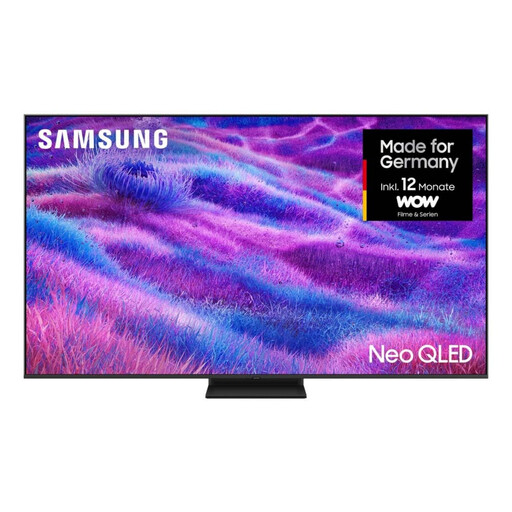 Image unavailable
Samsung Neo QLED 4K QN80F, 85 inches
Compare the 85-inch screen and 4K resolution with your viewing distance and the film sources you use.
Mini LED, Quantum Matrix Technology Core, NQ4 AI Gen2 Processor and Dolby Atmos are listed in the product name; energy efficiency class F.
View at Joybuy
 Image unavailable
TCL 85Q7D PRO, 85 inches, 4K SQD Mini LED
Compare the 85-inch screen size with your viewing distance, available space and the film sources you use.
The product name also lists Dolby Vision IQ, Dolby Atmos, Google TV, 144 Hz and 1.056 Local Dimming Zones.
View at Joybuy
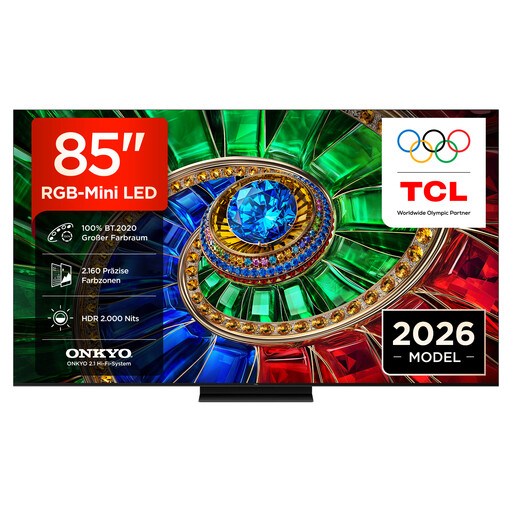 Image unavailable
TCL 85RM7L RGB Mini LED, 85 inches, 4K
The large screen size is a useful starting point for comparing the TV with your viewing distance and room.
The product name lists Dolby Vision IQ, Dolby Atmos, 2.1 Onkyo sound, 144 Hz VRR, HDR10+ and Google TV.
View at Joybuy
 Image unavailable
Hisense 85E8S, 85 inches, 4K Ultra HD Mini LED
Compare the 85-inch screen with your viewing distance and check that it will fit in the room you have in mind.
The product name lists 144 Hz, VIDAA, Dolby Vision IQ and Dolby Atmos.
View at Joybuy
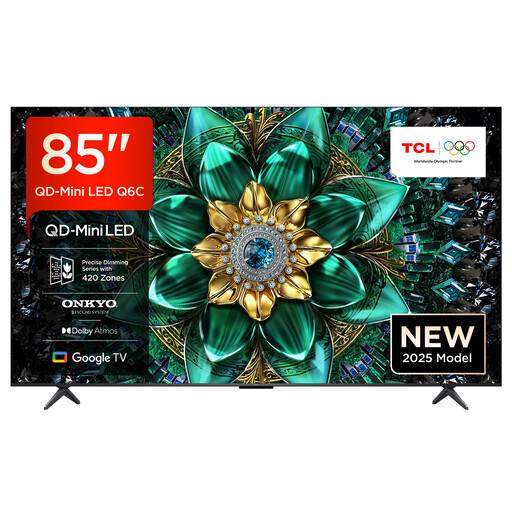 Image unavailable
TCL 85Q6C QLED Mini LED, 85 inches, 4K
Check that the 85-inch screen suits your viewing distance and the space available.
The product name lists Dolby Vision IQ, Dolby Atmos, Onkyo 2.1 sound, Google TV, 144 Hz and HDMI 2.1.
View at Joybuy
Frequently asked questions
How do I choose a suitable screen size for a long viewing distance?
Measure the distance from your usual seat to where you plan to put the screen, then compare it with the screen size and the quality of your film sources. The Verbraucherzentrale’s distance chart distinguishes between HDTV and SDTV. Without knowing your exact viewing distance, it’s not possible to recommend a specific screen size.
What should I check when setting up and connecting the TV?
Check the available space, light sources and viewing angles where you plan to put the TV. HDMI is relevant for a Blu-ray player, while the specific TV model needs the right audio output for external speakers. The Verbraucherzentrale describes HDMI as a connection for additional devices such as Blu-ray players.
How do I compare energy consumption for film nights?
The EU energy label shows model-specific consumption figures for SDR and HDR in kWh per 1,000 hours. The European Commission explains these figures. To estimate your own costs, you’ll also need your viewing hours and electricity tariff.
What information is shown on a TV energy label?
According to the European Commission, the EU energy label includes information on efficiency, screen size and playback in SDR and HDR, among other details. Compare the figure for the type of playback you actually use.
What rights apply when buying online or if a product is faulty?
For a typical online purchase from a trader in the EU, you generally have a 14-day right to cancel from the date of delivery; exceptions and conditions apply. If goods are faulty, you have statutory rights against the seller for a minimum of two years. Your Europe explains these as separate rights.


