Switch party group
If you want several people to play on a Switch or Switch 2 connected to your TV, check whether the game supports individual Joy-Con controllers. Nintendo notes that this depends on the software and how you play.


Choose your controls based on your console or PC and the requirements of the specific party game – you may not need extra gamepads. In supported Switch games, a single Joy-Con can provide one player slot; Jackbox games can use smartphones as input devices. Also check the player limit for the mode you want to play, along with connectivity and power requirements: Nintendo says the number of players depends on the game mode.
If you want several people to play on a Switch or Switch 2 connected to your TV, check whether the game supports individual Joy-Con controllers. Nintendo notes that this depends on the software and how you play.
If you play local multiplayer games on PS5, Xbox or a Windows PC, check whether you need full gamepads and which connections your gaming device supports. PlayStation and Microsoft list different pairing and connection methods for their controllers.
If you’re choosing between a gamepad and a smartphone, check whether the specific game allows smartphones as input devices. Jackbox Games describes smartphones as controllers for its games; the host device’s screen should be visible to everyone.
A good fit if: You own a compatible Switch and the specific game supports individual Joy-Con held horizontally.
Bear in mind: A controller that can be paired won’t necessarily work with every game mode.
A good fit if: The game requires full gamepads, or you need this type of controller for your existing platform.
Bear in mind: Platform compatibility alone doesn’t confirm that the local game mode you want to play is supported.
A good fit if: You’re playing a Jackbox game and everyone has a suitable smartphone to use as an input device.
Bear in mind: You’ll still need a suitable host device and a screen everyone can see.
| What matters | What to check before buying | Who should pay particular attention? |
|---|---|---|
| Platform and game | Check the console or PC, game version, game mode and supported controller type. | If you want to avoid buying a controller that works with your platform but not with the game’s input requirements, compatibility is the top priority for around 36% of consumers. |
| Player slots for everyone | Check the local player limit and the inputs required in the specific mode; count the controllers and smartphones you already have. | If everyone needs a suitable input device at the same time, the number of player slots is crucial. This is the main concern for around 29% of consumers. |
| Connection from your seat | Check which connections the host device supports and, for wired connections, the cable length you need. | If you want to play from your usual seat, you’ll need a suitable connection to the device. This is the main consideration for around 21% of consumers. |
| Power | Check how the controllers are charged, what’s included and whether you have the batteries or rechargeable batteries you need for your planned player slots. | If you want several controllers ready for a games night, power is important. This is a priority for around 14% of consumers. |
Nintendo explains that the number of players in games such as Super Mario Party Jamboree depends on the mode you’re playing. For Windows, Microsoft lists USB, Bluetooth or an Xbox Wireless Adapter as possible connection methods for supported devices.
The number of people who can play at the same time depends on the specific game mode. Jackbox games can use smartphones as input devices instead.
Before buying, check the local mode and the inputs it supports.
Nintendo says Joy-Con 2 controllers don’t work with the original Switch. Older Joy-Con can be used wirelessly with Switch 2, but can’t be attached to the console or charged through it.
Check the console generation, game requirements and charging method.
To charge older Joy-Con with Switch 2, you may need an original Switch or suitable accessories.
PowerA states that model NSGP0608-01 doesn’t support HD Rumble, the IR camera or amiibo NFC, among other features, and isn’t designed for games that require Joy-Con.
Check the inputs you need against the exact model and the game.
Microsoft notes that rechargeable AA batteries won’t charge inside the Xbox Wireless Controller.
Make sure your extra controllers are powered up before games night.
You may need a separate charger or a compatible battery pack for rechargeable AA batteries.
Joy-Con for Switch and Joy-Con 2 for Switch 2 are worth considering when the party game supports individual controllers.
DualSense is an option for adding full-size controllers to supported PS5 games.
The Xbox Wireless Controller is an option for Xbox and supported Windows games when your group needs full gamepads.
The Wireless Controller for Nintendo Switch 2, model NSGP0608-01, is a full gamepad for explicitly supported Switch 2 games.
The Ultimate 2 Bluetooth Controller is a full gamepad option for the Switch and Windows setups listed by the manufacturer.
This selection includes Joy-Con for Nintendo Switch and full gamepads for the consoles, PCs or mobile devices listed for each product. Check compatibility and the input type required for your specific game.
 No image available
For gaming on PS4 or PC, provided the specific game supports this controller.
Bluetooth connection and built-in rechargeable battery.
PS4 and PC are listed as compatible platforms; a touchpad, vibration and gyroscope are also specified.
 No image available
For gaming with a suitable host device; check the listed platforms against your game.
Bluetooth 5.2 and 2.4 GHz wireless; dual vibration and a detachable phone holder are listed.
The title lists Android, iOS, PC, Smart TV, PS3 and Switch as compatible platforms.
 No image available
For gaming on PC; the title also lists iOS and Android as platforms.
Bluetooth and wired USB-C connection.
The description lists four programmable rear buttons.
 No image available
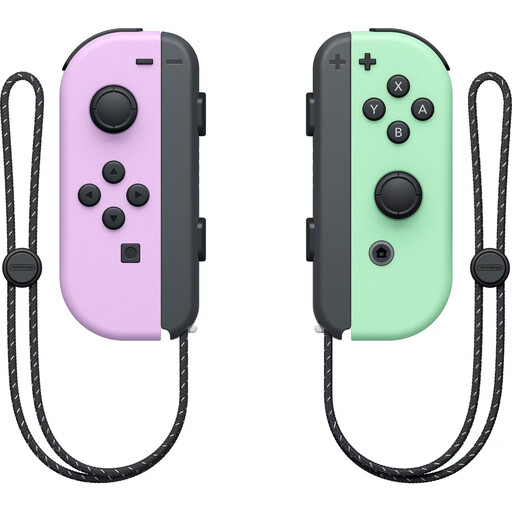
For gaming on Nintendo Switch, if the specific game supports individual Joy-Con as input devices.
The set includes one left and one right Joy-Con, which can be used independently, according to the description.
Motion controls, vibration and two wrist straps are listed.
 No image available
For gaming on PS5 or PC, provided the specific game and connection setup support the controller.
Bluetooth and USB-C; haptic feedback and adaptive triggers are listed.
Yes, if the Switch 2 software supports individual Joy-Con 2 held horizontally in the game mode you’re playing. Being able to pair controllers doesn’t determine how many people a game mode supports.
For the initial pairing, PlayStation recommends connecting the controller to the PS5 while it’s switched on using a USB cable, then pressing the PS button. Once the controller has enough charge, you can unplug it; up to four controllers can be used at the same time.
No, not necessarily. Jackbox Games describes internet-connected smartphones as controllers for its games; the game runs on a suitable host device, and its screen should be visible to the group. Other games have their own input requirements.
Not necessarily. Nintendo says the supported player limit depends on the game mode. So check the details for the specific mode you want to play.
For a standard distance purchase by a consumer, you generally have a 14-day right to cancel from the date of delivery; exceptions and return postage costs may apply in individual cases. Your statutory rights if an item is faulty are separate from any voluntary manufacturer’s warranty.