Puzzle fans who play on TV
You want to play certain brain-teasers or skill-based games on the big screen, and choose from supported game libraries. Nintendo’s Switch range includes titles such as Suika Game and Portal: Companion Collection.


Start by choosing the puzzle games and modes you actually want to play, then pick a console that runs those exact versions on your TV. Nintendo, PlayStation and Xbox all have puzzle titles to choose from; to connect a Steam Deck to your TV, you’ll need a suitable dock. Also check game compatibility, local multiplayer controllers, digital purchase terms and how the console connects to your TV.
You want to play certain brain-teasers or skill-based games on the big screen, and choose from supported game libraries. Nintendo’s Switch range includes titles such as Suika Game and Portal: Companion Collection.
You’re looking for puzzles for two or more people to play on the same screen, so local modes and compatible controllers matter. Nintendo describes Snipperclips as a two-player game for TV, while Portal: Companion Collection includes a local co-op mode, according to Nintendo.
You want to play both on the go and on your TV, so you’re comparing TV connectivity, game compatibility and any extra accessories you might need. Nintendo Switch models let you switch between TV and handheld play; Valve says the Steam Deck connects to a TV via a dock.
The key considerations are TV output, whether your specific games are available, the multiplayer mode you want and the console’s purchase model.
A good fit if: You want to play verified Switch puzzle games such as Snipperclips on your TV, with the option to switch to handheld mode.
The trade-off: You’ll need a compatible dock for TV mode; the OLED screen is for handheld play. Nintendo does not support TV mode on Switch Lite.
A good fit if: You want to play both on your TV and in handheld mode, and are considering Switch 2 games as well as compatible older Switch titles.
The trade-off: Nintendo notes that some Switch games may not be compatible, or may not be fully compatible, so check each title you want to play.
A good fit if: Tetris Effect: Connected is on your wish list and you’re looking for a dedicated, all-digital console.
The trade-off: The Series S has no disc drive, so you can’t use your existing game discs directly.
A good fit if: You want to play Tetris Effect: Connected on PlayStation and use the console for other PS5 games too.
The trade-off: PlayStation lists PS Plus as a requirement for this title’s online mode; this is separate from local play.
A good fit if: You want to play compatible games from your Steam library on your TV too.
The trade-off: Valve’s dock has HDMI, but does not boost performance, according to Valve. Depending on a game’s compatibility rating, you may need to make some adjustments.
| What to consider | What to check before buying | Who it matters most to |
|---|---|---|
| TV output | Check that the specific model supports TV mode and HDMI, and whether you’ll need a dock. Nintendo does not list a TV mode for Switch Lite. | If I want to play on a big TV, the console needs to be able to output a picture to it. Around 27% of consumers say TV connectivity is their top requirement. |
| Games you want to play | Search the relevant platform store for the title, version and game mode. Nintendo notes that some Switch games may have restrictions on Switch 2; on Steam Deck, check each game’s rating. | If I want to play particular puzzle games, it matters whether those exact titles are available and compatible with the console. Around 33% of consumers say the specific games on offer are their top priority. |
| Playing together | Check for local co-op or split-screen, the number of players on one device and the controllers required. PlayStation lists PS Plus as a requirement for online play in Tetris Effect: Connected. | If I want to solve puzzles with others on the same screen, I look for an explicitly local mode and compatible controllers. Around 20% of consumers say local multiplayer is their main concern. |
| Purchase model and accessories | Check the disc drive, any controllers and dock you need, and the storage standard separately. For extra Switch 2 storage, Nintendo specifies microSD Express rather than standard microSD cards. | If I want to keep using my existing discs or need to budget for accessories and storage, the purchase model needs to suit me. Around 20% of consumers put the purchase model and extra components first. |
Nintendo does not support TV mode on Switch Lite. A large TV can’t make up for the lack of TV output.
For this setup, choose a model that genuinely supports TV play and check how it connects to your TV.
The OLED display on the Switch – OLED Model is the console’s screen. TV output goes through the dock; a dock lets you connect the Steam Deck to a TV, but does not boost performance, according to Valve.
If you’ll mostly play on your TV, check TV output and game compatibility first. Don’t treat a handheld’s display technology as a feature of the picture on your TV.
An online mode doesn’t mean that several people can play together in front of the same TV. Local co-op and online play have different requirements.
Check each title for a local mode, the number of players on one device, the controllers required and any online play requirements.
The Xbox Series S and PS5 Digital Edition are designed for digital games; you can’t use existing game discs directly with these models.
Before you buy, sort your existing and planned games by whether you want to play them on disc or digitally, then choose the right version of the console.
Switch models let you play on your TV or on the go, and Nintendo has specific puzzle titles such as Snipperclips.
The Xbox Series S is a dedicated, all-digital console; Tetris Effect: Connected is available in the Xbox Store.
PlayStation lists Tetris Effect: Connected for PS5; choose the right console version based on whether you need to play game discs.
The Steam Deck is a portable PC gaming platform that you can connect to a TV with a suitable dock.
Joybuy product options with specified TV connectivity or a TV bundle for playing puzzle games on the big screen.
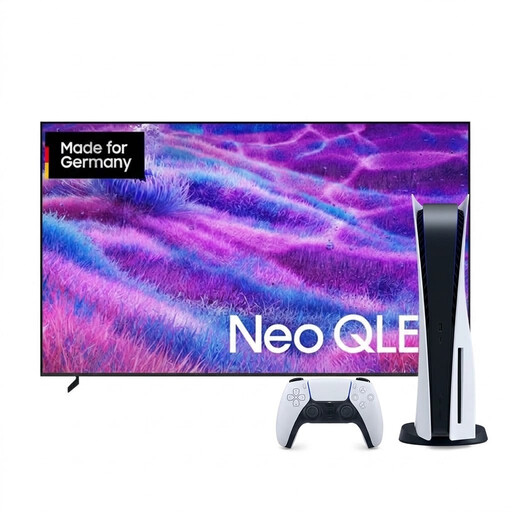 No product image available
If you’re choosing a TV and console together, this offer includes both devices, according to the product name. Tetris Effect: Connected is listed for PS5.
The PS5 version listed is digital; PlayStation says PS Plus is required for online play in Tetris Effect: Connected.
 No product image available
If you’re looking for a console with HDMI output, first check whether it includes the specific puzzle games you want to play and whether they run on it.
The product title specifies HDMI output, TV compatibility and two wireless 2.4 GHz controllers.
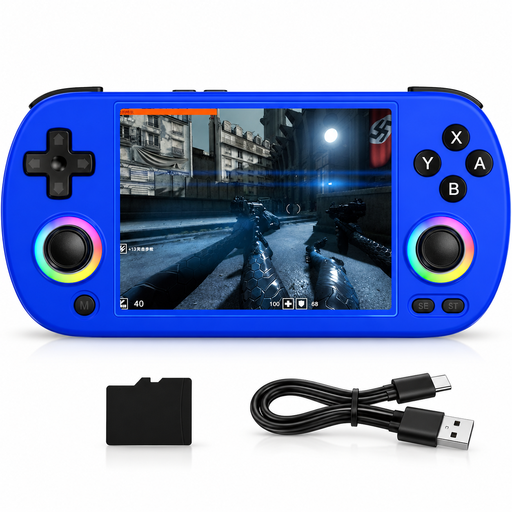 No product image available
If you want to use a handheld on your TV too, check that your puzzle games run on this device and can be displayed via its specified TV output.
The product title specifies HDMI TV output and a 4.0-Inch IPS display.
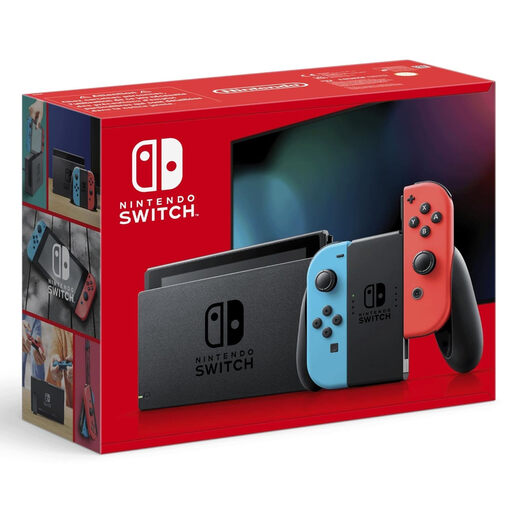 No product image available
If you want to play a verified Switch puzzle game on your TV, Nintendo lists Snipperclips as a Switch game for TV.
Nintendo supports TV mode on compatible Switch models via the dock; check which controllers you’ll need for the specific title.
No. You need a supported TV mode or a suitable video output. Nintendo does not support TV mode on Switch Lite; Valve says the Steam Deck connects to a TV via an HDMI dock.
Check the individual game’s local mode. Nintendo says Snipperclips uses two Joy-Con for two players; Portal: Companion Collection may require a compatible controller for each player. An online mode alone doesn’t confirm that you can play together on the same device.
No. Nintendo says Switch 2 can output in 4K when the game supports it and you have a suitable TV. On PS5, the available video output settings also depend on the connected screen.
Check the cost of games, extra controllers, storage or a dock, and the requirements for online modes separately. For example, PlayStation says PS Plus is required for online play in Tetris Effect: Connected; this doesn’t mean a subscription is required for all puzzle games.
Check the game’s German USK age rating and look out for information about purchasing or communication features. The USK says its ratings do not indicate whether a game is educationally suitable.