Families with a wide seating area
If you sit well to the left or right of the screen for family film nights, picture quality at the edge seats matters. RTINGS.com explains why viewing angles vary between TVs.


For a wide seating area, OLED and IPS LCD are both worth considering. According to RTINGS.com, IPS usually offers a wider viewing angle than VA LCD, but lower native contrast. Then test one of your own film files to see whether it plays via USB or an HDMI-connected device, and whether it displays without awkward stretching or cropping.
If you sit well to the left or right of the screen for family film nights, picture quality at the edge seats matters. RTINGS.com explains why viewing angles vary between TVs.
If you want your existing files to play straight away, check the file extension, codec and playback method on the TV you’re considering. LG Deutschland notes that these requirements need to be compatible with the playback method.
If you use your TV regularly, compare the energy label for the specific model. For OLED TVs, also follow the guidance on displaying static images for extended periods. The European Commission explains the purpose of the energy label, while LG Deutschland describes image retention as a possible issue with static images.
A good fit if: several people sit far apart and consistent picture quality is important.
The trade-off: care guidance matters if static images are displayed for extended periods; LG Deutschland describes image retention as a possible risk.
A good fit if: side-on seating matters more than achieving the highest possible native LCD contrast.
The trade-off: RTINGS.com’s technical comparison says IPS usually offers a wider viewing angle than VA, but lower native contrast.
A good fit if: most viewers sit more centrally and native contrast is a higher priority.
The trade-off: picture quality may deteriorate sooner from side-on seats; RTINGS.com says VA usually has narrower viewing angles than IPS.
| Priority | What to check before buying | Who is it important to? |
|---|---|---|
| Picture from the side | Consider the furthest seats and check a viewing-angle test for the specific model, rather than relying on the panel type alone. | If we sit far apart, we want the picture to look as consistent as possible from the edge seats too. Around 36 % of consumers put viewing angle first. |
| Existing film files | Test one of your own video and audio files. If using USB, also check the file system and format specifications for the specific model. | If we want our digitised films to play without extra steps, the files we use need to work with the playback method. Around 29 % of consumers prioritise compatibility with their film files. |
| Picture format and size | Check the aspect ratio and viewing distance with one of your own films; zooming can crop parts of the picture. | If a recording isn’t in widescreen format, we want people to look undistorted. Around 21 % of consumers pay particular attention to picture format and usable screen size. |
| Running costs and care | Compare the model’s energy label and product information sheet; for OLED, read the guidance on static images and panel care. | If we watch TV regularly, we want to factor energy use and care guidance into our choice. Around 14 % of consumers put running costs and care first. |
Upscaling can’t recreate or restore detail that’s missing from the digitised original.
Where possible, judge the TV using a typical recording of your own, rather than a 4K demo video.
A file may not play, even when there’s a USB port, if its codec or format isn’t compatible with the TV.
Test one of your own video and audio files, and check the format specifications for the specific model.
If a file isn’t supported, you may need an additional playback device or to convert the file.
With a wide seating arrangement, picture quality may change more noticeably at the edge seats. RTINGS.com says VA LCD usually has narrower viewing angles than IPS.
Before choosing, decide where the furthest seats will be and assess the specific model from those positions.
With a recording in a different aspect ratio, bars may be needed to show the picture without distortion; zooming can stretch the image or crop parts of it.
Compare the aspect ratio settings on your TV and playback device using one of your own recordings.
The OLED55C57LA is a 55-inch OLED specified for the German market, with webOS. LG Deutschland lists Dolby Vision for this model and offers help with USB playback.
The TV-65Z85AEG is a 65-inch OLED with a media player, USB and HDMI ports.
The 48OLED809/12 is a smaller OLED option with Ambilight and Google TV.
The GQ65S90FATXZG is a 65-inch OLED specified for the German market, with Tizen.
This selection includes TVs with a range of screen sizes and display technologies. For each model, check how the picture looks from your seats, and whether it can play your own film files in the right aspect ratio.
 No image available
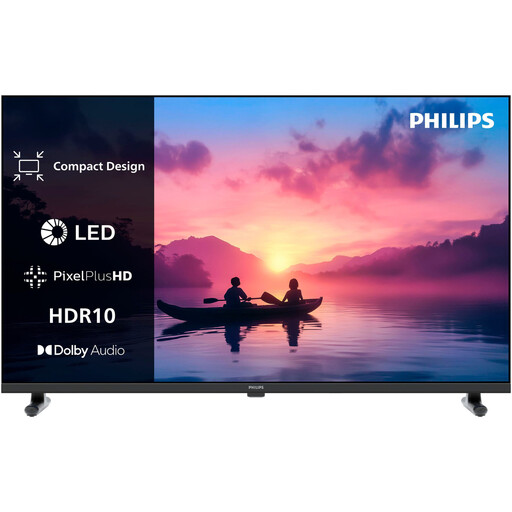
May be worth considering if the 32-inch screen suits your viewing distance and seating positions.
The title lists Full HD and QLED; the description mentions USB ports. Whether a specific file will play depends on its properties and the device’s requirements.
 No image available
Could be an option if a compact screen suits your seating area and your file works with the intended playback method.
The product specifications list 1366 × 768 pixels, a USB media player, two USB ports and three HDMI ports. File compatibility still depends on the format and codec.
 No image available
OLED is a worthwhile technology for wide seating arrangements; check how this specific model looks from the furthest seats.
The product title lists 83 inches and 4K. LG warns that displaying static images for extended periods may cause image retention, so follow its OLED care guidance.
 No image available
OLED is a worthwhile option for side-on seating, but you should still assess the picture quality of the specific variant.
The product title lists 55 inches, 4K and 144 Hz. The product description lists two USB ports, but this doesn’t mean every film file will be supported. Follow LG’s guidance on static images displayed for extended periods.
 No image available
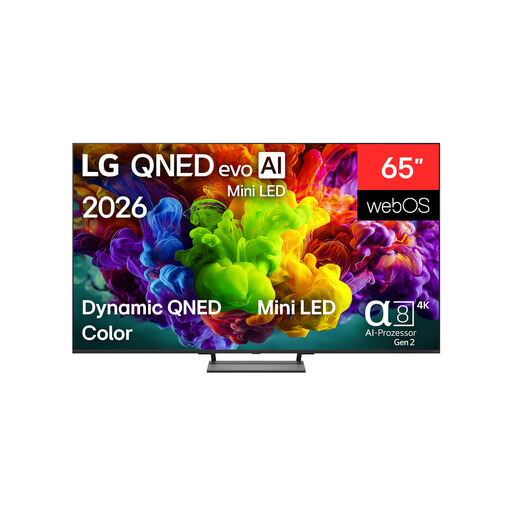
The 65-inch screen may suit a larger seating area; check the viewing angle of the specific model rather than assuming it from the display technology name.
The product title lists 4K and QNED evo. Check the specifications for the specific variant to confirm the panel type and support for your film files.
No. A USB port alone doesn’t guarantee playback. The file extension, video and audio codecs and, where relevant, the file system must be compatible with the specific TV. Test one of your own files and check the model’s format specifications.
Check the recording’s aspect ratio and the settings on your TV and playback device. If the film doesn’t fill the widescreen, bars may be needed to display it without distortion; zooming can crop parts of the picture. The available settings may also depend on the input signal.
Don’t leave static images or menus on screen for longer than necessary, and follow the instructions for your specific device. LG describes image retention as a possibility when static images are displayed for extended periods; on affected LG devices, pixel cleaning may run while the TV is switched off but still connected to the mains.
Compare the energy labels and product information sheets for the specific models. To estimate your own costs, you’ll also need to know how long you use the TV for and your electricity price. The European Commission describes the energy label as a guide to energy efficiency.
The statutory legal guarantee for faulty goods is different from a voluntary warranty. According to Verbraucherzentrale, online orders generally come with a 14-day right to cancel from the date you receive the goods. EU energy-labelling rules apply to electronic displays, but this alone doesn’t prove that an individual listing is labelled correctly.