Documentary nights with a group
If you watch together and someone regularly sits to the side of the screen, it’s worth checking how colours, brightness and blacks look from that position. RTINGS provides measurements of horizontal viewing angles.


If people regularly watch from seats at the side, first compare measurements of the specific TV’s horizontal viewing angles with your seating layout. Screen size or the QLED label alone won’t tell you enough. OLED is an obvious option. RTINGS says IPS LCDs typically have wider viewing angles than VA LCDs, but lower contrast. In daylight, reflections and brightness matter too.
If you watch together and someone regularly sits to the side of the screen, it’s worth checking how colours, brightness and blacks look from that position. RTINGS provides measurements of horizontal viewing angles.
If you often watch during the day, consider reflections from windows and lamps at your chosen seat, as well as the viewing angle.
Space, night-time and deep-sea footage all rely on visible detail and convincing blacks. Just remember to consider the view from seats at the sides too.
First, compare the measured horizontal viewing angle with your seating positions. Then consider whether the room lighting, dark scenes, viewing distance and TV signal or streaming options suit your everyday needs.
| What to consider | What to look for | Who is it important to? |
|---|---|---|
| Picture quality from the side | Measurements for the specific model showing colour shift, loss of brightness and black levels when viewed horizontally. | If I watch with other people, I want to be able to judge colours and detail from the seats at the sides too. Around 34% of consumers prioritise picture quality when viewed from the side. |
| Reflections in daylight | How the screen handles reflections and its brightness, in relation to windows and lamps where the TV will be set up. | If you watch during the day, you’ll want to follow the picture even with light coming into the room. Around 20% of consumers prioritise picture visibility in daylight. |
| Dark areas of the picture | Check contrast and black levels alongside the viewing angle. Consider supported HDR formats only if your documentary source uses them. | If I often watch space or deep-sea scenes, I want to see dark details while still accounting for seats at the sides. Around 20% of consumers prioritise dark areas of the picture. |
| Screen size and viewing distance | Consider the screen size, distances from the seats you use and the resolution of your usual documentary sources together. | When choosing a screen size, you’ll want to match it to your viewing distance and the content you watch. This balance is the top priority for around 13% of consumers. |
| Energy use and reception | Check the EU energy label for the exact model, as well as the internet connection and reception or streaming features you need. | If I stream regularly or keep an eye on energy use, I want to know what features I need and what the energy label says. Around 13% of consumers put these factors first. |
The name of the backlighting or display technology doesn’t tell you how much picture quality will deteriorate when you view a particular LCD TV from the side. RTINGS says IPS panels typically have wider viewing angles than VA panels, but lower contrast.
Check viewing-angle measurements for the exact model as well as its panel and backlighting specifications.
A picture that looks contrasty when viewed straight on may look different from seats at the side. Reflections from windows or lamps can also affect how clearly you can see the picture.
If possible, compare the picture from the seats you’ll actually use and in similar lighting conditions.
A test of one screen size doesn’t automatically show how every version performs. RTINGS notes that the LG C6 range includes different sizes and technically different C6H versions.
Check the full model number, screen size, HDR features and which versions the test covers.
The German C6 range is an OLED option for households with seats at the side.
The German GQ55S95HFTXZG is an OLED option if viewing from the side and reflections are both important to you.
BRAVIA 8 II is a QD-OLED range documented in Germany, for buyers who also want to compare Sony’s features and user experience.
The Z95B range is a German OLED option with Fire TV and a speaker system tuned by Technics, according to Panasonic.
The German 65C8K adds a QD-Mini-LED TV to the comparison, with a panel TCL calls ‘CrystGlow WHVA’.
This selection includes large 4K Mini-LED TVs and OLED models. Check the viewing angle of the specific TV rather than judging it by display technology alone.
 No image available
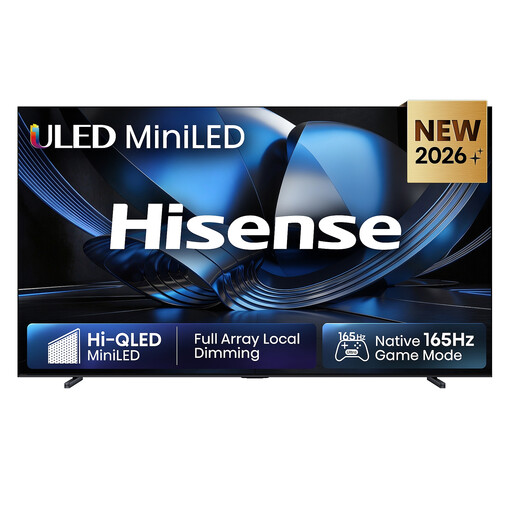
An option to compare if you’re looking for a 100-inch TV with 4K and smart TV features. Check its suitability for side viewing separately.
100 inches; ULED Mini LED; 4K; 165 Hz; Dolby Atmos; VIDAA Smart OS.
 No image available
Worth considering if you’re comparing large 4K Mini-LED TVs with smart features. Check the viewing angle of the exact model.
85 inches; 4K Ultra HD; Mini-LED; 144 Hz; VIDAA; Dolby Vision IQ; Dolby Atmos.
No image available
An option to compare if you’re looking for a 75-inch MiniLED TV with 4K. The technology label alone won’t tell you how the picture will look from your seats at the side.
75 inches; MiniLED; 4K; 144 Hz; QLED; Dolby Vision; VIDAA OS; VRR and ALLM.
 No image available
An option to compare if you’re looking for a large OLED TV for 4K documentaries. Check how the picture looks from the seats at the side that you actually use.
83 inches; OLED; 4K; Dolby Vision; webOS; integrated 40 W speaker system. The product name specifies wide viewing angles.
 No image available
Could be a good fit if you’re comparing a 77-inch OLED TV with 4K and smart TV features. Check how the picture looks from the side against your seating layout.
77 inches; OLED; 4K; 120 Hz; webOS; energy efficiency class D; 2026 model year.
For the specific model, compare measurements of colour shift, loss of brightness and black levels when viewed from the side. RTINGS measures horizontal viewing angles; these measurements don’t automatically tell you what the picture will look like from seats that are significantly higher or lower.
Measure the distances between the seats you use regularly and consider the lighting and viewing angle at the planned position. If you’re wall-mounting the TV, check the dimensions and mounting specifications for the exact model you buy. Screen diagonal alone won’t tell you what size bracket you need.
Consider your viewing distance, screen size and the resolution of the documentaries you usually watch together. The Verbraucherzentrale points out that lighting conditions and viewing angles where the TV is set up also affect how you judge the picture.
Compare the EU energy label for the exact TV model. Your personal electricity costs will also depend on how you use it and your tariff. In Germany, statutory consumer rights against the seller are distinct from a voluntary manufacturer’s guarantee, as the Verbraucherzentrale explains.