
Lieferung heute & morgen

Qualitätsgarantie

Willkommens-Angebote freischalten: KOSTENLOSE Lieferung | Bis zu 80 % RABATT | Kostenlose 30-Tage-JoyPlus-Testphase
App herunterladen
A TV can deliver a large, sharp picture and still sound thin during dialogue, music or film scenes. A soundbar for TV usually improves the sound while taking up less space than a traditional speaker set-up. However, a high wattage does not automatically guarantee the right result. Connections, speaker channels, room size and how you intend to use it are what really matter.
Manufacturers often quote the maximum or so-called peak power. This figure does not necessarily indicate the continuously usable volume or the balance of the sound. When choosing, you should also consider driver size, channel configuration, frequency range and subwoofer design.
A compact 2.1 soundbar can be a sensible choice for news, TV series and smaller rooms. A larger home cinema sound system with several surround speakers, on the other hand, needs more floor space and careful positioning.
A Dolby Atmos soundbar can process compatible audio formats. However, the result you perceive depends on the ceiling height, seating position, reflective surfaces and source material. If the speakers fire upwards, the ceiling should ideally not be highly angular or covered with sound-absorbing materials.
You should also check whether your TV has an HDMI eARC connection. This is the only way to use certain high-resolution audio formats and convenient control via a single HDMI cable. An optical connection remains practical, but it does not support the same transmission options as eARC.
A wireless subwoofer transmits the audio signal without a speaker cable. However, it still needs a mains socket. Additional speakers in surround systems may also require power or connection cables. Before buying, you should therefore plan for available sockets, cable lengths and the position behind the sofa.
The channel designation describes how the audio channels are arranged:
More channels do not automatically mean a more suitable solution. In a small living room, additional speakers can make the set-up more complicated, while in a larger room they can provide more targeted sound distribution.
For connecting to your TV, HDMI ARC or HDMI eARC is usually the most convenient option. Compatible devices can often be controlled using the TV remote. Optical and AUX are useful alternatives for older TVs or playback devices.
A Bluetooth soundbar is ideal for playing music from your smartphone or tablet. Depending on the model, a soundbar with app control may offer additional equaliser settings, sound profiles and firmware updates. Check that the app is compatible with your smartphone’s operating system and whether regular updates are planned.
Measure the space beneath your TV and the width of your TV stand. The soundbar must not block the TV’s infrared sensor. If you are mounting it on the wall, the bracket must be suitable for the type of wall. The subwoofer should stand securely and not be wedged directly into a corner, as this can affect bass reproduction.
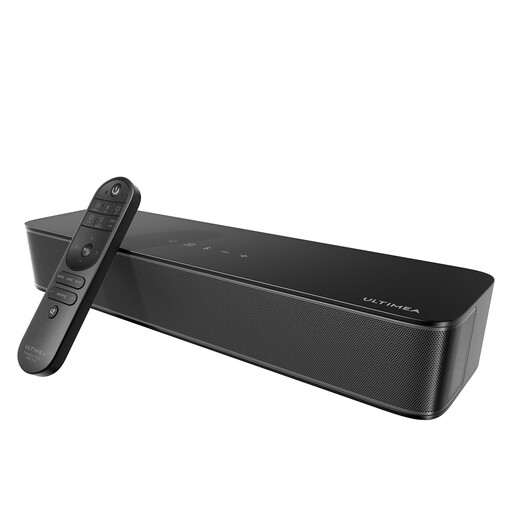
Why this product suits this profile: This compact 2.1 soundbar has an integrated subwoofer, so no separate bass module is needed. It is therefore well suited to smaller living rooms, bedrooms or TV stands where space is limited.
The technical specifications list the channel count, frequency range and connections separately from the peak power. This makes it easier to compare the device objectively with other models.
According to ULTIMEA’s product specifications: 2.1-channel configuration, integrated 76-mm subwoofer, Bluetooth 5.4, Optical, AUX, USB and app control.
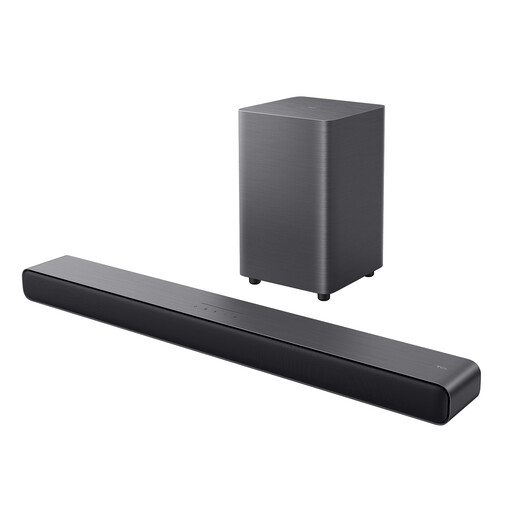
Why this product suits this profile: If you want a separate subwoofer, Dolby Atmos and straightforward TV connectivity, this model combines several important features in one 2.1 system.
HDMI eARC, Optical and USB are clearly specified. This means your choice is not limited to a single type of connection.
According to TCL’s product specifications: 220 W, Dolby Atmos, DTS Virtual:X, wireless subwoofer, six sound modes and Bluetooth 5.3.
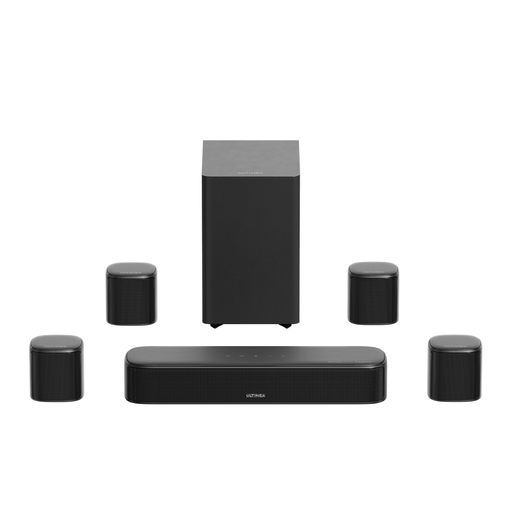
Why this product suits this profile: Four surround speakers and a separate subwoofer are designed for users who want a more immersive distribution of channels for films, games and sport.
The product specifications explicitly state the required front and rear connections, as well as the power supply needed for all components. This makes it easier to plan the room.
According to ULTIMEA’s product specifications: 7.1-channel system, Dolby Atmos via HDMI eARC, 420 W peak power, 5.25-inch subwoofer and app equaliser.
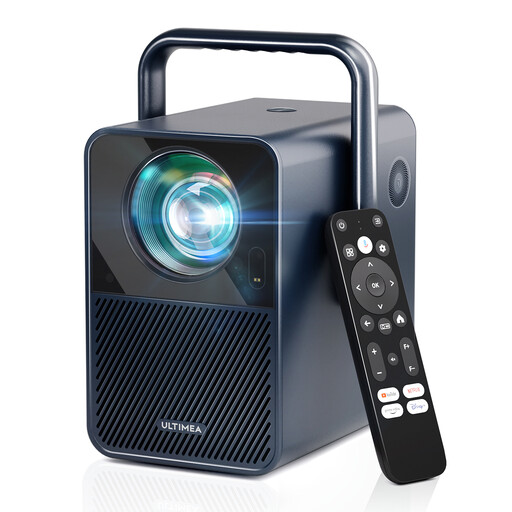
Why this product suits this profile: If you occasionally want to create a mobile home cinema instead of using a TV, this Full HD projector gives you a smart TV platform and automatic picture adjustments.
Native resolution and supported 4K decoding are listed separately. This prevents playback support from being confused with native 4K projection.
We have put together a complete, regularly updated list of products that fully meet these strict selection criteria and the safety regulations applicable in the EU.
A soundbar complements your existing TV and is usually straightforward to use every day. A home cinema projector also requires a suitable projection surface, an appropriate viewing distance and controllable lighting conditions. With Full HD or smart projectors, you should also check whether streaming services are officially supported or whether an external streaming stick is required.
For families, secure positioning, protected cables and sufficient ventilation are important. With projectors, nobody should look directly into the active lens. At the end of their useful life, electronic devices should be disposed of separately in accordance with local regulations.
A compact 2.1 soundbar with an integrated or wireless subwoofer takes up less space than a 5.1 or 7.1 system. Before buying, check its width, connection options and distance from the walls. In a small living room, a simple installation is often more practical than additional rear speakers.
Not necessarily for every type of Atmos playback, but HDMI eARC expands the range of possible audio formats and makes control easier. Whether you need this connection depends on your TV, soundbar and the streaming or gaming sources you use. If your TV only has Optical or HDMI ARC, compare the supported formats in the technical specifications.
Electricity costs depend on usage, volume, standby consumption and the subwoofer. Information about energy consumption can be found on the product label or in the instruction manual. If you use the soundbar every day, consider standby figures and whether automatic shut-off can be disabled, as well as the purchase price.