Film fans living behind thick walls
If your TV is in a room with poor coverage, the key with a wireless repeater is whether it can still receive a good signal from the router at a suitable midway point.


A wireless repeater can provide a connection for your TV if it still receives a strong signal from the router where you place it. If the signal is already weak there, a wired access point is an alternative. Powerline is worth considering if you can’t use an Ethernet cable, but you’ll need to test it in the sockets you plan to use. The maximum Wi-Fi speeds advertised on the box don’t tell you on their own how reliably films will stream on your TV.
If your TV is in a room with poor coverage, the key with a wireless repeater is whether it can still receive a good signal from the router at a suitable midway point.
An existing or newly installed Ethernet cable can let you set up an access point to provide Wi-Fi near your TV.
If there’s no suitable place for a repeater and running a cable isn’t practical, you can try Powerline using the sockets you plan to use.
| What you need | What to check before buying | Who this matters most to |
|---|---|---|
| Router signal through the walls | Check possible midway locations and test the connection to the router at each one. | If I want to connect a TV in a room behind thick walls, I first check whether a repeater can still pick up the router’s signal from a midway point. Around 36% of consumers say adequate range is their top priority when buying. |
| Reliable film playback | Check your streaming service’s requirements and test the connection on your TV or streaming device. | If a film keeps buffering or the picture quality fluctuates, I care more about the connection actually available on the playback device than the maximum Wi-Fi speed shown on the box. Around 29% of consumers prioritise reliable playback. |
| An alternative to a wireless connection | Check for existing Ethernet sockets and cable routes; test Powerline in the sockets you plan to use. | If the TV can’t get a reliable wireless signal, I check whether an Ethernet cable or Powerline can reach the room. Around 21% of consumers prioritise having an alternative way to transmit data. |
| Router and mesh compatibility | Check your router model against the mesh technology explicitly supported by the repeater. | If I want to add devices to my existing mesh network, I check that the specific devices are compatible rather than relying on the word ‘mesh’ alone. Around 14% of consumers prioritise compatibility with their router. |
A repeater needs to receive data from the router itself. A strong signal display by the TV doesn’t prove that the connection between the router and repeater is good enough there.
Try several possible midway locations. If none offers a reliable connection, compare an access point connected by Ethernet with a Powerline connection tested in your home.
The advertised Wi-Fi data rate isn’t the same as the reliable internet speed available on your TV. Netflix recommends at least 15 Mbit/s for 4K UHD streams. This is specific to Netflix, not a general requirement for every streaming service.
Check the video quality you want and, if possible, measure the connection on the device you plan to use for playback.
Mesh features depend on the specific combination of devices. TP-Link says the RE705X requires an EasyMesh-compatible router to use EasyMesh. Telekom distinguishes between mesh operation and repeater operation without mesh for Speed Home WLAN.
Check your exact router model and the mesh features you want against the list of supported devices.
The FRITZ!Repeater models mentioned here differ in features such as their Ethernet ports and wireless configuration. This may matter if you have a FRITZ!Box or want to connect a repeater to your TV.
The RE705X is an example of a dual-band repeater that TP-Link says can also work as a wired access point.
devolo offers both wireless repeaters and Powerline solutions, which transmit data over your home’s electrical wiring.
Speed Home WLAN may suit households looking to extend a supported Speedport mesh network.
The Joybuy options below are Wi-Fi extenders or repeaters for extending your home wireless network. Before choosing one, check that the planned location still has a reliable connection to the router. For the specific product, also check the CE marking and the instructions and safety warnings in German.
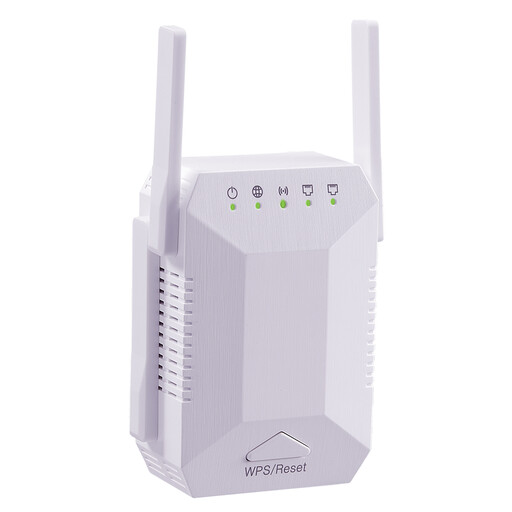 No image available
For extending your wireless network indoors. The booster needs to receive a reliable signal from the router at the location you choose.
Features listed in the product name: 1200 Mbit/s, 5G, dual-band, 4 adjustable antennas, white and EU plug.
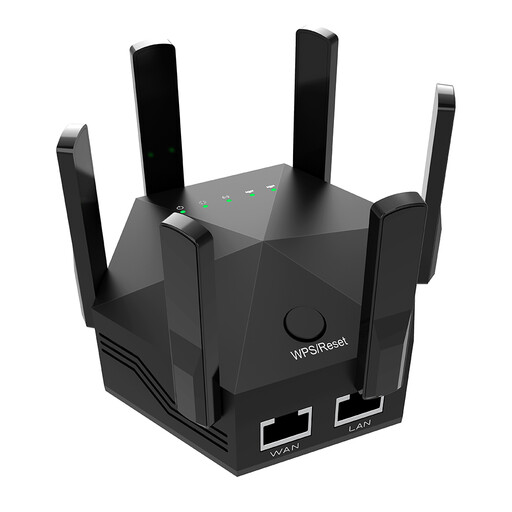 No image available
For extending your existing home Wi-Fi network. The key is whether the booster can still get a reliable signal from the router where you place it.
Features listed in the product name: dual-band, 1200 Mbit/s, 6 adjustable antennas, black and EU plug.
 No image available
Described as a compact way to extend an existing Wi-Fi network. Before buying, check that the planned location still has a signal from the router.
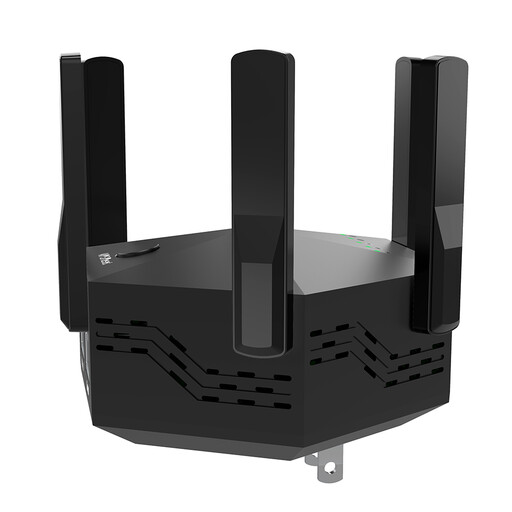 No image available
For extending your home wireless network. The connection to the router needs to be strong enough at the location you choose for the repeater.
Features listed in the product name: dual-band, 1200 Mbit/s, 6 adjustable antennas, black and EU plug.
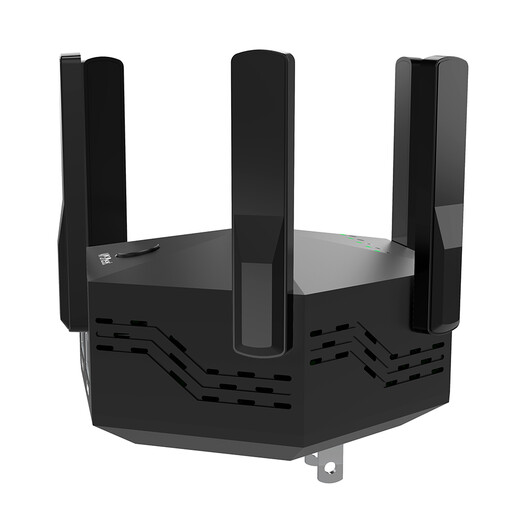 No image available
For extending your Wi-Fi indoors and around the home. Check the router signal at the location where you plan to use it.
Features listed in the product name: dual-band, 1200 Mbit/s, 6 adjustable antennas, black and EU plug.
Once you’ve set it up, test the connection on the device you’ll use for playback. Netflix recommends a stable internet speed of at least 15 Mbit/s for its 4K UHD streams and explains how to check your network in its TV app. This is Netflix’s recommendation, not a general minimum requirement for all streaming services.
Don’t choose a location just because it’s near the TV. First, test the connection to the router at a possible midway point. For Speed Home WLAN, Telekom recommends moving the device closer to the router or Wi-Fi booster if the connection indicator shows a weak signal.
Test the adapters in the wall sockets you plan to use. devolo recommends plugging them directly into wall sockets where possible and notes that devices such as power supplies or dimmers can interfere with the connection. So check how well it works where you watch films.
For a Powerline deal, check that the kit includes all the adapters you need for your setup. For a repeater, check what’s included, the warranty terms and whether you need any additional mesh devices for the specific model.
The Bundesnetzagentur lists frequency bands allocated for general Wi-Fi use that don’t require an individual application. This doesn’t mean that every device is automatically approved: for any specific wireless device, check the relevant product requirements, including CE marking and any required accompanying documents.