Sharing the sofa with people sitting off-centre
If you spread out across a sofa and armchairs, make sure the picture is clear from the seats at either end, too. RTINGS.com notes that a wide viewing angle matters when seating is spread out.


Choose a TV based on the seating you actually have, and check that subtitles remain easy to read in dark scenes from the furthest seat. OLED may be a natural choice for people sitting off-centre and for dark dramas. With Mini LED LCD, pay particular attention to halos around bright text and how the picture looks from the side.
If you spread out across a sofa and armchairs, make sure the picture is clear from the seats at either end, too. RTINGS.com notes that a wide viewing angle matters when seating is spread out.
If you follow dialogue and important sounds using subtitles, both readability and subtitle availability for the content and playback method you want matter.
If you also watch TV in a bright living room, consider reflections, seating positions and picture quality together rather than relying on a brightness figure alone.
RTINGS.com recommends a wide viewing angle for seating arrangements that spread out across the room. Its picture tests also look at how local dimming can create halos around bright subtitles in dark scenes.
A better fit if: Several people sit off-centre and you often watch dark scenes with bright subtitles.
Bear in mind: Burn-in is a consideration if the same static elements are displayed for very long periods. Also check reflections and the size of the specific model.
A better fit if: You want to compare LCD models for a bright living room or based on other personal priorities.
Bear in mind: Depending on the local dimming system, bright subtitles may have halos around them. On some LCD panels, the picture changes noticeably when viewed from the side.
| What matters | What to look for | Who is this important to? |
|---|---|---|
| Subtitles without distracting halos | Check the specific model with bright text against a dark scene, and assess readability from the furthest seat, too. | If I want subtitles to be easy to read in dark dramas, I look at halos and text size. This is the top priority for around 28% of consumers. |
| Picture quality from seats at the side | Compare the horizontal viewing angle in tests of the specific model with the width of your seating area. | If you want to watch from an armchair or the end of the sofa, you need a picture that still looks good from the side. Around 28% of consumers put a wide seating area first. |
| Visibility in daylight | Check the anti-reflection performance and tested picture quality of the specific TV, and consider the windows and light sources in your room. | If I watch TV during the day, I want to assess reflections and picture quality in a bright room together. Daylight is the top priority for around 17% of consumers. |
| Subtitles for the programmes you want to watch | Check whether subtitles are available for the programme and how to select them in the app or through your chosen viewing method. | If you want to watch specific dramas with subtitles, check their availability and how to select them in the player you use. Around 16% of consumers prioritise being able to access subtitles. |
| Upfront cost and running costs | Compare the specific offer and EU energy label figures for SDR and HDR, and choose a size to suit your usual viewing distance. | If I consider running costs as well as the purchase price, I compare the figures for specific models. Around 11% of consumers put total costs first. |
Local dimming can affect whether bright text in dark scenes is surrounded by visible halos. The Mini LED label alone doesn’t tell you how a particular model handles this.
Look for a test of the specific model showing bright text against a dark background, or check a scene like this for yourself.
Depending on the model, colour, brightness or black levels may change when you view the screen from the side.
Factor in the seats at either end when choosing, and check picture quality from the angles you’ll actually be watching from.
Not every programme on the ARD Mediathek has subtitles. In the app, you select them while the video is playing; the physical subtitle buttons on your remote usually don’t work there.
Before buying, check that your preferred content has subtitles and test how to select them using your chosen playback method. In the ARD Mediathek, the UT symbol generally indicates programmes with subtitles.
The energy rating alone doesn’t tell you how a TV will perform with your own viewing habits. The screen size should also suit your viewing distance.
Compare the EU energy label figures for SDR and HDR, and measure your usual viewing distance.
LG’s German G6 range includes a 55-inch OLED model that’s worth considering when comparing specific TVs.
The S90F range includes the 55-inch OLED model GQ55S90FAEXZG.
The 65-inch 65Q7D Pro is a Mini LED LCD option to compare with OLED in your own lighting and seating conditions.
The 65OLED810/12 is a 65-inch OLED TV with Ambilight.
Compare the following TCL Mini LED LCD models by screen size and listed features. Check which size suits your viewing distance and how subtitles and reflections look in your own room.
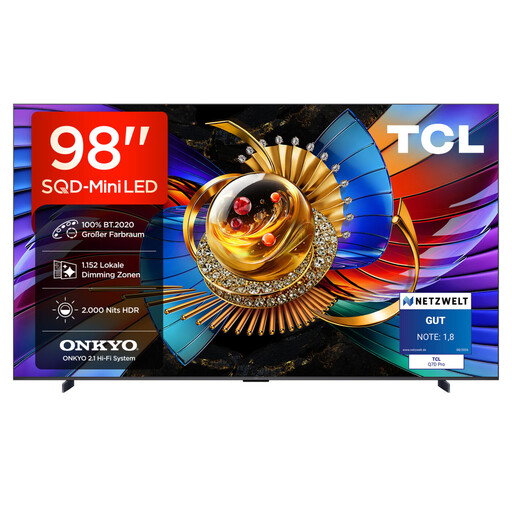 No image available
A Mini LED LCD model to consider when comparing performance in dark scenes and bright rooms. Check the picture quality on the specific TV.
1,152 local dimming zones; up to 2,000 nits HDR; anti-reflection; 144 Hz.
 No image available
A Mini LED LCD model to consider when comparing performance in dark scenes and bright rooms. Check the size against your usual viewing distance.
1,056 local dimming zones; up to 2,000 nits HDR; anti-reflection; 144 Hz.
 No image available
A Mini LED LCD model to consider when comparing performance in dark scenes and bright rooms. Check how the picture looks from seats at the side, too.
760 local dimming zones; up to 2,000 nits HDR; anti-reflection; 144 Hz.
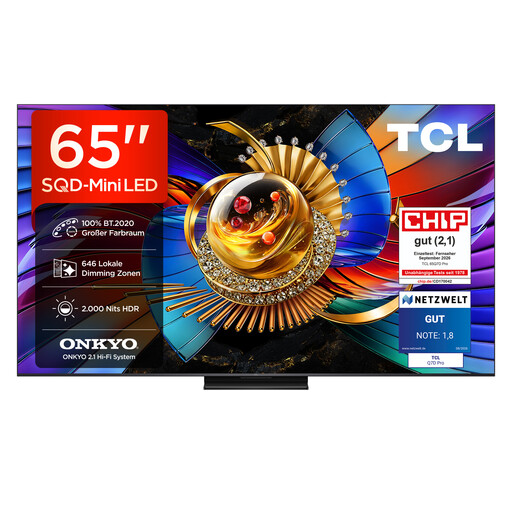 No image available
A Mini LED LCD model to consider when comparing performance in dark scenes and bright rooms. Choose a size to suit your viewing distance.
646 local dimming zones; up to 2,000 nits HDR; anti-reflection; 144 Hz.
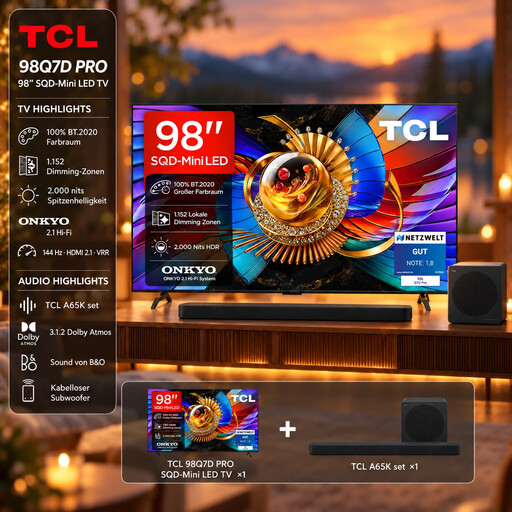 No image available
This bundle pairs the Mini LED LCD TV with an A65K soundbar. Check that the screen size and bundle contents suit your needs.
1,152 local dimming zones; up to 2,000 nits HDR; anti-reflection; 144 Hz.
Not necessarily. With live TV, a subtitle button may open the menu; in the ARD Mediathek app, you usually select subtitles during playback using the speech bubble icon. Check the viewing method you actually use.
No, not every programme has subtitles. The UT symbol and subtitle filter can help you find suitable programmes before you start watching.
Measure your usual viewing distance and check that the TV will fit the space you have in mind. Integrated wall mounts vary by model; also check what’s included in the specific offer.
The EU energy label includes the efficiency class and consumption figures for SDR and HDR, among other details. The European Commission lists requirements for electronic displays. Compare the figures for the specific models and consider your own usage, rather than using the class alone to estimate your personal annual bill.
No. When you buy as a consumer in Germany, you have statutory rights against the seller; a manufacturer’s guarantee is a separate, voluntary service with its own terms and conditions. The Verbraucherzentrale generally states that statutory rights last for two years from delivery. For certain repairs on purchases made from 31 July 2026, it describes a one-off 12-month extension.